Raspberry Pi & 0.96 inch OLED display All In One
Raspberry Pi & 0.96 inch OLED display All In One
I2C
$ sudo apt-get install i2c-tools

$ sudo i2cdetect -y 1
- 开启
I2C前 ❌
$ sudo i2cdetect -y 1
Error: Could not open file `/dev/i2c-1' or `/dev/i2c/1': No such file or directory

- 开启
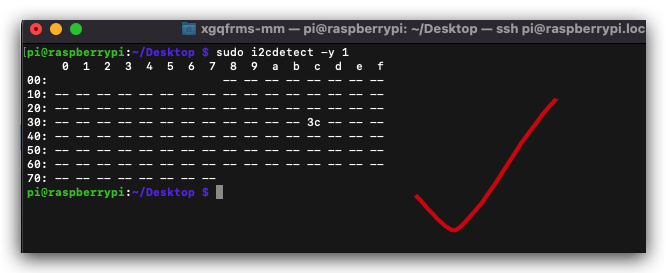
I2C后 ✅
$ sudo i2cdetect -y 1
     0  1  2  3  4  5  6  7  8  9  a  b  c  d  e  f
00:                         -- -- -- -- -- -- -- --
10: -- -- -- -- -- -- -- -- -- -- -- -- -- -- -- --
20: -- -- -- -- -- -- -- -- -- -- -- -- -- -- -- --
30: -- -- -- -- -- -- -- -- -- -- -- -- 3c -- -- --
40: -- -- -- -- -- -- -- -- -- -- -- -- -- -- -- --
50: -- -- -- -- -- -- -- -- -- -- -- -- -- -- -- --
60: -- -- -- -- -- -- -- -- -- -- -- -- -- -- -- --
70: -- -- -- -- -- -- -- --
pi@raspberrypi:~/Desktop $
raspi-config
# GUI 交互式命令行界面
$ sudo raspi-config
在本质上还是直接修改 /boot/config.txt 配置文件
https://www.raspberrypi.com/documentation/computers/configuration.html#the-raspi-config-tool
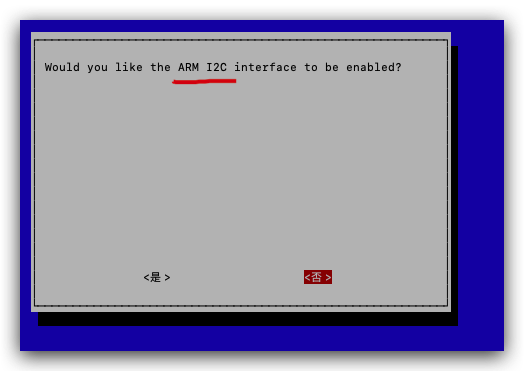
开启
I2C
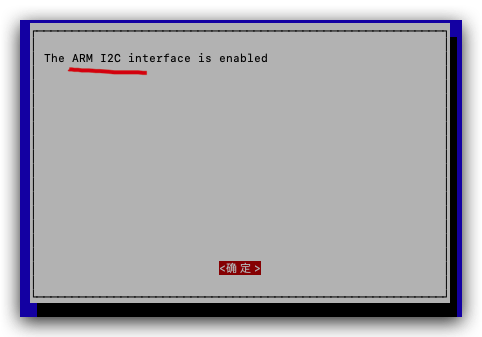
dtparam=i2c_arm=on ✅
# Uncomment some or all of these to enable the optional hardware interfaces
dtparam=i2c_arm=on
#dtparam=i2s=on
#dtparam=spi=on
0.96 inch OLED display
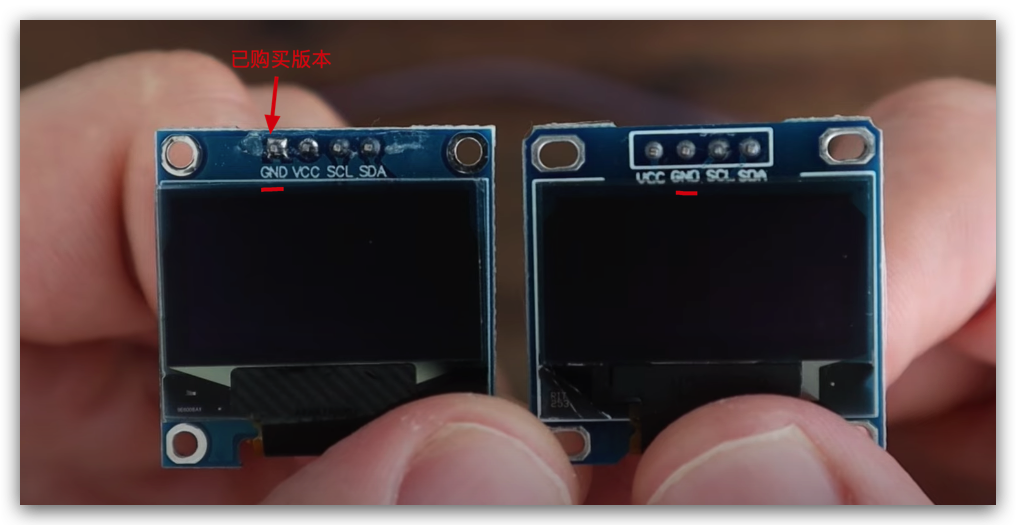
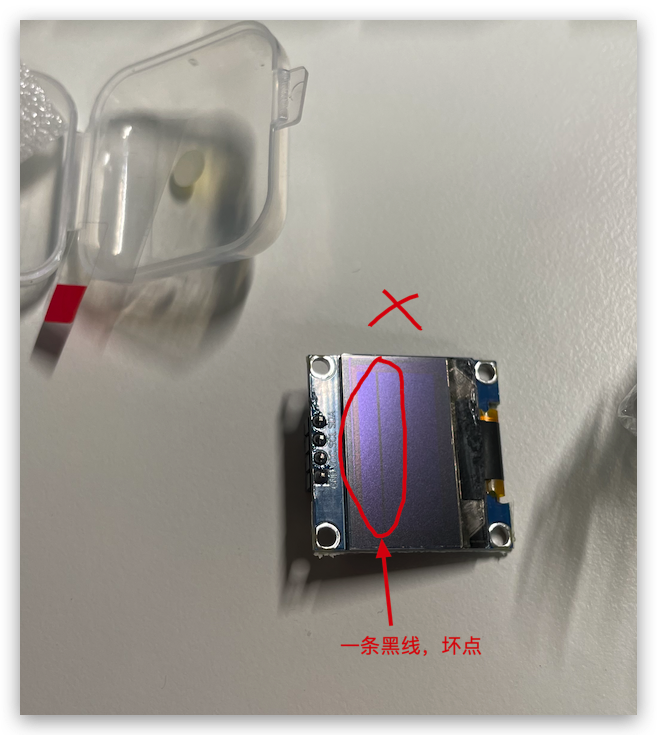
残次品/质量问题
接线图
https://pinout.xyz/pinout/i2c
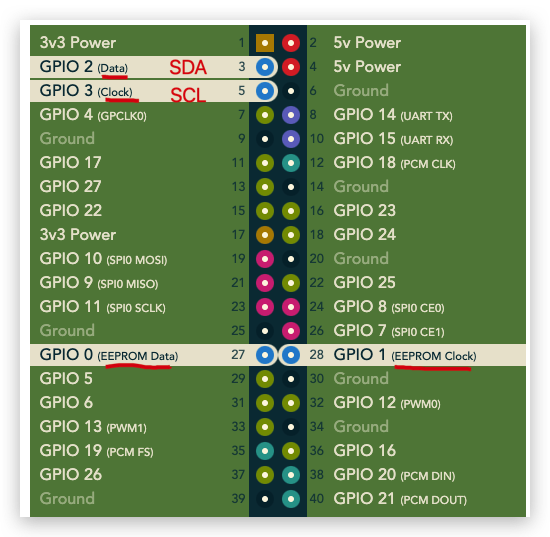
# GPIO
$ pinout

$ gpio readall

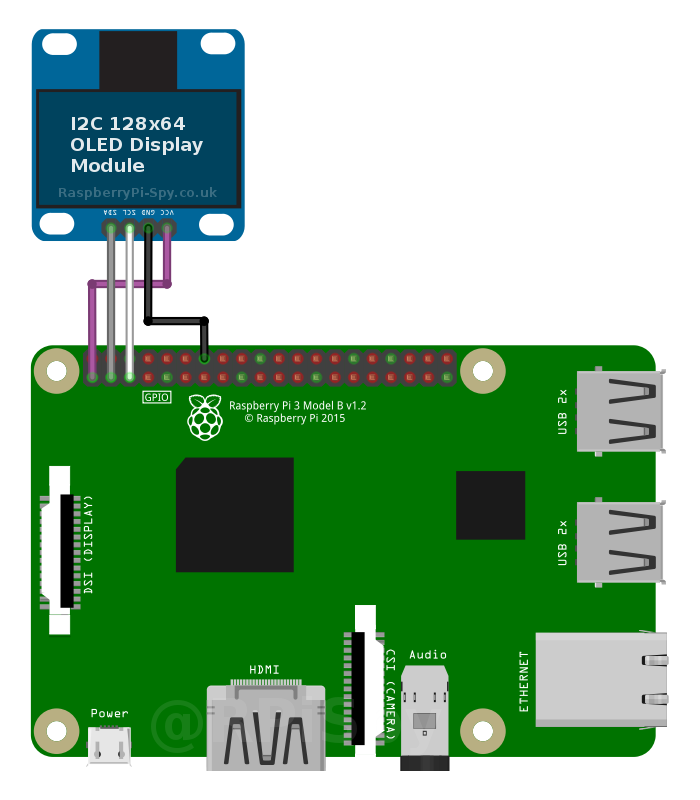
https://www.raspberrypi-spy.co.uk/2018/04/i2c-oled-display-module-with-raspberry-pi/
demos
Python
SSD1306
$ git clone https://github.com/adafruit/Adafruit_Python_SSD1306.git

$ cd Adafruit_Python_SSD1306

$ sudo python3 setup.py install
# testing
$ cd examples
$ ls -al
总用量 88
drwxr-xr-x 2 pi pi  4096  5月  7 23:00 .
drwxr-xr-x 9 pi pi  4096  5月  7 23:02 ..
-rw-r--r-- 1 pi pi  4283  5月  7 23:00 animate.py
-rw-r--r-- 1 pi pi  5885  5月  7 23:00 buttons.py
-rw-r--r-- 1 pi pi 12341  5月  7 23:00 happycat_oled_32.ppm
-rw-r--r-- 1 pi pi 24629  5月  7 23:00 happycat_oled_64.ppm
-rw-r--r-- 1 pi pi  2523  5月  7 23:00 image.py
-rw-r--r-- 1 pi pi  4281  5月  7 23:00 shapes.py
-rw-r--r-- 1 pi pi  4794  5月  7 23:00 stats.py


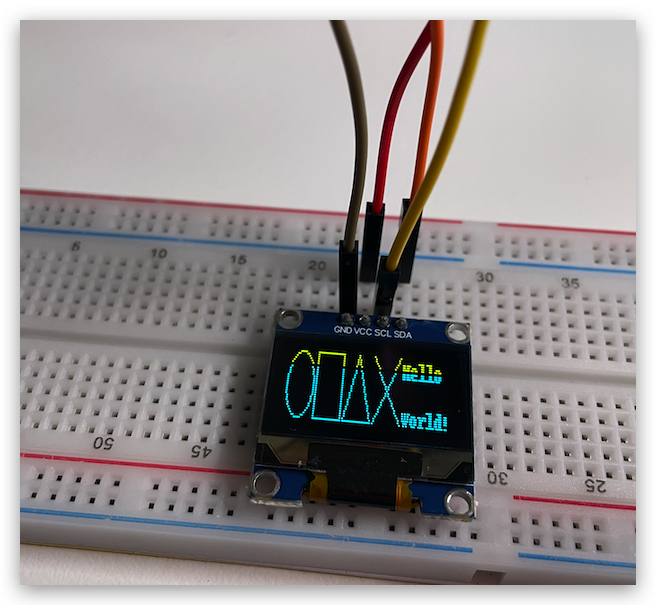
$ python3 shapes.py
$ python3 stats.py

$ py3 image.py
$ py3 animate.py
$ py3 buttons.py
# /home/pi/Desktop/Adafruit_Python_SSD1306/examples
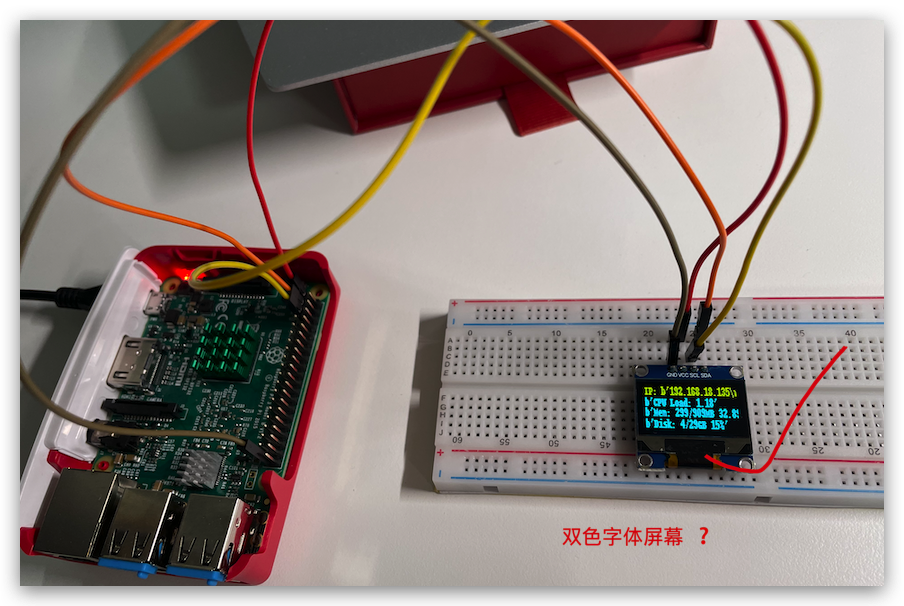
PIP package
$ sudo pip3 install adafruit-circuitpython-ssd1306
$ git clone https://github.com/mklements/OLED_Stats.git

$ cd OLED_Stats

$ python3 stats.py
https://github.com/mklements/OLED_Stats
https://www.the-diy-life.com/add-an-oled-stats-display-to-raspberry-pi-os-bullseye/
https://youtu.be/lRTQ0NsXMuw?t=326
crontab
# 开机自动运行
$ crontab –e

# & 后台运行
@reboot cd /home/pi/OLED_Stats && python3 stats.py &


# 或者, 把脚本和其依赖的字体字库 copy 到 pi 的 home 目录
@reboot python3 /home/pi/stats.py &
$ cd OLED_Stats
# 把脚本和其依赖的字体字库 copy 到 pi 的 home 目录
$ cp PixelOperator.ttf ~/PixelOperator.ttf
$ cp fontawesome-webfont.ttf ~/fontawesome-webfont.ttf

$ cp stats.py ~/stats.py
refs
0.96 oled display raspberry pi
https://www.youtube.com/results?search_query=0.96+oled+display+raspberry+pi
©xgqfrms 2012-2021
原创文章,版权所有©️xgqfrms, 禁止转载 🈲️,侵权必究⚠️!
未经授权禁止转载,违者必究!