SDN——mininet安装
Mininet是由一些虚拟的终端节点、交换机、路由器连接而成的一个网络仿真器,它采用轻量级的虚拟化技术使得系统可以和真实网络相媲美。
Mininet可以很方便地创建一个支持SDN的网络:host就像真实的电脑一样工作,可以使用ssh登录,启动应用程序,程序可以向以太网端口发送数据包,数据包会被交换机、路由器接收并处理。
有了这个网络,就可以灵活地为网络添加新的功能并进行相关测试,然后轻松部署到真实的硬件环境中。
-
安装ubuntu的常用插件库
-
更新软件库
-
下载mininet
git clone git://github.com/mininet/mininet-
选择合适的版本
cd mininet
git tag  # 列举出当前的mininet版本
git checkout -b mininet-2.3.0 2.3.0 # 选择想要的版本进行下载-
安装mininet
./mininet/util/install.sh -a   #一般是用-a安装一下,然后再安装其他的东西。

./mininet/util/install.sh -%   #看需要什么自行安装即可。
options:
 -a: (default) install (A)ll packages - good luck!
 -b: install controller (B)enchmark (oflops)
 -c: (C)lean up after kernel install
 -d: (D)elete some sensitive files from a VM image
 -e: install Mininet documentation/LaT(e)X dependencies
 -f: install Open(F)low
 -h: print this (H)elp message
 -i: install (I)ndigo Virtual Switch
 -k: install new (K)ernel
 -m: install Open vSwitch kernel (M)odule from source dir
 -n: install Mini(N)et dependencies + core files
 -p: install (P)OX OpenFlow Controller
 -r: remove existing Open vSwitch packages
 -s <dir>: place dependency (S)ource/build trees in <dir>
 -t: complete o(T)her Mininet VM setup tasks
 -v: install Open (V)switch
 -V <version>: install a particular version of Open (V)switch on Ubuntu
 -w: install OpenFlow (W)ireshark dissector
 -y: install R(y)u Controller
 -x: install NO(X) Classic OpenFlow controller
 -0: (default) -0[fx] installs OpenFlow 1.0 versions
 -3: -3[fx] installs OpenFlow 1.3 versions
需要注意的是,如图需要每个平台都有名称才算安装完成。
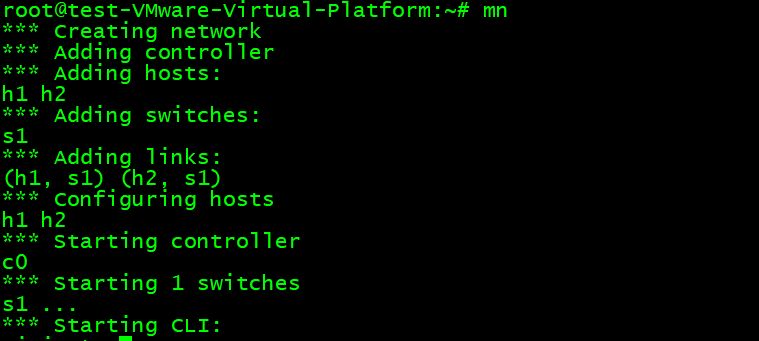
sudo mn --test pingall #测试是否可以正常使用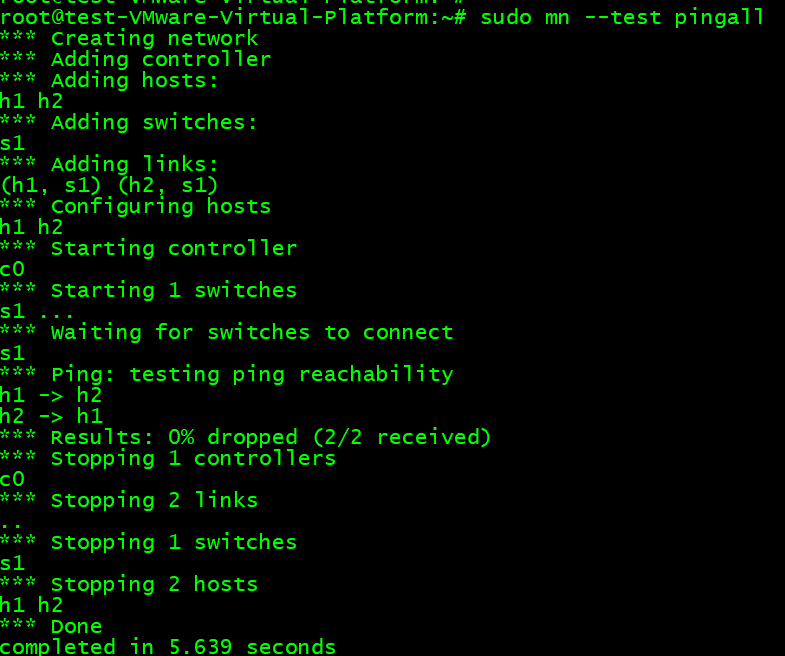
错误与解决
error: externally-managed-environment

× This environment is externally managed
╰─> To install Python packages system-wide, try apt install
    python3-xyz, where xyz is the package you are trying to
    install.

    If you wish to install a non-Debian-packaged Python package,
    create a virtual environment using python3 -m venv path/to/venv.
    Then use path/to/venv/bin/python and path/to/venv/bin/pip. Make
    sure you have python3-full installed.

    If you wish to install a non-Debian packaged Python application,
    it may be easiest to use pipx install xyz, which will manage a
    virtual environment for you. Make sure you have pipx installed.

    See /usr/share/doc/python3.11/README.venv for more information.

note: If you believe this is a mistake, please contact your Python installation or OS distribution provider. You can override this, at the risk of breaking your Python installation or OS, by passing --break-system-packages.
hint: See PEP 668 for the detailed specification.
解决:
sudo apt install pipx
pipx install playsound