python接口自动化系列(04):读取数据文件并注入到测试方法
本系列汇总,请查看这里:https://www.cnblogs.com/uncleyong/p/18033074
实现目标
把用例yaml文件中数据读取出来,依次把每条用例数据传给测试方法。
安装模块
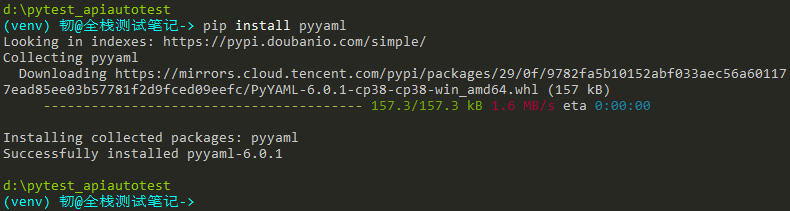
安装操作yaml的模块pyyaml
pip install pyyaml
测试数据文件放data目录
case.yaml
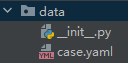
内容:
---
- epic: 全栈测试笔记
  feature: user
  story: register
  title: 用户注册成功
  description: 这是用户注册成功的用例
  severity: blocker
  request:
    url: /qzcsbj/user/register
    method: post
    headers: {'Content-Type':'application/json'}
    cookies:
    files:
    params: {"username":"#{username}","password":"#{password_correct}","realName":"#{username}","sex":"1","birthday":"1990-06-16","phone":"13500000006","utype":"1","adduser":"#{username}"}
  initSql: ["delete from user where username = '#{username}';"]
  globalVariables:
  assertFields: $.msg=注册成功;

- epic: 全栈测试笔记
  feature: user
  story: login
  title: 用户登录成功
  description: 这是用户登录成功的用例
  severity: blocker
  request:
    url: /qzcsbj/user/login
    method: post
    headers: {'Content-Type':'application/json'}
    cookies:
    files:
    params: {"username":"#{username}", "password":"#{password_correct}"}
  initSql:
  globalVariables: token=$.data.token;
  assertFields: $.msg=登录成功;

- epic: 全栈测试笔记
  feature: product
  story: add
  title: 添加商品成功
  description: 这是添加商品成功的用例
  severity: blocker
  request:
    url: /qzcsbj/product/add
    method: post
    headers: {'Content-Type':'application/json'}
    cookies:
    files:
    params: {"product":{"price":9999,"productName":"#{productname}"},"token":"${token}"}
  initSql: ["delete from product where product_name = '#{productname}';"]
  globalVariables:
  assertFields: $.msg=添加商品成功;

- epic: 全栈测试笔记
  feature: product
  story: findByName
  title: 查询商品成功
  description: 这是查询商品成功的用例
  severity: normal
  request:
    url: /qzcsbj/product/findByName
    method: get
    headers: {'Content-Type':'application/json'}
    cookies:
    files:
    params: {"name":"#{productname}"}
  initSql:
  globalVariables:
  assertFields: $.msg=查询商品成功;

- epic: 全栈测试笔记
  feature: product
  story: findByName
  title: 查询商品失败
  description: 这是查询商品失败的用例
  severity: normal
  request:
    url: /qzcsbj/product/findByName
    method: get
    headers: {'Content-Type':'application/json'}
    cookies:
    files:
    params: {"name":"#{productname}"}
  initSql:
  globalVariables:
  assertFields: $.msg=查询商品成功啦;
项目配置文件
conf下创建settings.py,定义测试用例数据文件路径
创建工具类
tools下创建yaml_tool.py,读取yaml文件中的数据
修改测试类
test_cases.py
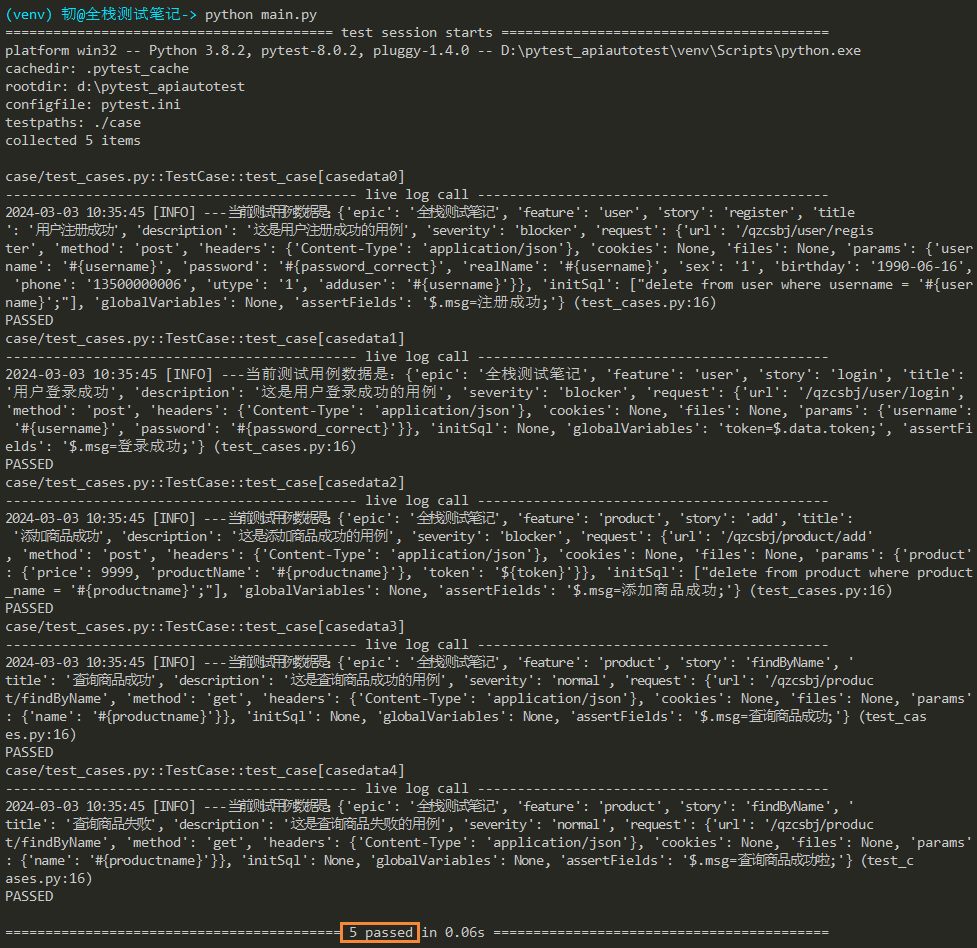
运行结果
可以看到,测试用例数据已经读取并成功传给测试方法。
__EOF__

本文作者:持之以恒(韧)
关于博主:擅长性能、全链路、自动化、企业级自动化持续集成(DevTestOps)、测开等
面试必备:项目实战(性能、自动化)、简历笔试,https://www.cnblogs.com/uncleyong/p/15777706.html
测试提升:从测试小白到高级测试修炼之路,https://www.cnblogs.com/uncleyong/p/10530261.html
欢迎分享:如果您觉得文章对您有帮助,欢迎转载、分享,也可以点击文章右下角【推荐】一下!
关于博主:擅长性能、全链路、自动化、企业级自动化持续集成(DevTestOps)、测开等
面试必备:项目实战(性能、自动化)、简历笔试,https://www.cnblogs.com/uncleyong/p/15777706.html
测试提升:从测试小白到高级测试修炼之路,https://www.cnblogs.com/uncleyong/p/10530261.html
欢迎分享:如果您觉得文章对您有帮助,欢迎转载、分享,也可以点击文章右下角【推荐】一下!