saltstack实践案例
环境配置
查看默认配置
file的
[root@mcw01 ~]# vim /etc/salt/master
#####      File Server settings      #####
##########################################
# Salt runs a lightweight file server written in zeromq to deliver files to
# minions. This file server is built into the master daemon and does not
# require a dedicated port.

# The file server works on environments passed to the master, each environment
# can have multiple root directories, the subdirectories in the multiple file
# roots cannot match, otherwise the downloaded files will not be able to be
# reliably ensured. A base environment is required to house the top file.
# Example:
# file_roots:
#   base:
#     - /srv/salt/
#   dev:
#     - /srv/salt/dev/services
#     - /srv/salt/dev/states
#   prod:
#     - /srv/salt/prod/services
#     - /srv/salt/prod/states
#
#file_roots:
#  base:
#    - /srv/salt
#

# The master_roots setting configures a master-only copy of the file_roots dictionary,
# used by the state compiler.
#master_roots:
#  base:
#    - /srv/salt-master
pillar的
#####         Pillar settings        #####
##########################################
# Salt Pillars allow for the building of global data that can be made selectively
# available to different minions based on minion grain filtering. The Salt
# Pillar is laid out in the same fashion as the file server, with environments,
# a top file and sls files. However, pillar data does not need to be in the
# highstate format, and is generally just key/value pairs.
#pillar_roots:
#  base:
#    - /srv/pillar
#
#ext_pillar:
#  - hiera: /etc/hiera.yaml
#  - cmd_yaml: cat /etc/salt/yaml


# A list of paths to be recursively decrypted during pillar compilation.
# Entries in this list can be formatted either as a simple string, or as a
# key/value pair, with the key being the pillar location, and the value being
# the renderer to use for pillar decryption. If the former is used, the
# renderer specified by decrypt_pillar_default will be used.
#decrypt_pillar:
#  - 'foo:bar': gpg
#  - 'lorem:ipsum:dolor'
配置路径,创建目录结构并重启master
[root@mcw01 ~]# vim /etc/salt/master
[root@mcw01 ~]# tail -10 /etc/salt/master
file_roots:
  base:
    - /srv/salt/base
  prod:
    - /srv/salt/prod
pillar_roots:
  base:
    - /srv/pillar/base
  prod:
    - /srv/pillar/prod
[root@mcw01 ~]# mkdir -p /srv/salt/base /srv/salt/prod
[root@mcw01 ~]# mkdir -p /srv/pillar/base /srv/pillar/prod
[root@mcw01 ~]# systemctl restart salt-master
[root@mcw01 ~]#
yaml编写
编写规则案例
冒号:
my_key: my_value
python 中映射为:
{'my_key':'my_value'}
my_key:
my_value
python 中映射为:
{'my_key':'my_value'}
字典嵌套:
first_level_dict_key:
second_leve_dict_key: value_in_second_level_dict
在Python中映射:
{
'first_level_dict_key':{
'second_level_dict_key': 'value_in_second_level_dict'
}
}
短横杠:
- list_value_one
- list_value_two
- list_value_three
如下:
my_dictionary:
- list_value_one
- list_value_two
- list_value_three
在python中映射为:
{
'my_dictionary':[
'list_value_one','list_value_two',
'list_value_three'
]
}
jinja使用技巧
如何区分模板文件
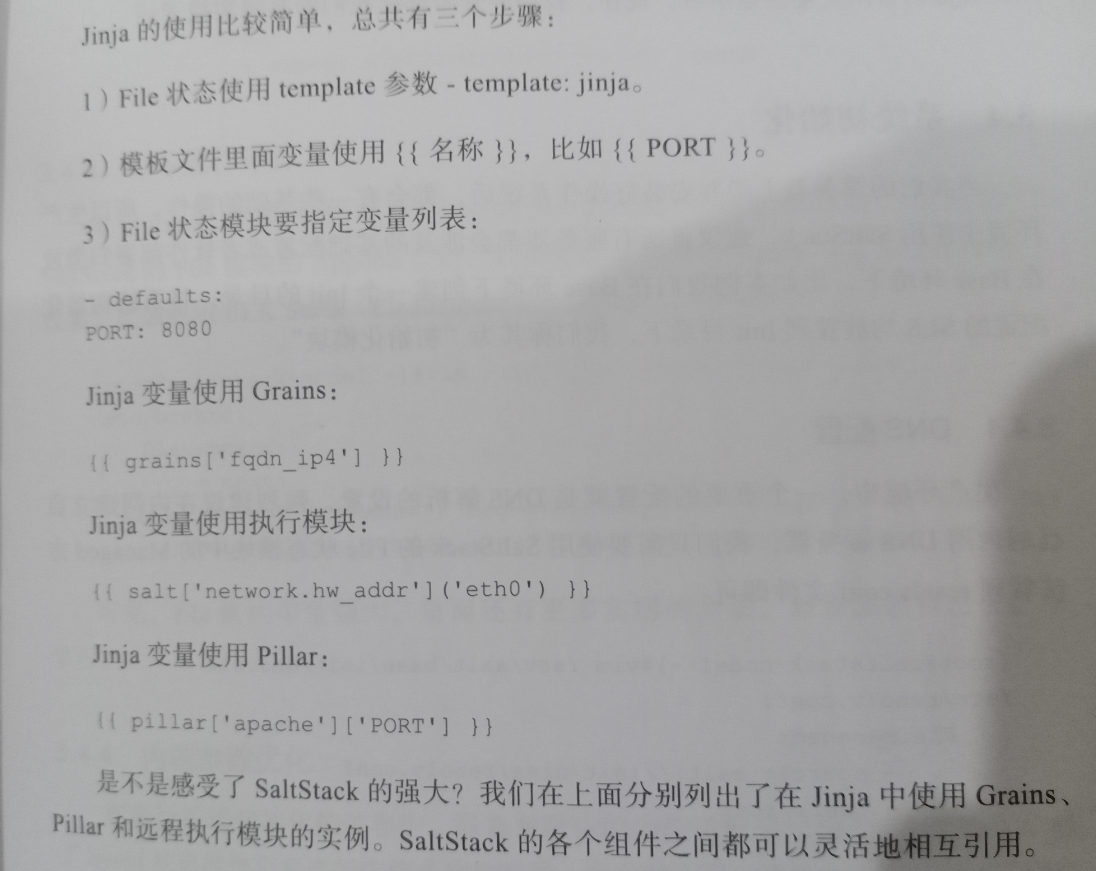
如下,通过- template:jinja指令声明了zabbix_agentd.conf是一个jinja模板文件,同时使用pillar为其设置了一个变量,salt在解析yaml之前会先执行pillar那行,获取到server对应的设置。
如果我们也需要类似的这种,在某种场景下部分文件需要jinjia渲染,那么就用这个字段去判断,给类似于pillar的地方,进行渲染,参考这种方式做我们自己的渲染。
/etc/zabbix_agentd.conf:
file.managed:
  - name: /etc/zabbix_agentd.conf
  - source: salt://zabbix/files/zabbix_agentd.conf
  - template: jinja
  - defaults:
    Server: {{ pillar['zabbix-agent']['Zabbix_Server'] }}
jinjia的基本使用
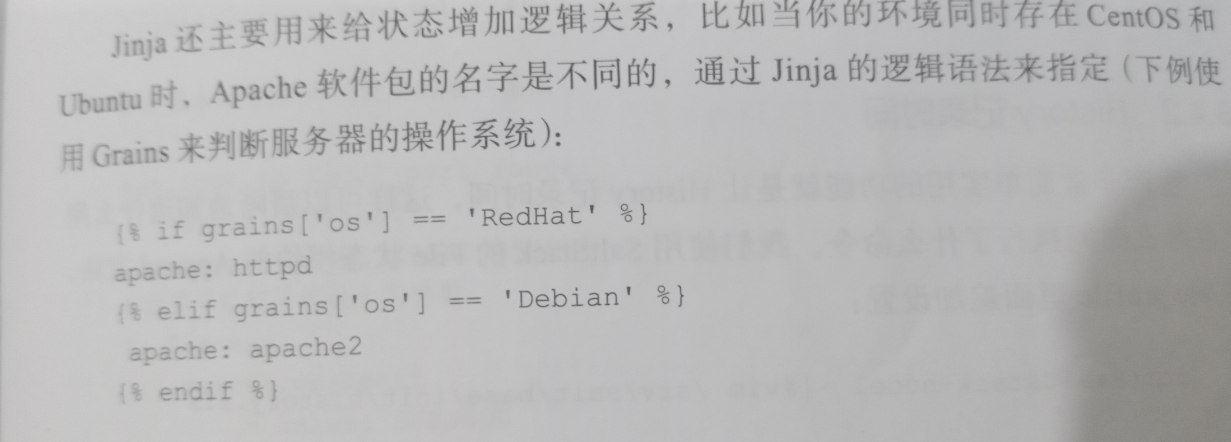
jinjia逻辑关系