drf 分页类、异常类
一、基本分页
1、写一个分页类,继承 PageNumberPagination
web 用这个多
http://api.example.org/accounts/?page=4
http://api.example.org/accounts/?page=4&page_size=100
from rest_framework.pagination import PageNumberPagination, LimitOffsetPagination, CursorPagination

class CommonPageNumberPagination(PageNumberPagination):
    # 重写几个类属性
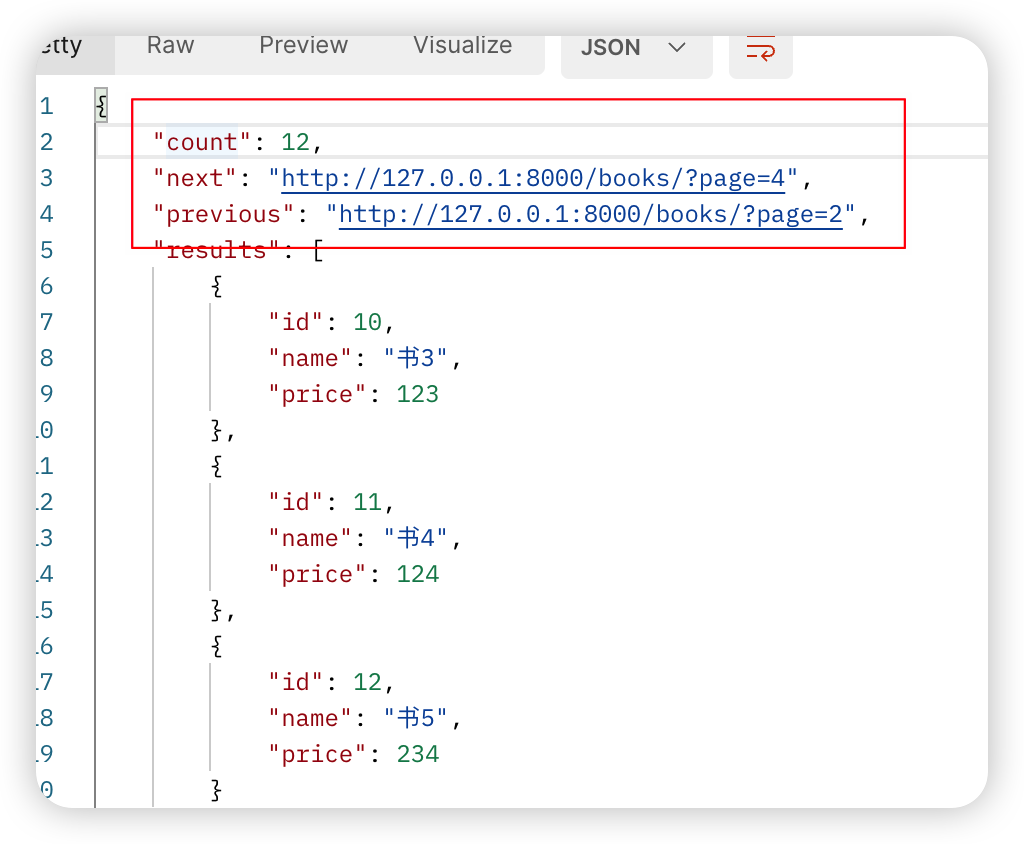
    page_size = 3  # 每页显示多少条
    page_query_param = 'page'  # 指定第几页的key值 http://127.0.0.1:8000/books/?page=3
    page_size_query_param = 'size'  # 可以指定每页显示多少条 size=300000
    max_page_size = 5  # 每页最多显示5条
2、views
引入自定义的分页类
from .page import CommonPageNumberPagination

class BookView(ViewSetMixin, ListAPIView):
    queryset = Book.objects.all()
    serializer_class = BookSerializer
    pagination_class = CommonPageNumberPagination
3、效果
二、偏移分页
1、LimitOffsetPagination 使用场景
http://api.example.org/accounts/?limit=4 # 从开始取4条
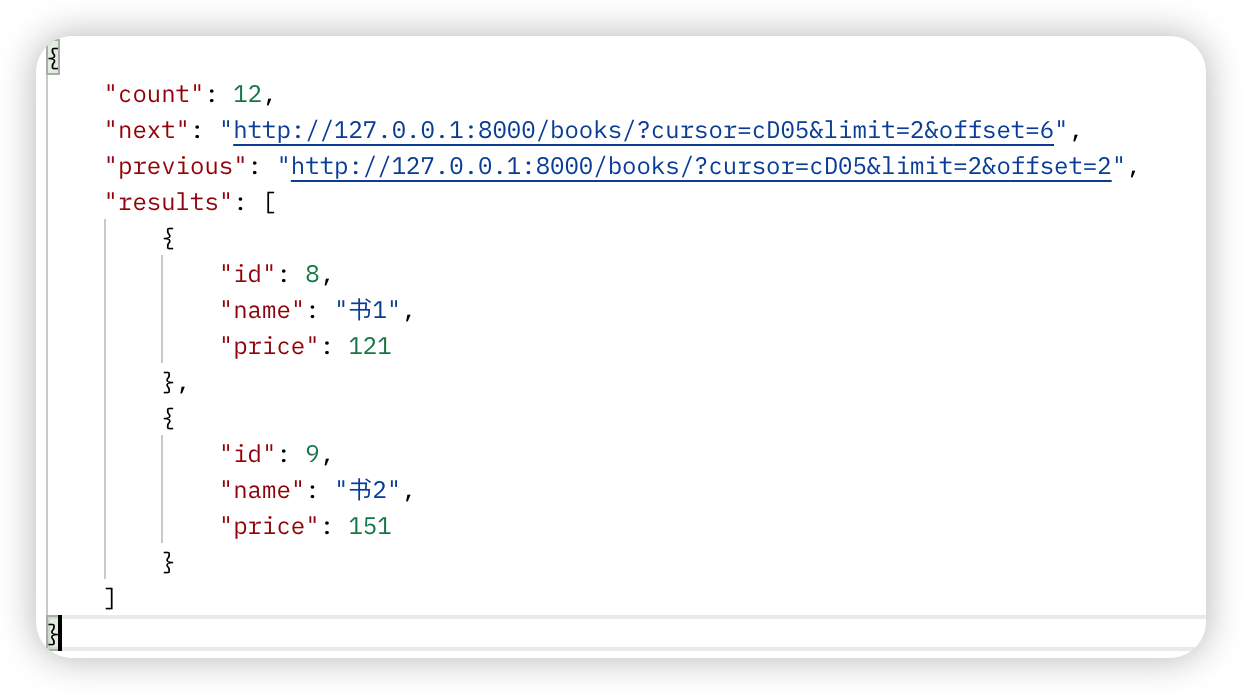
http://api.example.org/accounts/?offset=4&limit=5 从第4条开始,取5条
from rest_framework.pagination import PageNumberPagination, LimitOffsetPagination, CursorPagination

class CommonLimitOffsetPagination(LimitOffsetPagination):
    # http://api.example.org/accounts/?limit=4   # 从开始取4条
    # http://api.example.org/accounts/?offset=4&limit=5  从第4条开始,取5条
    default_limit = 2  # 默认每页显示2条
    limit_query_param = 'limit'  # 每页显示多少条的查询条件
    offset_query_param = 'offset'  # 从第几条开始取数据
    max_limit = 5  # limit最多取5条
2、views 引入
from .page import CommonPageNumberPagination,CommonLimitOffsetPagination,CommonCursorPagination

class BookView(ViewSetMixin, ListAPIView):
    queryset = Book.objects.all()
    serializer_class = BookSerializer
    pagination_class = CommonLimitOffsetPagination
3、效果
三、游标分页
1、CommonCursorPagination
app上用这个多
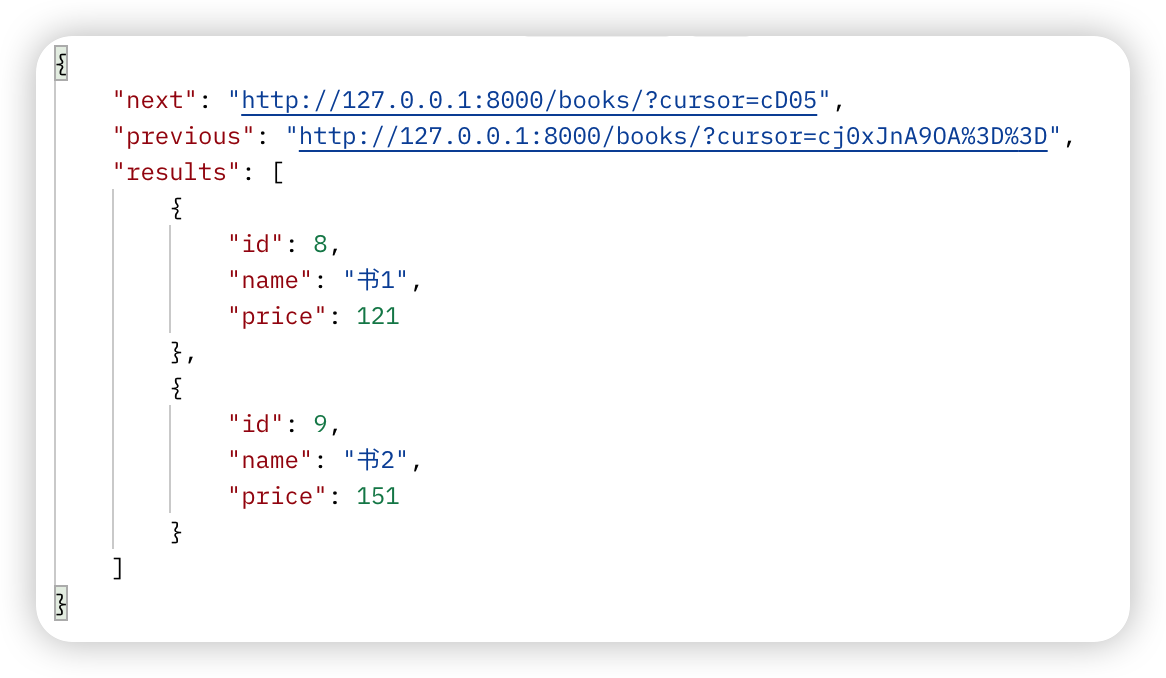
只能上一页和下一页,不能指定跳转到中间的某页---》效率高,大数据量用它、
from rest_framework.pagination import PageNumberPagination, LimitOffsetPagination, CursorPagination

class CommonCursorPagination(CursorPagination):
    # app上用这个多
    # 只能上一页和下一页,不能指定跳转到中间的某页---》效率高,大数据量用它、
    cursor_query_param = 'cursor'  # 查询条件,用不到,需要有
    page_size = 2  # 每页显示两条
    ordering = 'id'  # 按id排序 这个必须是表中字段
2、引入略过
3、效果
四、继承
from rest_framework.mixins import ListModelMixin
from rest_framework.generics import GenericAPIView
from .serializer import BookSerializer
from rest_framework.views import APIView
from rest_framework.response import Response

from .page import MyPageNumberPagination


class BookView(APIView):
    def get(self, request):
        ordering = request.query_params.get('ordering')
        name = request.query_params.get('name')
        book_list = Book.objects.all()
        if ordering:
            book_list = book_list.order_by(ordering)
        if name:
            book_list = book_list.filter(name__contains=name)


        # 加入分页

        # page=MyPageNumberPagination().paginate_queryset(book_list, request,self)
        # 得到分页对象
        pagination = MyPageNumberPagination()
        # 分页对象调用它的paginate_queryset方法
        page = pagination.paginate_queryset(book_list, request, self)
        # 把page序列化
        ser = BookSerializer(instance=page, many=True)
        # 分页类对象调用分页父类中的get_paginated_response方法
        return pagination.get_paginated_response(ser.data)
        # 模仿get_paginated_response中的返回值Response
        return Response({'code': 100, 'msg': '成功',
                         'count': pagination.page.paginator.count,
                         'next': pagination.get_next_link(),
                         'previous': pagination.get_previous_link(),
                         'results': ser.data})

''' 根据源码写自己的分页
# 配置的分页类的对象调用了paginate_queryset(queryset, self.request, view=self)
page = self.paginate_queryset(queryset) #  是paginate_queryset的GenericAPIView
##### 重写了这句话

if page is not None:
    # 把page进行了序列化
   serializer = self.get_serializer(page, many=True)
   # 返回格式
   return self.get_paginated_response(serializer.data) # GenericAPIView--》self.paginator.get_paginated_response(data)

PageNumberPagination类的get_paginated_response方法
def get_paginated_response(self, data):
    return Response(OrderedDict([
                ('count', self.page.paginator.count),
                ('next', self.get_next_link()),
                ('previous', self.get_previous_link()),
                ('results', data)
            ]))
'''
五、 异常类
1、写一个类文件
from rest_framework.views import exception_handler
from rest_framework.response import Response

def common_execption(exc, context):
    res = exception_handler(exc, context)
    if not res:  # 有值,说明drf异常,它处理完了,没有值,是其他异常,我们自己处理
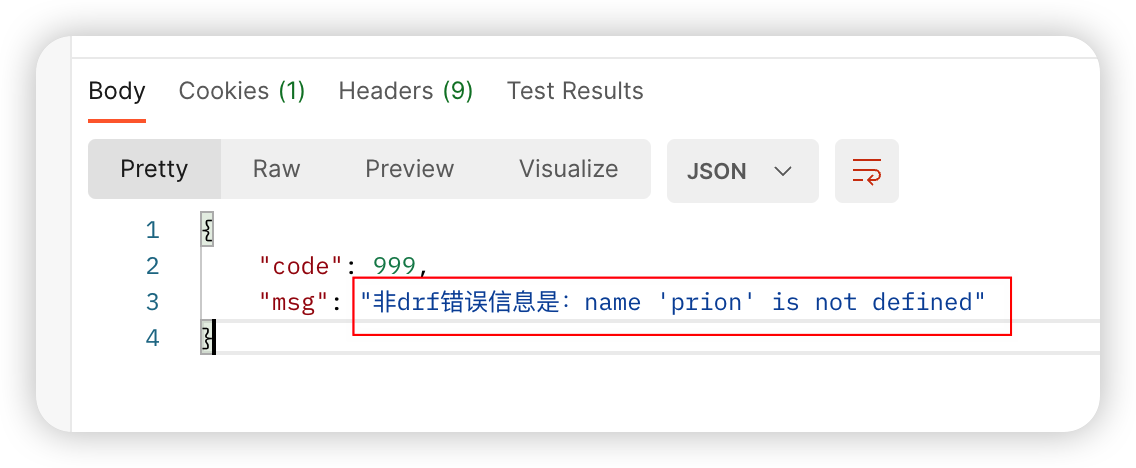
        return Response({'code': 999, 'msg': '非drf错误信息是:%s' % str(exc)})
    else:
        return Response({'code': 888, 'msg': 'drf错误信息,错误信息是:' + res.data.get('detail')})
2、在全局配置文件中引入
REST_FRAMEWORK = {
    'EXCEPTION_HANDLER': 'app01.exceptions.common_execption'  # 异常
}
3、views中故意引发错误
class BookView(ViewSetMixin, APIView):
    def list(self, request, *args, **kwargs):
        book_list = Book.objects.all()
        # raise APIException('这里是主动异常了')
        prion(asdas)
        pagination = CommonPageNumberPagination()  # 实例化一个对象
        page = pagination.paginate_queryset(book_list, request)
        ser = BookSerializer(instance=page, many=True)
        return pagination.get_paginated_response(ser.data)
        # return Response(ser.data)
4、效果