vargant + kvm
Vagrant是为每个人设计的,是创建虚拟化环境的最简单、最快速的方法。
是一个虚拟机管理工具,用来方便构建和维护虚拟软件开发环境。 例如,它可以基于 VirtualBox、VMware、KVM、Hyper-V 和 AWS 甚至是 Docker 等。
以下是在 Arch linux 下,安装vargant+kvm
安装kvm
详见 archlinux 安装KVM,QEMU
安装vagrant
安装vagrant
sudo pacman -S vagrant
安装libvirt插件
sudo vagrant plugin install vagrant-libvirt
sudo vagrant plugin install vagrant-mutate
安装完成后就可以用了。
排错
注意:安装'vagrant-libvirt'时,可能会报错,在网上找到了解决方案:
https://bbs.archlinux.org/viewtopic.php?id=292146
报错:
Installing the 'vagrant-libvirt' plugin. This can take a few minutes...
Vagrant failed to properly resolve required dependencies. These
errors can commonly be caused by misconfigured plugin installations
or transient network issues. The reported error is:

conflicting dependencies date (= 3.2.2) and date (= 3.3.4)
  Activated date-3.3.4
  which does not match conflicting dependency (= 3.2.2)

  Conflicting dependency chains:
    date (= 3.3.4), 3.3.4 activated

  versus:
    date (= 3.2.2)

  Gems matching date (= 3.2.2):
    date-3.2.2
运行以下命令解决报错:
VAGRANT_DISABLE_STRICT_DEPENDENCY_ENFORCEMENT=1 vagrant plugin install vagrant-libvirt
VAGRANT_DISABLE_STRICT_DEPENDENCY_ENFORCEMENT=1 vagrant plugin install vagrant-mutate
VAGRANT_DISABLE_STRICT_DEPENDENCY_ENFORCEMENT=1 vagrant plugin update
vargrant 建立一个虚机
官方查看可用box: https://app.vagrantup.com/boxes/search?utf8=✓&sort=downloads&provider=&q=ubuntu+22
 mkdir vagrant_workdir
 cd vagrant_workdir
vagrant init generic/ubuntu2204
 vagrant up --provider=libvirt
排错
报错信息
vagrant up --provider=libvirt

-------

Bringing machine 'default' up with 'libvirt' provider...
Error while connecting to Libvirt: Error making a connection to libvirt URI qemu:///system:
Call to virConnectOpen failed: Failed to connect socket to '/var/run/libvirt/virtqemud-sock': No such file or directory
在此处 找到灵感:
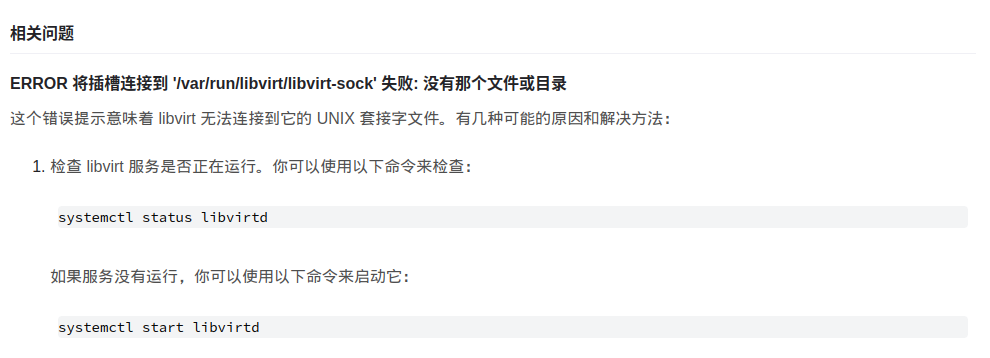
sudo systemctl status  libvirtd
sudo systemctl enable libvirtd