C# .NET core Avalonia 11.0版本,发布linux记录
.net core 7.0+centos 7.0
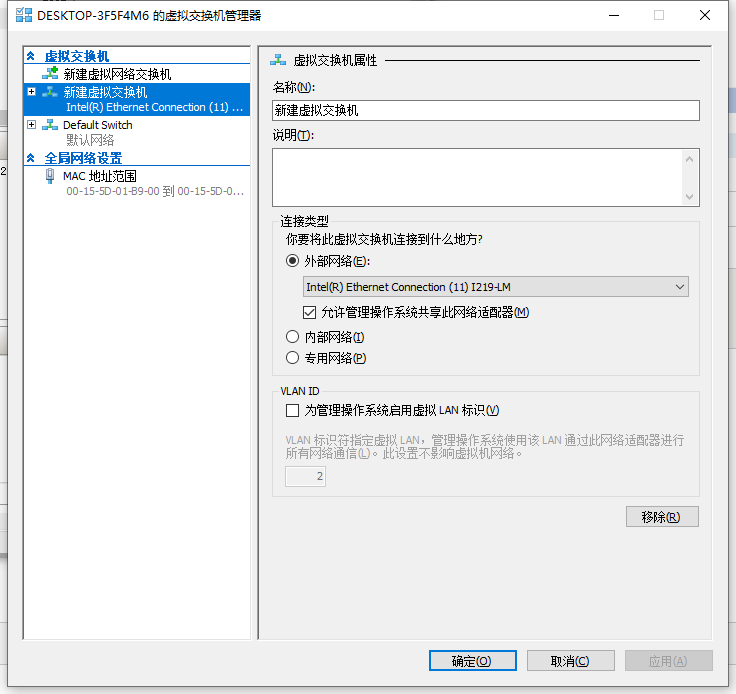
cetnos目前运行在hyper V虚拟机里
虚拟机部署的注意事项
1 需要配置网络环境,

确保在同一局域网下
如果sftp无法连接
ctrl+shift+f2切换到命令行,开启22端口
iptables -I INPUT -p tcp --dport 22 -j ACCEPT
同时虚拟机网络也要正确配置.
发布流程如下
1 发布项目,选择目标运行时为linux-X64,部署模式为独立,这样就不需要安装.net core运行环境,此处可根据实际情况自行调整下
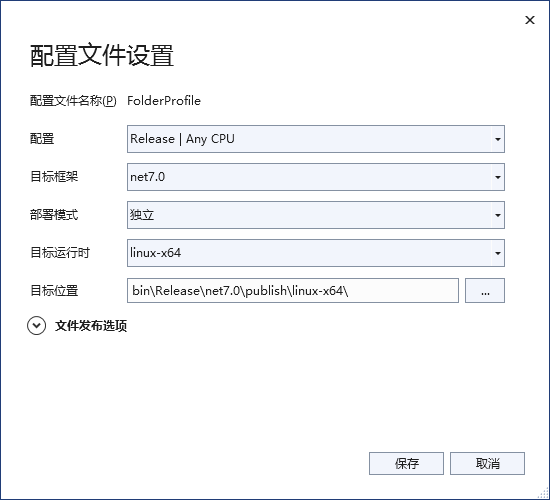
如图设置即可
2
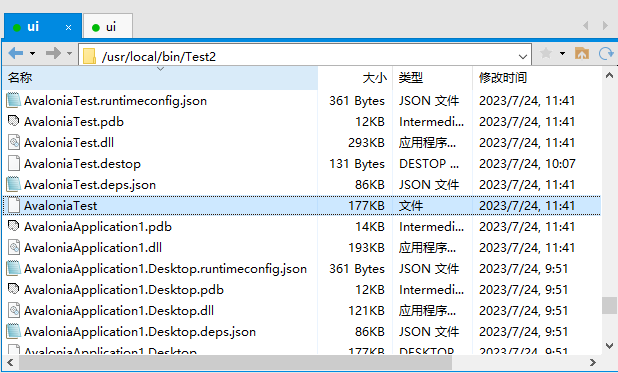
发布后,使用Xftp上传
以上传到/usr/local/bin/Test2 目录下为例
3
右击目标运行文件,通常为项目名,没有后缀名

选择可执行
4
打开kconsole,cd切换到目标路径

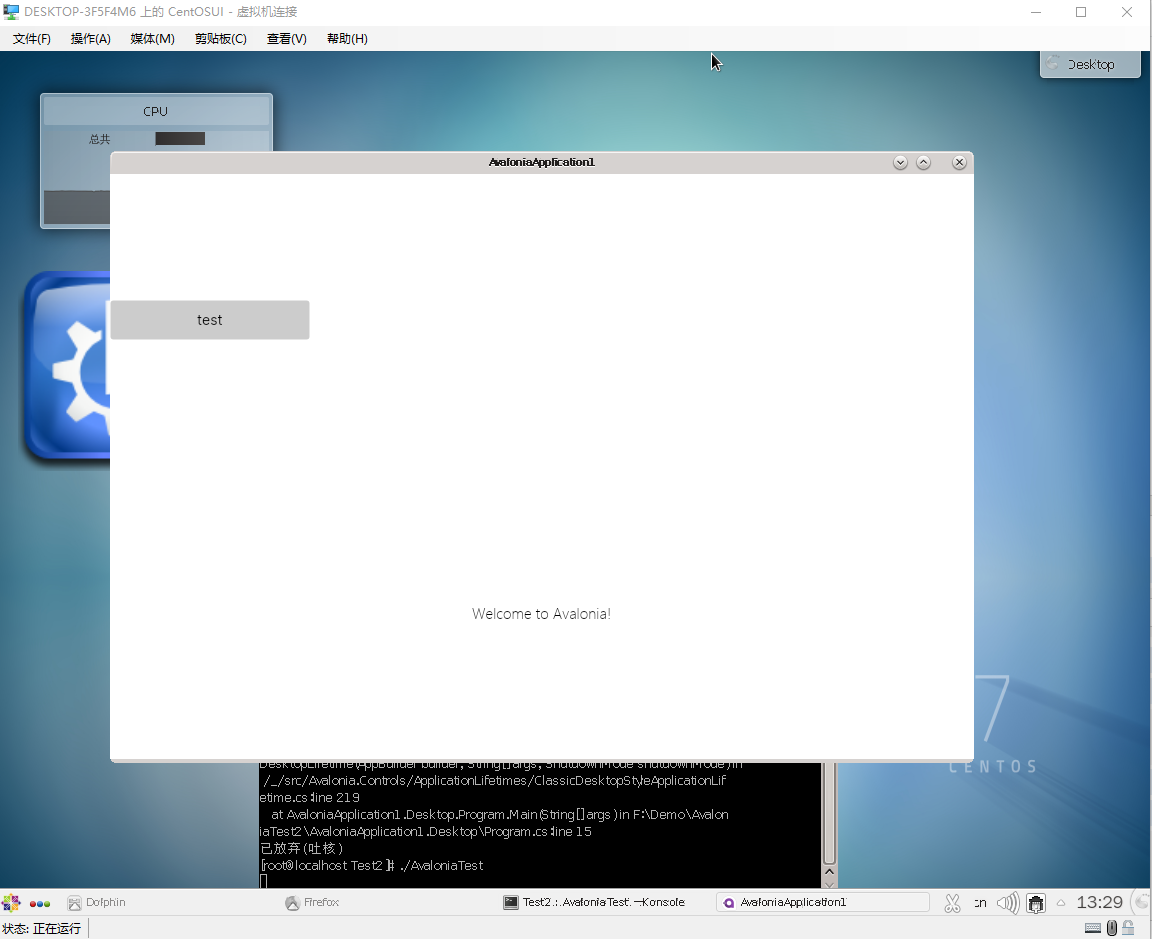
执行 ./AvaloniaTest ,此处AvaloniaTest 为目标文件名
4
项目正常运行
常见问题:
1 default font familyname can't be null
提示缺少默认字体,需要指定字体
参考github上的链接,设置默认字体后依然报错
https://github.com/AvaloniaUI/Avalonia/issues/4427
using Avalonia;
using Avalonia.Media;
using Avalonia.ReactiveUI;
using System;

namespace ExampleApp
{
    internal class Program
    {
        [STAThread]
        public static void Main(string[] args) => BuildAvaloniaApp()
                .StartWithClassicDesktopLifetime(args);

        public static AppBuilder BuildAvaloniaApp()
        {
            FontManagerOptions options = new();
            if (OperatingSystem.IsLinux())
            {
                options.DefaultFamilyName = "<Linux Default Font Family Name Here>";
            }
            else if (OperatingSystem.IsMacOS())
            {
                options.DefaultFamilyName = "<macOS Default Font Family Name Here>";
            }
            // No need to set default for Windows
            return AppBuilder.Configure<App>()
                        .UsePlatformDetect()
                        .LogToTrace()
                        .UseReactiveUI()
                        .With(options);
        }
    }
}
FontFamily = new FontFamily("avares://AvaloniaTest/Assets/Fonts/微软雅黑.ttf#Microsoft YaHei")
不行,报错为
could not create glyphtypeface
如果报这个错误,参考问题2
2 could not create glyphtypeface
拷贝windows系统自带的微软雅黑到如下路径
/usr/share/fonts/chinese/msyh.ttc
运行fc-cache -f -v 命令,更新字体缓存
fc-cache -f -v
修改Program.cs
 public static AppBuilder BuildAvaloniaApp()
    {
FontManagerOptions options = new();
  options.DefaultFamilyName = "Microsoft YaHei";
        return AppBuilder.Configure<App>()
            .UsePlatformDetect()
            .WithInterFont()
            .LogToTrace()
            .UseReactiveUI().With(options);

    }
重新发布,即可.