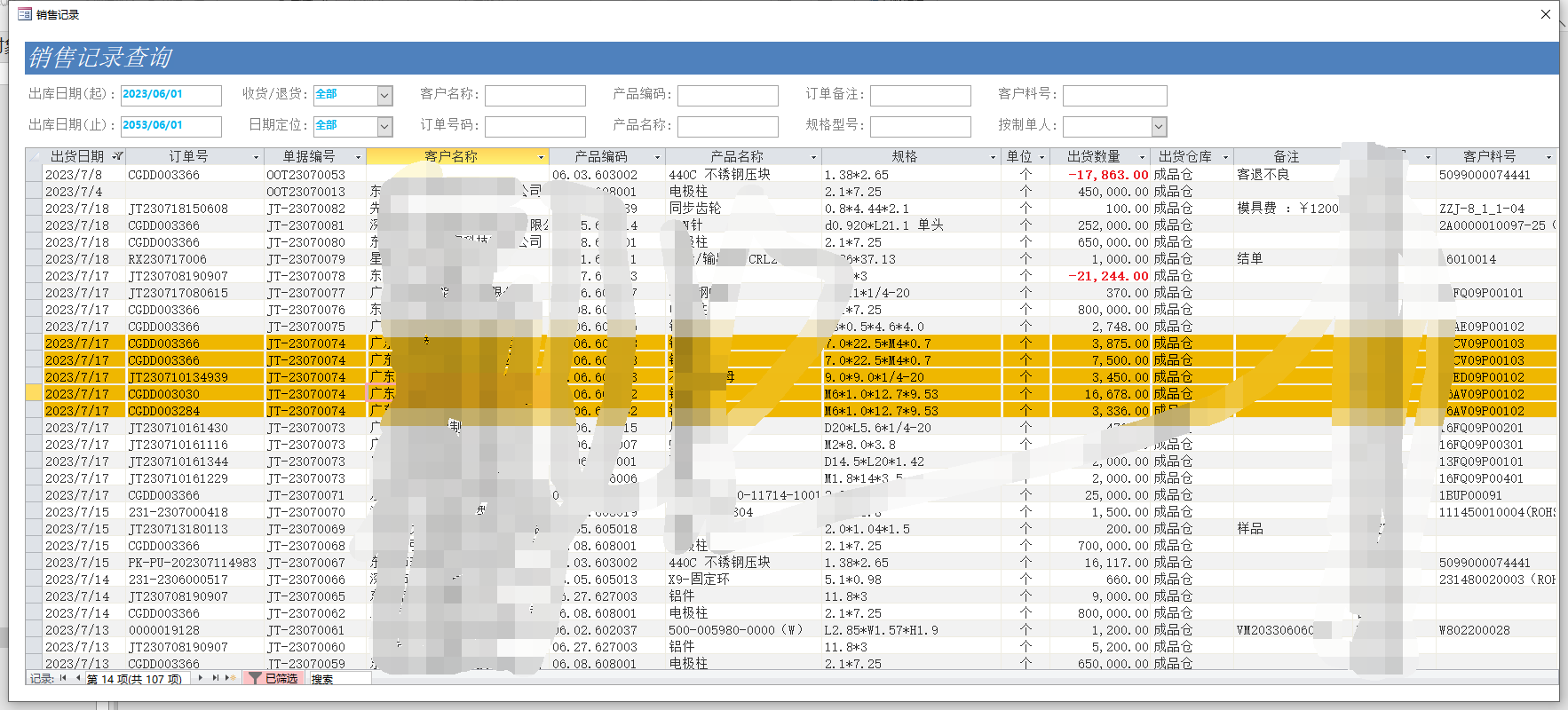
access 批量设置条件格式
Private Sub Form_Load()
    For Each temp In Me.Controls
        If Not TypeOf temp Is Label Then temp.OnClick = "=GetVal()"
    Next
    AddConditionalFormattingToFields
End Sub

Function GetVal()
    Me.Tag = Nz(Me.单据编号, "")  '设置窗体的tag值,以便在条件格式的表达式中能够引用得到这个值
    Me.Refresh
End Function


Sub AddConditionalFormattingToFields()Dim ctl As Control
    Dim str As String

    ' 获取当前活动的窗体
'    Set frm = Screen.ActiveForm

    ' 遍历窗体的每个控件
    For Each ctl In Me.Controls
        ' 只处理文本框类型的控件(包括文本框、组合框等)
        If ctl.ControlType = acTextBox Then
            ' 构建条件格式的表达式
            str = "[单据编号]=[Tag]"
            ' 添加条件格式到当前控件
            ctl.FormatConditions.Add acExpression, , str  '注意这里
            ctl.FormatConditions(ctl.FormatConditions.Count - 1).BackColor = RGB(239, 183, 0) ' 设置背景色
        End If
    Next ctl
End Sub
这样就省下了不少功夫.效果如下.