springcloud - kafka实践
springcloud可以通过KafkaTemplate来发布消息,让后消费者使用来订阅@KafkaListener主题消息。
一、添加依赖
 1 <dependencyManagement>
 2     <dependencies>
 3       <dependency>
 4         <groupId>org.springframework.cloud</groupId>
 5         <artifactId>spring-cloud-dependencies</artifactId>
 6         <version>Finchley.SR2</version>
 7         <type>pom</type>
 8         <scope>import</scope>
 9       </dependency>
10     </dependencies>
11   </dependencyManagement>
12
13   <dependencies>
14     <dependency>
15       <groupId>org.springframework.boot</groupId>
16       <artifactId>spring-boot-starter-web</artifactId>
17     </dependency>
18
19     <dependency>
20       <groupId>org.springframework.cloud</groupId>
21       <artifactId>spring-cloud-stream-binder-kafka</artifactId>
22     </dependency>
23   </dependencies>
二、 生产消息
 1 import org.springframework.beans.factory.annotation.Value;
 2 import org.springframework.kafka.core.KafkaTemplate;
 3 import org.springframework.web.bind.annotation.PostMapping;
 4 import org.springframework.web.bind.annotation.RequestParam;
 5 import org.springframework.web.bind.annotation.RestController;
 6
 7 /**
 8  * @Classname KafkaProducerController
 9  * @Created by Michael
10  * @Date 2023/7/19
11  * @Description 消息生产者
12  */
13 @RestController
14 public class KafkaProducerController {
15   private final KafkaTemplate<String, String> kafkaTemplate;
16   private String topic;
17
18   public KafkaProducerController(KafkaTemplate<String, String> kafkaTemplate
19           , @Value("${kafka.topic}") String topic) {
20     this.kafkaTemplate = kafkaTemplate;
21     this.topic = topic;
22   }
23
24   @PostMapping("message/send") // 这种方式只支持post
25   public boolean sendMessage(@RequestParam String message) {
26     kafkaTemplate.send(topic,message);
27     return true;
28   }
29 }
三、消费消息
 1 import org.springframework.kafka.annotation.KafkaListener;
 2 import org.springframework.stereotype.Component;
 3
 4 /**
 5  * @Classname KafkaConsumerListener
 6  * @Created by Michael
 7  * @Date 2023/7/19
 8  * @Description 监听消息
 9  */
10 @Component
11 public class KafkaConsumerListener {
12   @KafkaListener(topics={"${kafka.topic}"})
13   public void getMessage(String message) {
14     System.out.println("kafka 消费者监听,接收到消息:" + message);
15   }
16 }
四、测试
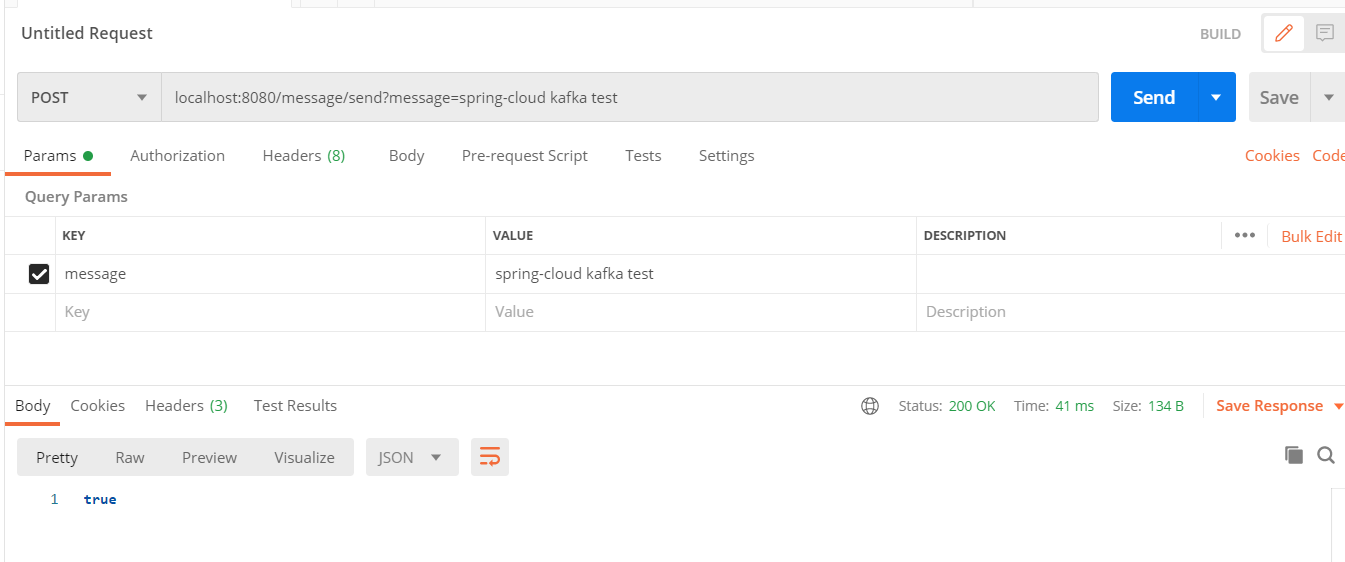
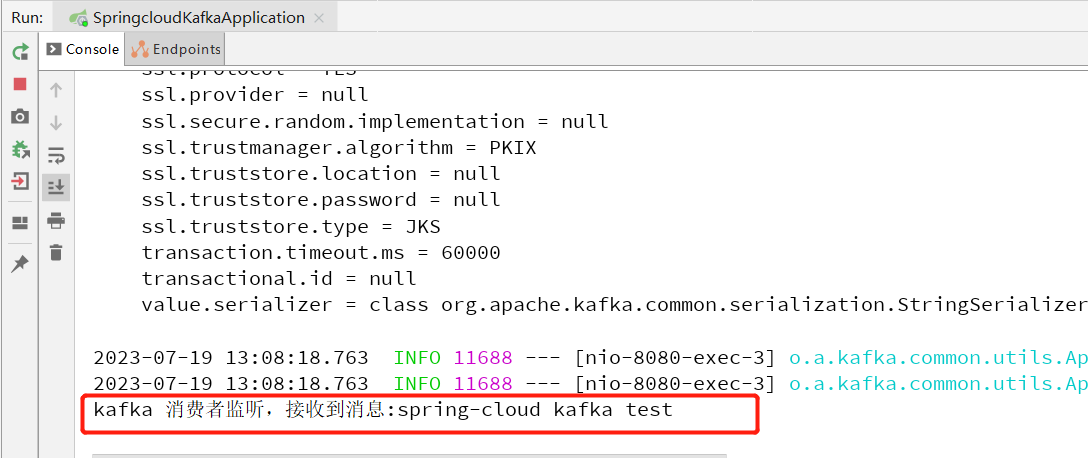
通过postman发起请求,控制台查看是否消费到消息
控制台看到消息已经被消费到
如果该文章对你有所帮助,请点个赞支持下,谢谢!