NAT与NAT实验
1.NAT与NAT实验
NAT(网络地址翻译)
一个数据包目的ip或者源ip为私网地址, 运营商的设备无法转发数据。
实际场景问题
如下图
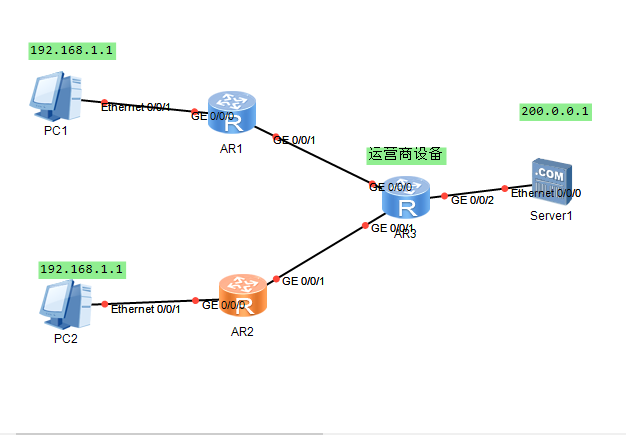
201.0.0.1 公网地址? 买的 运营商给你的
192.168.1.1 公司的内网地址
去访问 外网服务器 200.0.0.1
源地址 192.168.1.1 目的地址200.0.0.1
经过 路由器NAT技术处理 静态模式
源地址:201.0.0.1 目的地址:200.0.0.1
回包的时候
源地址 200.0.0.1 目的地址:201.0.0.1
经过 路由器NAT技术处理
源地址 200.0.0.1 目的地址:192.168.1.1
NAT工作机制
一个数据包从企业内网去往公网时,路由器将数据包当中的源ip(私有地址),翻译成公网地址
1.静态nat
192.168.1.1 201.0.0.1
192.168.1.2 201.0.0.2
工程手动将一个私有地址和一个公网地址进行关联,一 一对应,缺点和静态路由一样
静态nat中私有地址和公有地址是1:1的关系.
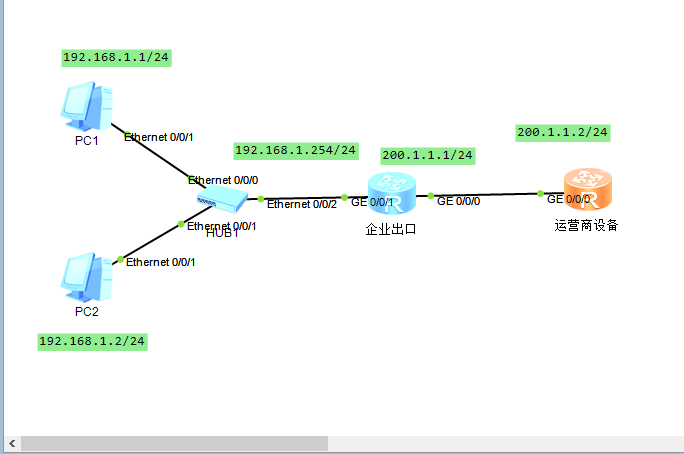
配置好地址:
在企业出口路由器上的 g0/0/0 口配置
int g0/0/0
ip address 200.1.1.1 255.255.255.0
nat static enable 在接口使用nat static功能
nat static global 200.1.1.100 inside 192.168.1.1
#注意不能直接使用 接口地址200.1.1.1
dis nat static 查看静态nat信息
<Huawei>dis nat static
Static Nat Information:
Interface : GigabitEthernet0/0/0
Global IP/Port : 200.1.1.100/----
Inside IP/Port : 192.168.1.1/----
Protocol : ----
VPN instance-name : ----
Acl number : ----
Netmask : 255.255.255.255
Description : ----
在企业出口路由器上配置好地址:
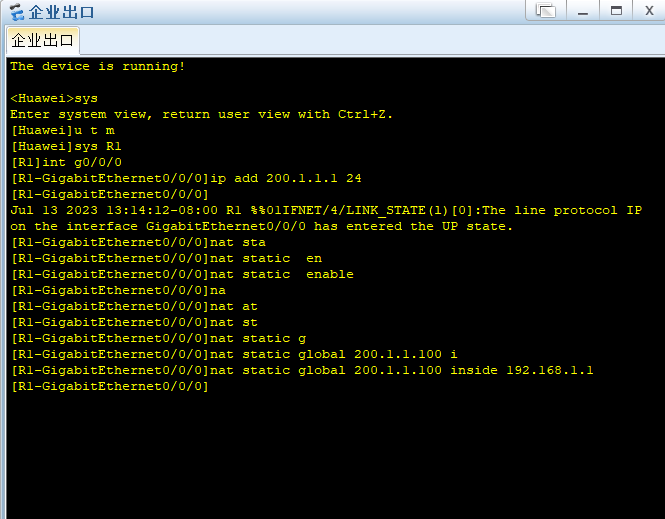
在企业出口路由器上的 g0/0/1 口配置 int g0/0/1 ip address 200.1.1.1 255.255.255.0 nat static enable nat static global 200.1.1.100 inside 192.168.1.1 #注意不能直接使用 接口地址200.1.1.1

dis nat static
动态NAT
nat address-group 1 200.1.1.10 200.1.1.15
#建立地址池 10 - 15
acl number 2000
rule 5 permit source 192.168.1.0 0.0.0.255
#给需要地址转换的 网段添加规则
int g0/0/0
nat outbound 2000 address-group 1 no-pat
#添加规则
2.NATPT(端口映射)
NAT Server----内网服务器对外提供服务,针对目的ip和目的端口映射
内网服务器的相应端口映射成路由器公网ip地址的相应端
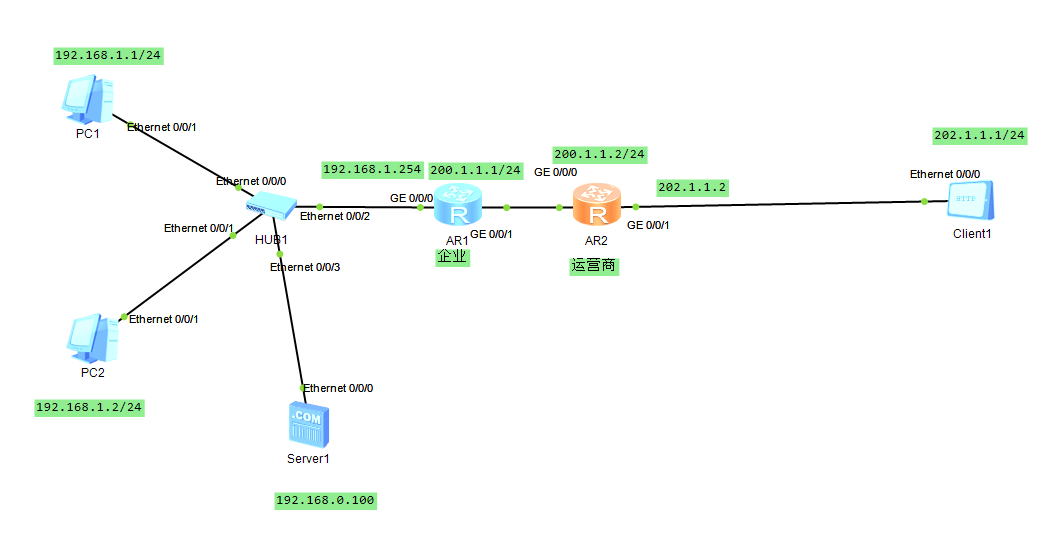
配置好ip地址
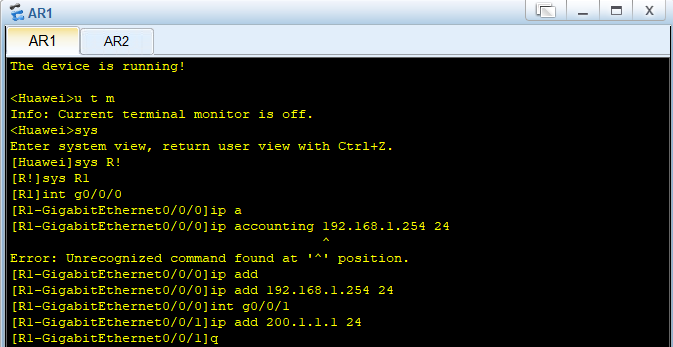
R1
int g0/0/0
ip add 192.168.1.254 24
g0/0/1
ip add 200.1.1.1 24
R2
int g0/0/0
ip add 200.1.1.2 24
int g0/0/1
ip add 202.1.1.2 24

企业出口路由器需要配置默认路由
ip route-stsatic 0.0.0.0 0 200.1.1.2
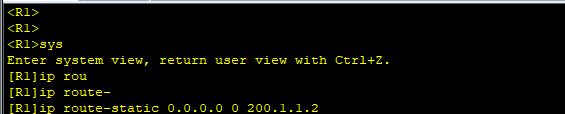
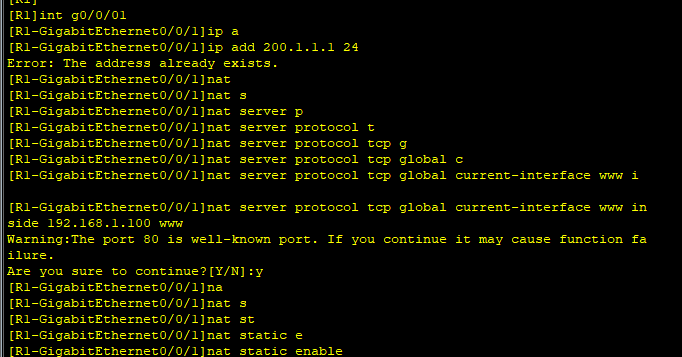
在企业出口路由器上 的g0/0/1 口配置
int g0/0/1
ip address 200.1.1.1 255.255.255.0
netmask 255.255.255.255
nat server protocol tcp global current-interface www inside 192.168.1.100 www
nat static enable
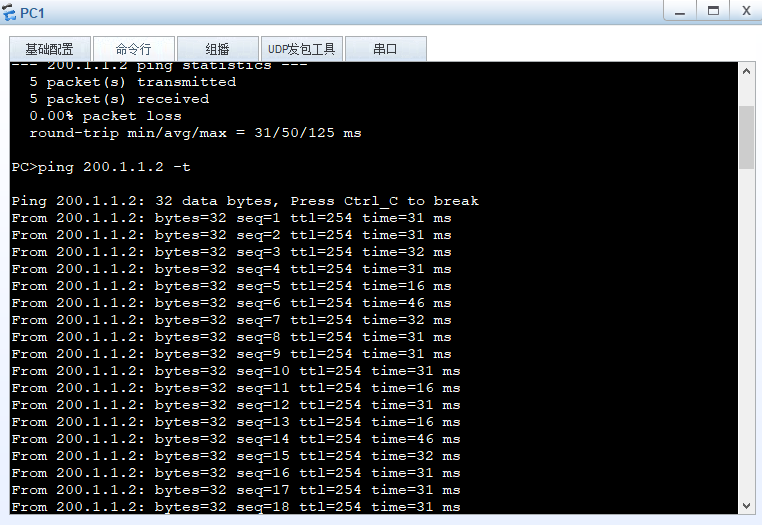
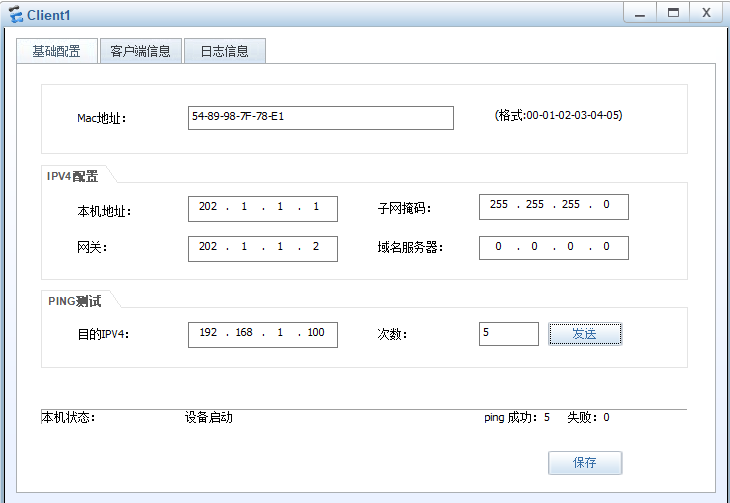
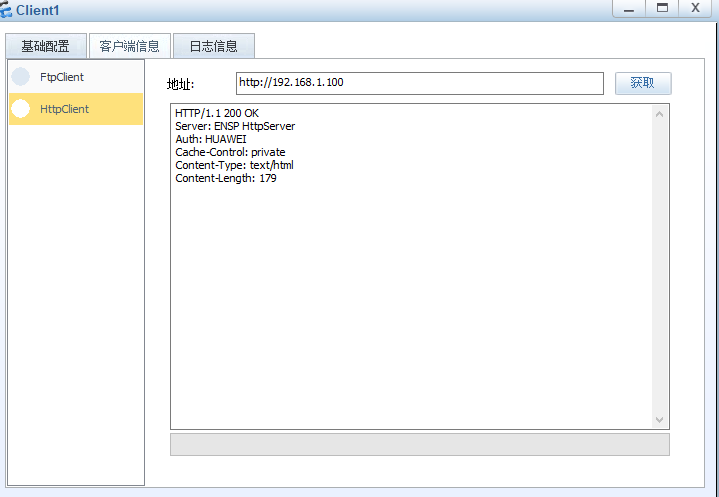
202.1.1.1 ping 192.168.1.100
3.Easy-IP
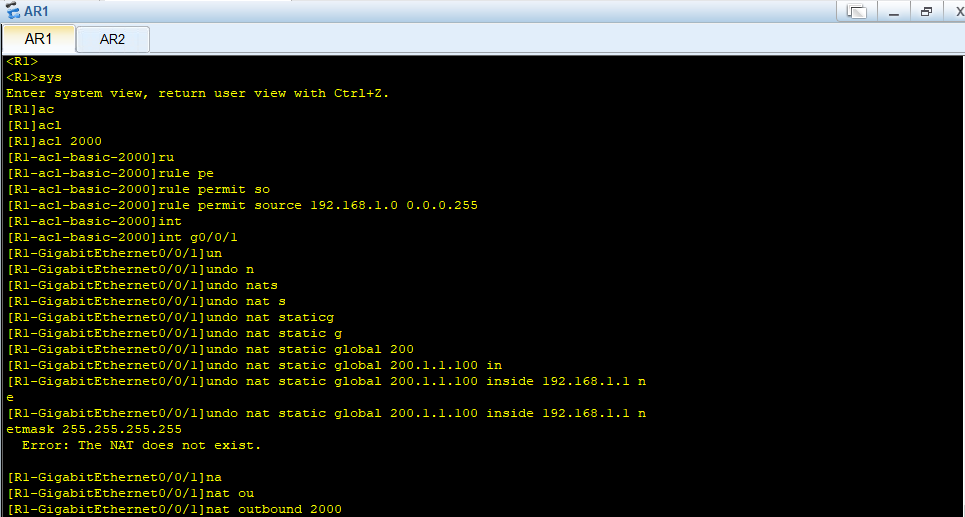
1.使用列表匹配私网的ip地址
2.将所有的私网地址映射成路由器当前接口的公网地址
R1
acl 2000
rule permit source 192.168.1.0 0.0.0.255
int g0/0/1
undo nat static global 200.1.1.100 inside 192.168.1.1 netmask 255.255.255.255
nat outbound 2000
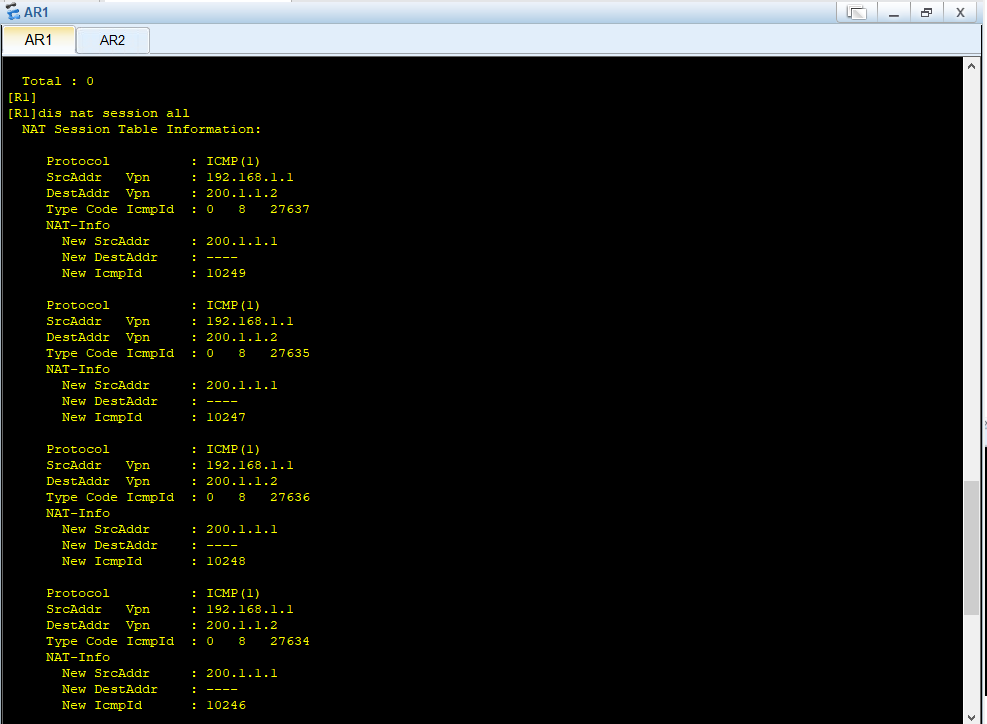
display nat session all