S3架設靜態HTML網站
1.0 前言
玩startup項目,想快速建立靜態HTML網站。
2.0 S3架設靜態HTML網站
2.1 Create S3 bucket

建立新的S3桶。
2.2 General S3 Config

填寫S3桶名。
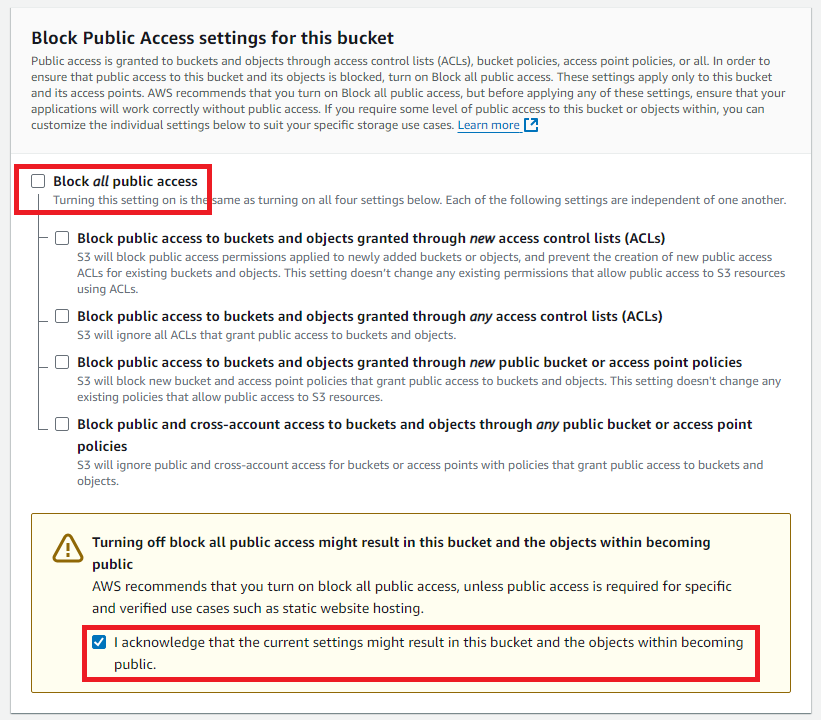
剔除"禁止公開訪問",剔選"已知風險"。
2.3 S3 Permissions

進入“my-s3-html-example”桶,再到Permissions頁面。
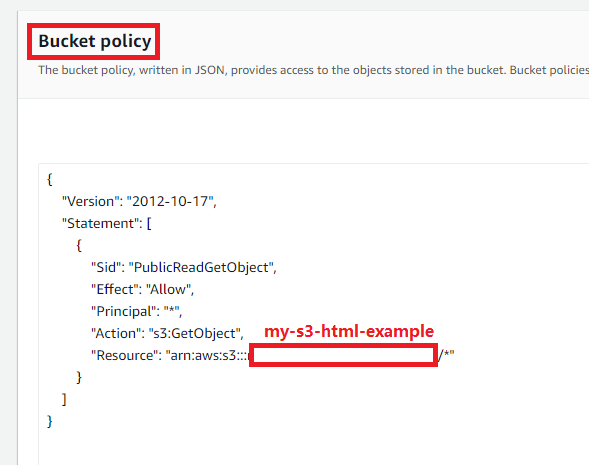
{
    "Version": "2012-10-17",
    "Statement": [
        {
            "Sid": "PublicReadGetObject",
            "Effect": "Allow",
            "Principal": "*",
            "Action": "s3:GetObject",
            "Resource": "arn:aws:s3:::my-s3-html-example/*"
        }
    ]
}
在Bucket Policy里新增這段代碼。其中Resource是指向S3桶名,“my-s3-html-example”。
2.4 取得公眾訪問連接
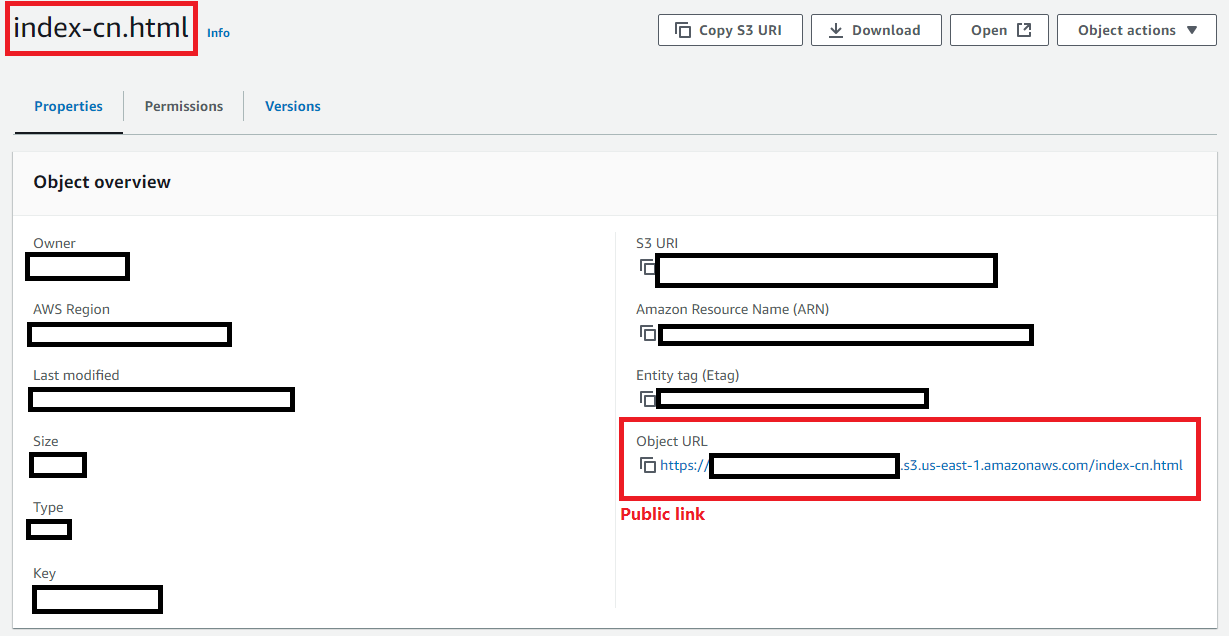
進入index-cn.html,尋找物件URL,就會獲得公開訪問URL。