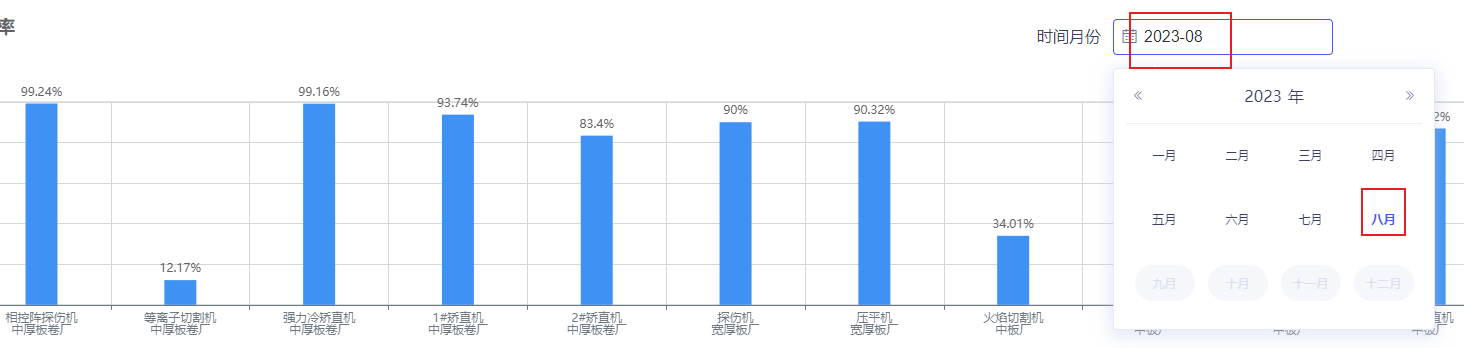
//html 月份筛选组件
<div style="height: 28px">
          <span class="headStyle">月作业率</span>
          <el-form
            :inline="true"
            :model="teamGroupForm"
            class="formInput"
            style="margin-right: 150px">
            <el-form-item label="时间月份">
              <el-date-picker
                v-model="form2.startYearAndMonth"
                :clearable="false"
                :picker-options="pickerOptionsMonth"
                :append-to-body="false"
                value-format="yyyy-MM"
                type="month"
                placeholder="选择月份"
                @change="clickTimemonth()">
            </el-date-picker></el-form-item>
          </el-form>
        </div>
//引入获取时间通用方法
import {
  getNowDay,
  getMonthFirstDay,
  getMonthDay,
  getNowBeforeOneDay,
  date2ym
} from '@/utils/dateUtil'
//定义的data
teamGroupForm: {
        beginDate: getMonthFirstDay(),
        endDate: getNowBeforeOneDay()
      },
form2: {
        startYearAndMonth: getMonthDay()
      },
pickerOptionsMonth: {
        disabledDate(time) {
          // 获取时间选择器的月份信息
          const timeyear = time.getFullYear() // 获取时间选择器的年份
          let timemonth = time.getMonth() + 1 // 获取时间选择器的月份
          if (timemonth >= 1 && timemonth <= 9) {
            timemonth = '0' + timemonth
          }
          const elTimeData = timeyear.toString() + timemonth.toString()
          //小于指定时间都不可选(当月之后的月份不可选)
          return elTimeData > Number(moment().format('YYYYMM'))
        }
      },
//methods方法部分
clickTimemonth() {
      console.log('date2ym', date2ym(new Date()))
      const date = this.form2.startYearAndMonth
      console.log('date', date)
      let time1 = new Date(date)
      console.log('time1', time1)
      let firstDay = new Date(time1.getFullYear(), time1.getMonth(), 1)
      let lastDay = new Date(time1.getFullYear(), time1.getMonth() + 1, 0)
      let firstDay1 = moment(firstDay.getTime()).format('YYYY-MM-DD')
      let lastDay1 = moment(lastDay.getTime()).format('YYYY-MM-DD')
      console.log('firstDay1', firstDay1)
      console.log('lastDay1', lastDay1)
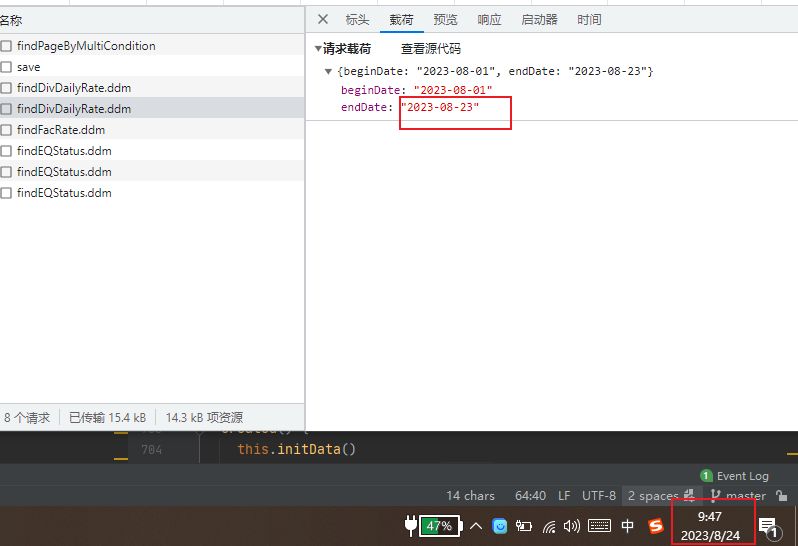
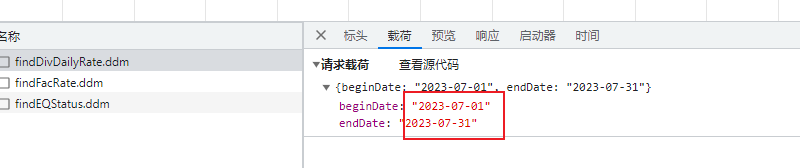
      if (date === date2ym(new Date())) {
        this.teamGroupForm.endDate = getNowBeforeOneDay()
      } else {
        this.teamGroupForm.endDate = lastDay1
      }
      this.teamGroupForm.beginDate = firstDay1
      this.getTeamGroupData()
      this.getOneRateData()
    },