vscode Linux
C/C++开发
插件
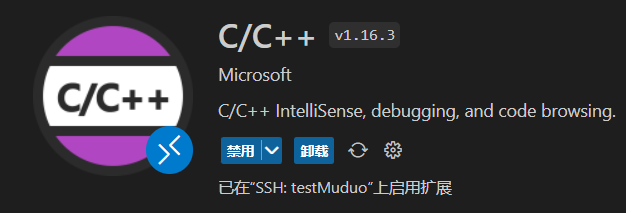
卸载重装才能在远程启用拓展
代码提示
配置
新建.vscode文件夹,存放以下3个配置文件
c_cpp_properties.json
{
    "configurations": [
        {
            "name": "Linux",
            "includePath": [
                "${workspaceFolder}/**",    // 将本地工作目录添加到include路径中,
                                            // 这样本地的所有头文件都可以被VSCode索引,这样编辑就不会触发红色的波浪线;
                "/usr/include/**"           // 将Linux下的引用路径添加到include路径中,
                                            // 对于一些第三方依赖库,如Boost的头文件,就能被VSCode索引
            ],
            "defines": [],
            "compilerPath": "/usr/bin/g++",
            "cStandard": "c11",
            "cppStandard": "c++17",
            "intelliSenseMode": "gcc-x64"
        }
    ],
    "version": 4
}
launch.json
{
  // Use IntelliSense to learn about possible attributes.
  // Hover to view descriptions of existing attributes.
  // For more information, visit: https://go.microsoft.com/fwlink/?linkid=830387
  "version": "0.2.0",
  "configurations": [
      {
          "name": "(gdb) Launch",
          "type": "cppdbg",
          "request": "launch",
          "program": "${workspaceFolder}/${fileBasenameNoExtension}",
          "args": [],
          "stopAtEntry": false,
          "cwd": "${workspaceFolder}", //这是你的工作目录,可以根据需要调整
          "environment": [],
          "externalConsole": false,
          "MIMode": "gdb",
          "preLaunchTask": "My C/C++ Configurations", // 这是在调试之前需要执行的任务,需要跟task.json文件配合起来工作
          "setupCommands": [
              {
                  "description": "Enable pretty-printing for gdb",
                  "text": "-enable-pretty-printing",
                  "ignoreFailures": true
              }
          ]
      }
  ]
}
tasks.json
{
    // See https://go.microsoft.com/fwlink/?LinkId=733558
    // for the documentation about the tasks.json format
    "version": "2.0.0",
    "tasks": [
        {
            "label": "My C/C++ Configurations",
            "type": "shell",
            "linux": {
                "command": "/usr/bin/g++", // 这项配置是定义在每次编译之前都会执行一遍cmake
            },
            "args": [                                 //参数
				"-g",
				"${file}",                            //表示当前项目中的所有活动文件
				"-o",
				"${fileDirname}/${fileBasenameNoExtension}"  //表示在当前项目文件夹下生成与活动文件同名但没有扩展名的可执行文件
			],
        }
    ]
}
测试:F5 或者 在右侧导航栏的运行与调试