快乐暑假第六周
本周完成了对于hive的安装,在上周中出现了问题:当前IP网络不可达,对此,我通过更改IP v4实现了连通网络,对于网络中很多建议都有所采纳,但都无法解决,只是通过在虚拟机中更改IP v4就实现了链接成功。通过此步骤完成了接下来的一系列步骤。

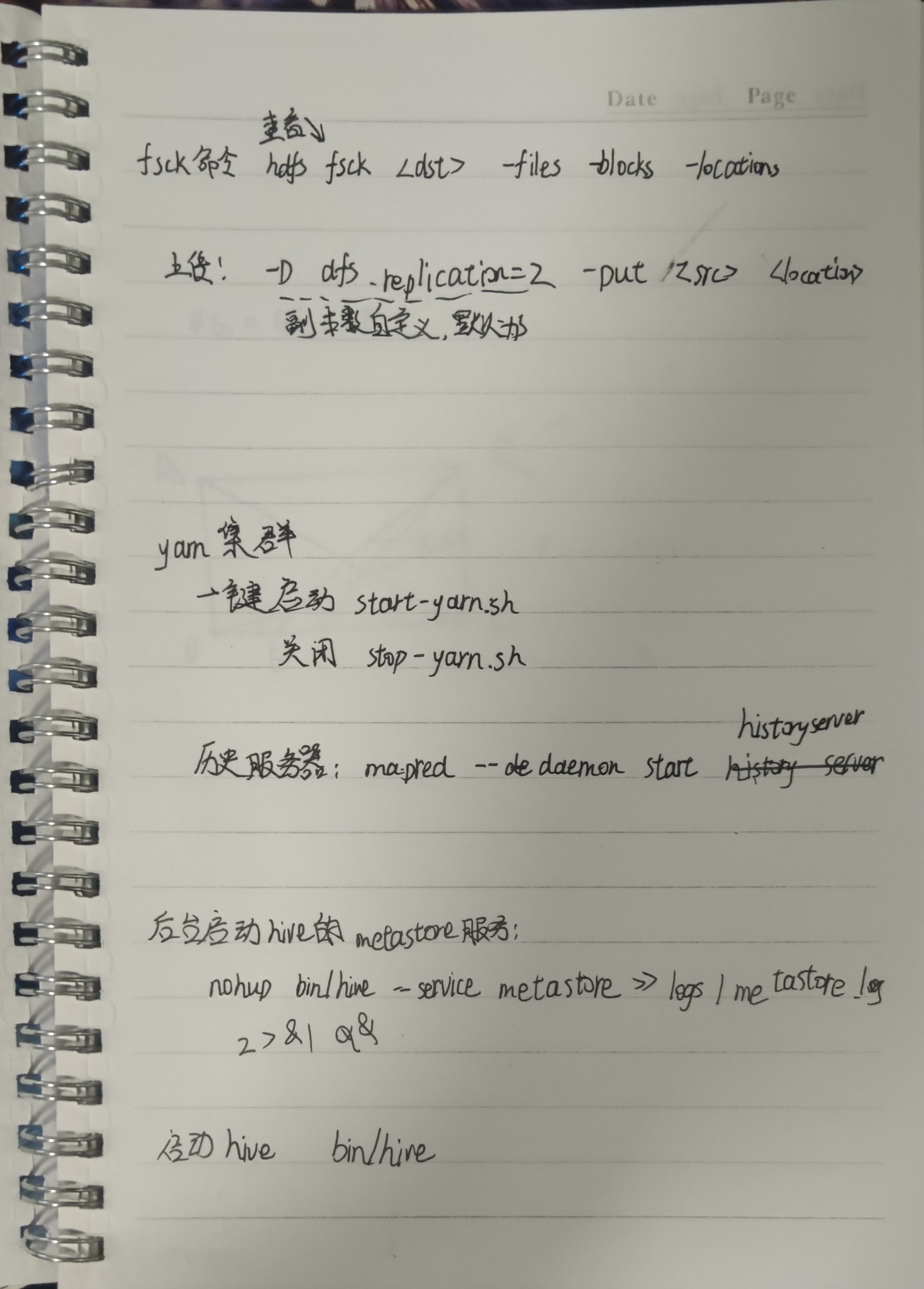
启动HDFS:
start-dfs.sh
关闭HDFS:
stop-dfs.sh
启动yarn集群:
start-yarn.sh
关闭yarn集群:
stop-yarn.sh
启动yarn历史服务器:
mapred --daemon start historyserver
关闭yarn历史服务器:
mapred --daemon stop historyserver
后台启动hive的metastore服务:
nohup bin/hive --service hiveserver2 >> logs/hiveserver2.log 2>&1 &
启动hive:
bin/hive
(1)进入Hive数据库
hive
(2)查看某个数据库
show databases;
(3)进入某个数据库
use 数据库;
默认使用default数据库:
use default;
(4)查看所有的表
show tables;
(5)显示表结构
desc 表名;
(6)查询表数据
select * from 表名;
(7)显示表名的分区
show partitions 表名;
(8)创建数据库
CREATE SCHEMA userdb;
(9)删除数据库
DROP DATABASE IF EXISTS userdb;
DROP SCHEMA userdb;
(10)创建数据表
use xxdb; create table xxx; #内部表
创建一个表,结构与其他一样
create table xxx like xxx;
创建一个表,结构数据与其他一样,相当于复制一个表
create table xxx as xxx;
创建内部表,制定分隔符为tab键
create table tb_name(name1 int,name2 string) row format delimited fields terminated by '\t';
创建外部表,制定分隔符为tab键
create external table tb_name(name1 int,name2 string) row format delimited fields terminated by '\t';
创建分区表
创建分区:分区依据(Id int)
create table tb_name(
id int,
name string
) partitioned by (Id int)
row format delimited fields terminated by '\t';
普通表和分区表区别:有大量数据增加的需要建分区表
内外表转换
内部表转外部表
alter table table-name set TBLPROPROTIES('EXTERNAL'='TURE');
外部表转内部表
alter table table-name set TBLPROPROTIES('EXTERNAL'='FALSE');
删除分区
#注意:若是外部表,则还需要删除文件(hadoop fs -rm -r -f hdfspath)
alter table table_name drop if exists partitions (d='2016-07-01');
(11)加载数据列表
把本地数据装载到数据表,也就是在metastore上创建信息
load data local inpath '/root/a.txt' into table tb_name;
把HDFS上的数据装载到数据表
load data inpath '/target.txt' into table tb_name;
加载数据到分区表必须指明所属分区
load data local inpath './book.txt' overwrite into table tb_name partition (Id = 10);
(12)重命名表名
ALTER TABLE 表名1 RENAME TO 表名2;
(13)删除表
drop table 表名;
或者
drop table if exists 表明;
(14)插入表数据
向有分区的表插入数据
(1)覆盖现有分区数据,如果没有该指定分区,新建该分区,并且插入数据
INSERT OVERWRITE TABLE 库名.表名 PARTITION(dt='2018-09-12',name='Tom', ...)
SELECT ... FROM 库名.表名 where...
(2)向现有的分区插入数据 (之前的数据不会被覆盖)
INSERT INTO TABLE 库名.表名 PARTITION(dt='2018-09-12',name='Tom',...)
SELECT ... FROM 库名.表名 WHERE ...
向无分区的表插入数据
(1) 覆盖原有表里的数据,命令和有分区的表类似,只是去掉后面的PARTITION(dt=’ ‘,name=’ ')
INSERT OVERWRITE TABLE 库名.表名
SELECT ... FROM 库名.表名 where...
(2) 向现有的表插入数据 (之前的数据不会被覆盖)
INSERT INTO TABLE 库名.表名
SELECT ... FROM 库名.表名 WHERE ...
(15)表结构修改
增加字段
alter table table_name add columns(newscol1 int conment '新增');
修改字段
alter table table_name change col_name new_col_name new_type;
删除字段(COLUMNS中只放保留的字段)
alter table table_name replace columns(col1 int,col2 string,col3string);
(16)字段类型
tinyint ,smallint,int,bigint,float,decimal,boolean,string
(17)复合数据类型
struct,array,map
(18)分桶表
对于每一个表或者分区,Hive可以进一步组织成桶,也就是说桶是更为细精度的数据范围划分。
桶的使用一定要设置如下属性:
hive.enforce.bucketing = true;
创建一个桶:
# 按(id)分为4个bucket
create table tb_name (
id int,
name string
) clustered by (id) into 4 buckets
row format delimited fields terminated by ',';
通过子查询插入数据:
insert into tb_name1 select * from tb_name;
(19)创建一个视图
create view v_name as
select table1.column1, table2.column2, table3.column3
where table1.column1 = table2.column2;
use test;
-- 新建表,以'\t'作为分隔符
create table test.test_load2
(
    dt          string comment '时间',
    user_id     string comment '用户id',
    search_word string comment '搜索关键词',
    url         string comment '网址'
) row format delimited fields terminated by '\t';
-- 从虚拟机上传
load data local inpath '/home/hadoop/search_log.txt' overwrite into table test.test_load;
select*
from test_load;
-- 从hdfs上传
load data inpath '/tmp/search_log.txt' into table test.test_load;
-- 从一个表上传到另一个表
insert into test_load2
select *
from test.test_load;

select *
from test_load2;

-- #导出到本地带分隔符
insert overwrite local directory '/home/hadoop/export' row format delimited fields terminated by '\t'
select *
from test_load;

-- 导出到hdfs
insert overwrite directory '/tmp/export_to_hdfs' row format delimited fields terminated by '\t' select * from test_load;
-- 新建分区表,以month为分区依据
create table test.score(id string,icd string,score int) partitioned by (month string)
row format delimited fields terminated by '\t';

-- 加载数据到分区表中
load data local inpath '/home/hadoop/score.txt' into table test.score partition(month='202006');

select * from score;

-- 新建多分区表
create table test.score2(id string,icd string,score int ) partitioned by (year string,month string,day string)
row format delimited fields terminated by '\t';

-- 加载数据到多分区表
load data local inpath '/home/hadoop/score.txt' into table test.score2 partition (year='2023',month='08',day='05');
-- 开启分桶的自动优化
set hive.enforce.bucketing=ture;

-- 创建分桶表
create table test.course(c_id string,c_name string,t_id string) clustered by (c_id)
into 3 buckets  row format delimited fields terminated by '\t';

-- 桶表的数据加载无法通过load data执行,只能通过insert select

-- 先创建临时中转表
create table test.course_temp(c_id string,c_name string,t_id string) row format delimited fields terminated by '\t';
-- 通过load data向中转表导入数据
load data local inpath '/home/hadoop/course.txt' into table test.course_temp;
-- 从中转表通过insert select向分桶表中加载数据
insert overwrite table test.course select * from test.course_temp cluster by (c_id);