kubesphere devops部署springboot项目
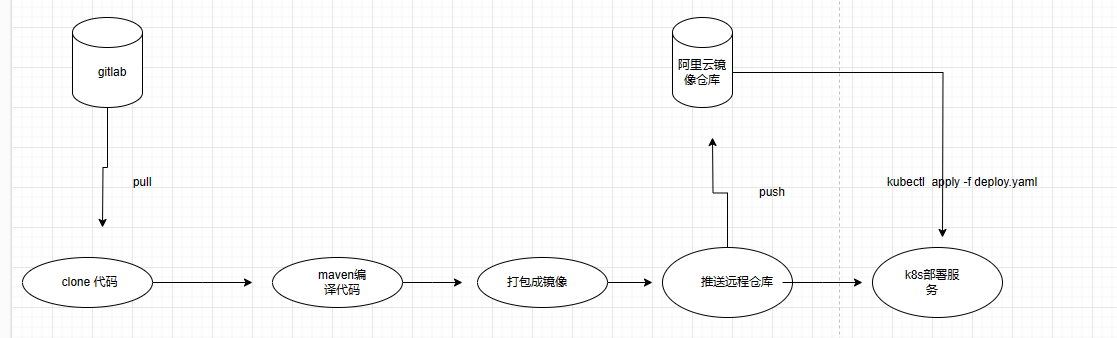
一:使用流水线devops部署springboot项目的流程:
二、本次项目结构:

其中Dockerfile:
FROM openjdk:8-jdk
LABEL maintainer=leifengyang


#docker run -e PARAMS="--server.port 9090"
ENV PARAMS="--server.port=8080"
RUN /bin/cp /usr/share/zoneinfo/Asia/Shanghai /etc/localtime && echo 'Asia/Shanghai' >/etc/timezone

COPY target/*.jar /app.jar
EXPOSE 8080

#
ENTRYPOINT ["/bin/sh","-c","java -Dfile.encoding=utf8 -Djava.security.egd=file:/dev/./urandom -jar app.jar ${PARAMS}"]
deploy.yaml:
apiVersion: apps/v1
kind: Deployment
metadata:
  labels:
    app: demo-mybatis
  name: demo-mybatis
  namespace: terp   #一定要写名称空间
spec:
  progressDeadlineSeconds: 600
  replicas: 1
  selector:
    matchLabels:
      app: demo-mybatis
  strategy:
    rollingUpdate:
      maxSurge: 50%
      maxUnavailable: 50%
    type: RollingUpdate
  template:
    metadata:
      labels:
        app: demo-mybatis
    spec:
      imagePullSecrets:
        - name: aliyuncs-docker-hub  #提前在项目下配置访问阿里云的账号密码
      containers:
        - image: $REGISTRY/$DOCKERHUB_NAMESPACE/$APP_NAME:SNAPSHOT-$BUILD_NUMBER
 #         readinessProbe:
 #           httpGet:
 #             path: /actuator/health
 #             port: 8080
 #           timeoutSeconds: 10
 #           failureThreshold: 30
 #           periodSeconds: 5
          imagePullPolicy: Always
          name: app
          ports:
            - containerPort: 8080
              protocol: TCP
          resources:
            limits:
              cpu: 300m
              memory: 600Mi
          terminationMessagePath: /dev/termination-log
          terminationMessagePolicy: File
      dnsPolicy: ClusterFirst
      restartPolicy: Always
      terminationGracePeriodSeconds: 30
---
apiVersion: v1
kind: Service
metadata:
  labels:
    app: demo-mybatis
  name: demo-mybatis
  namespace: terp
spec:
  ports:
    - name: http
      port: 8080
      protocol: TCP
      targetPort: 8080
      nodePort: 32607
  selector:
    app: demo-mybatis
  sessionAffinity: None
  type: NodePort
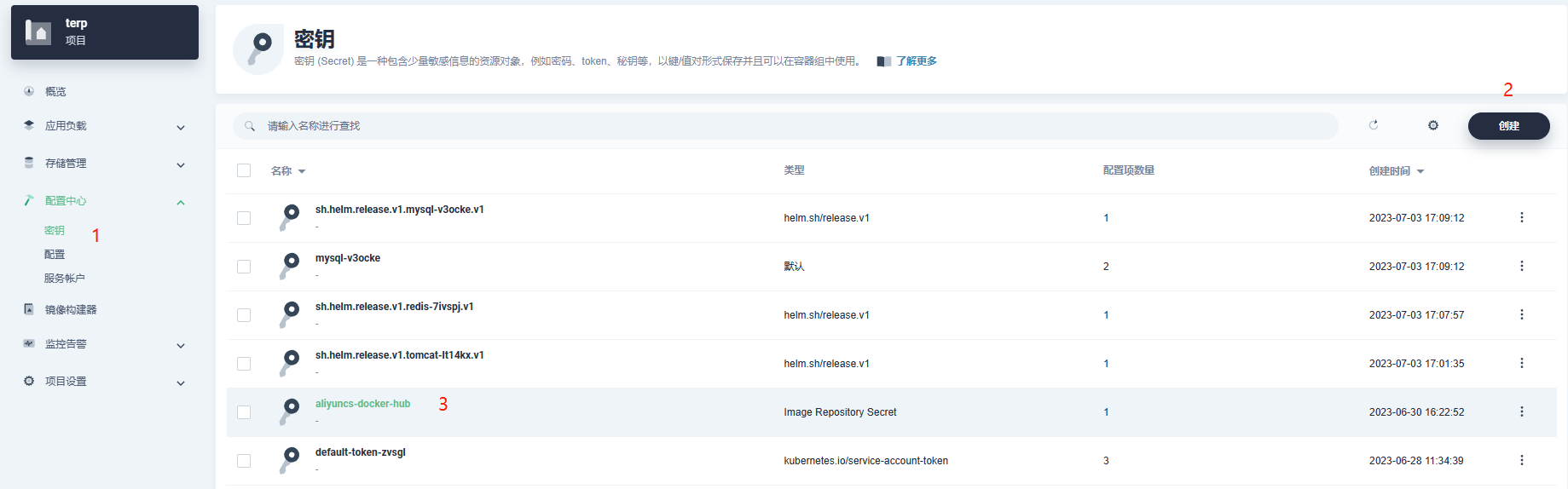
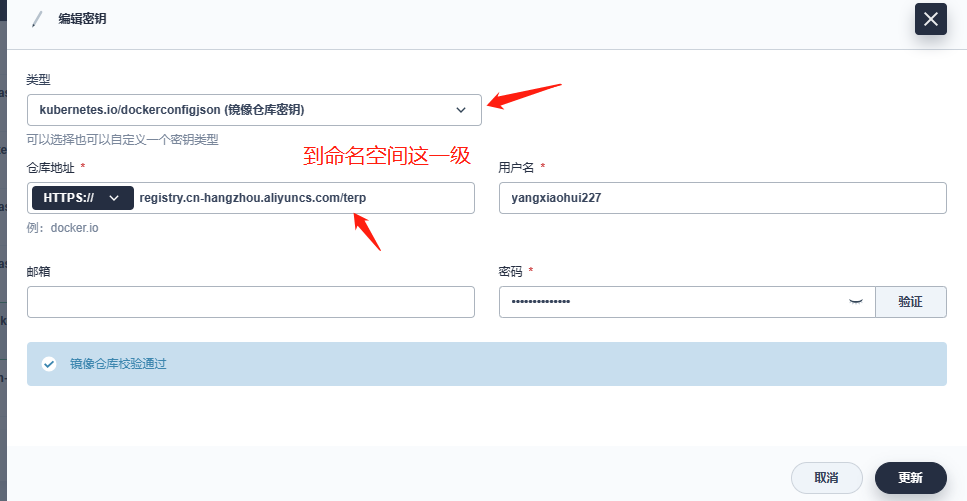
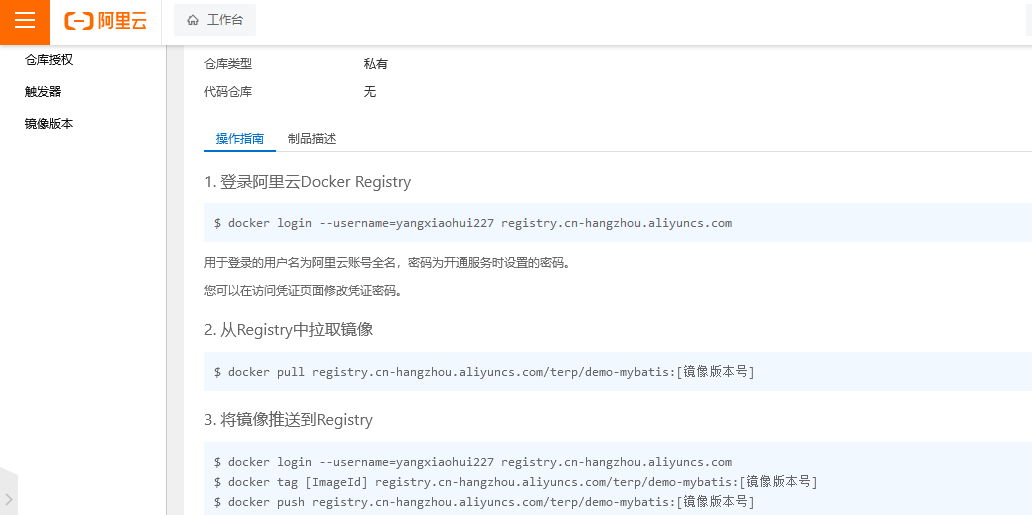
上面的部署文件中,我们的镜像需要从阿里云镜像仓库拉取,这里拉取的密钥是imagePullSecrets是aliyuncs-docker-hub,因此现在kubeSphere中配置好这个镜像仓库:
三、在kubeSphere中创建devops流水线
1.创建一个devops工程:名叫shop

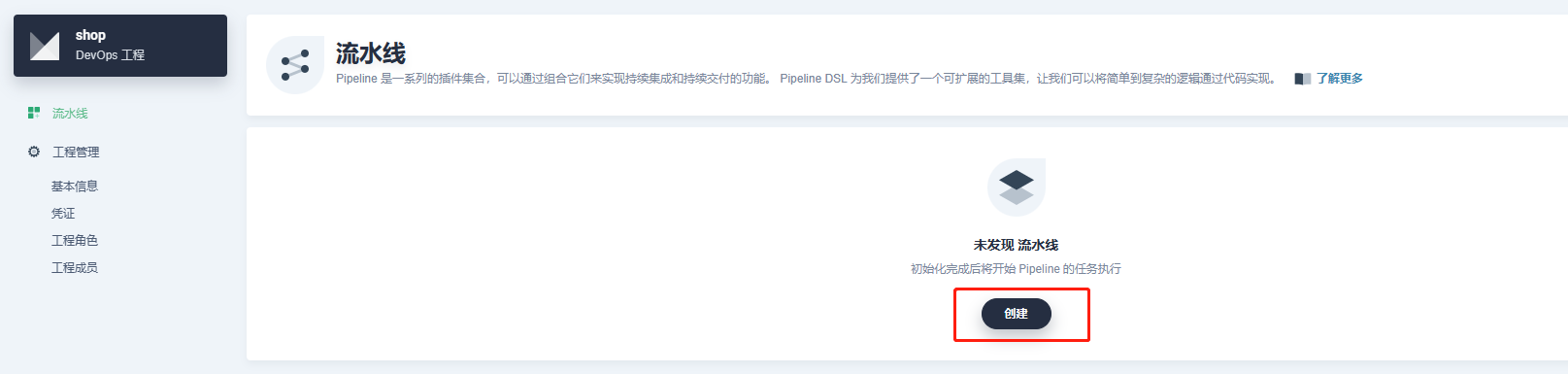
2.进入工程中,创建流水线:
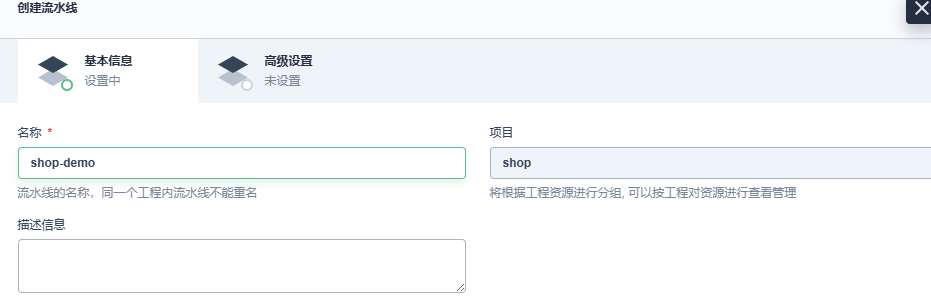
其他都默认
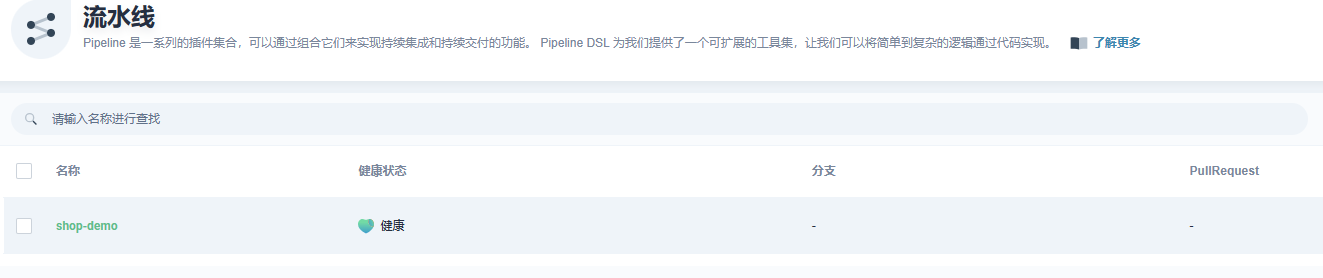
3.进入流水线中,选择编辑流水线
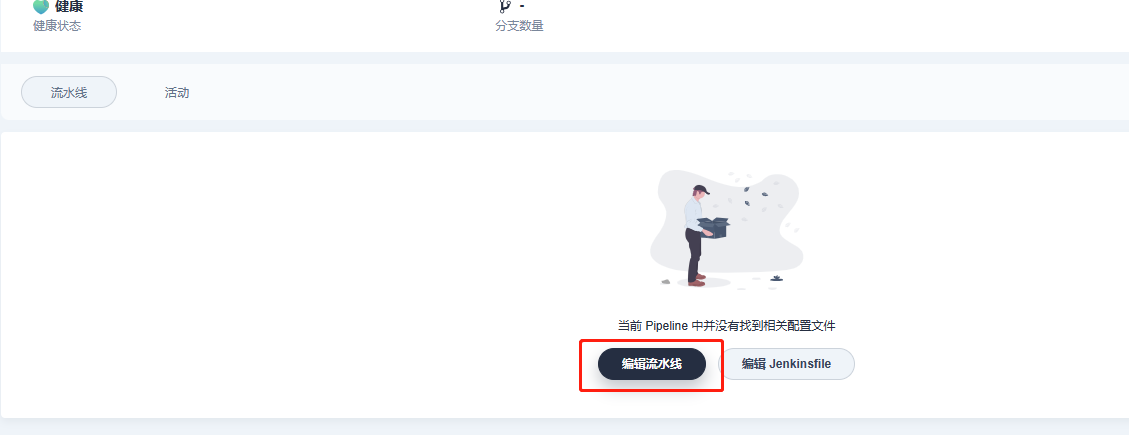
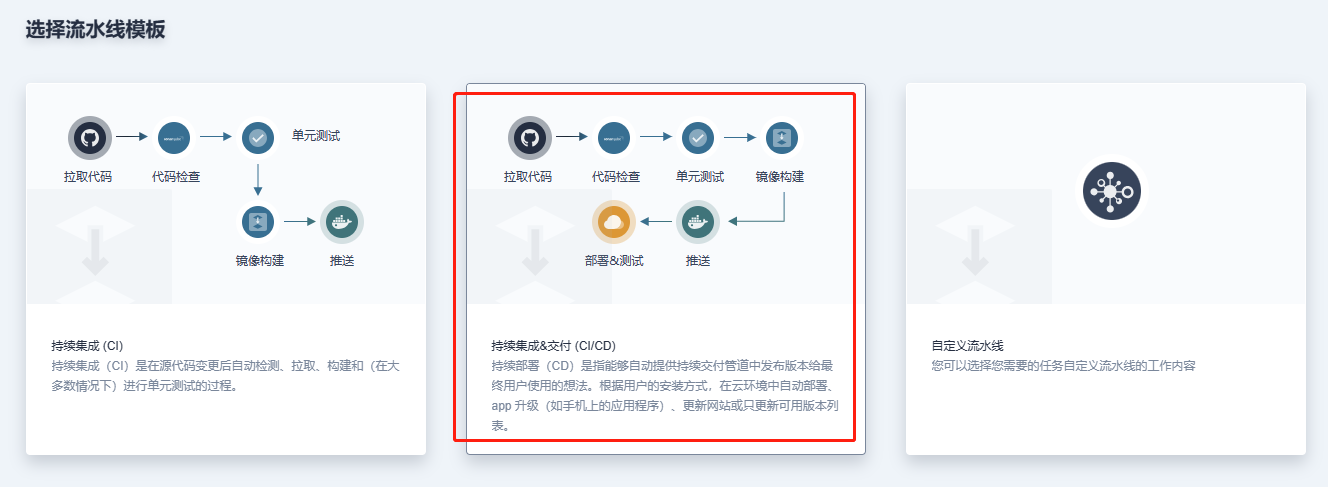
选择其中一个模板:

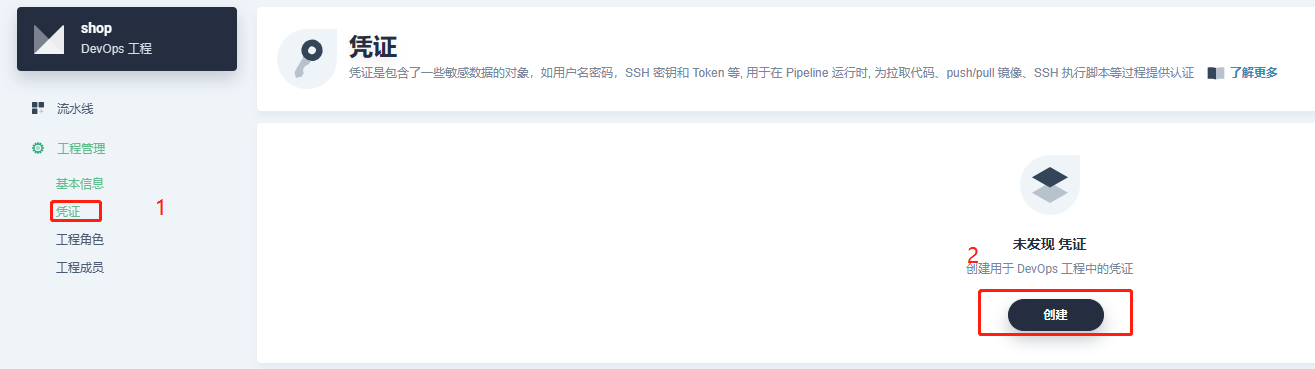
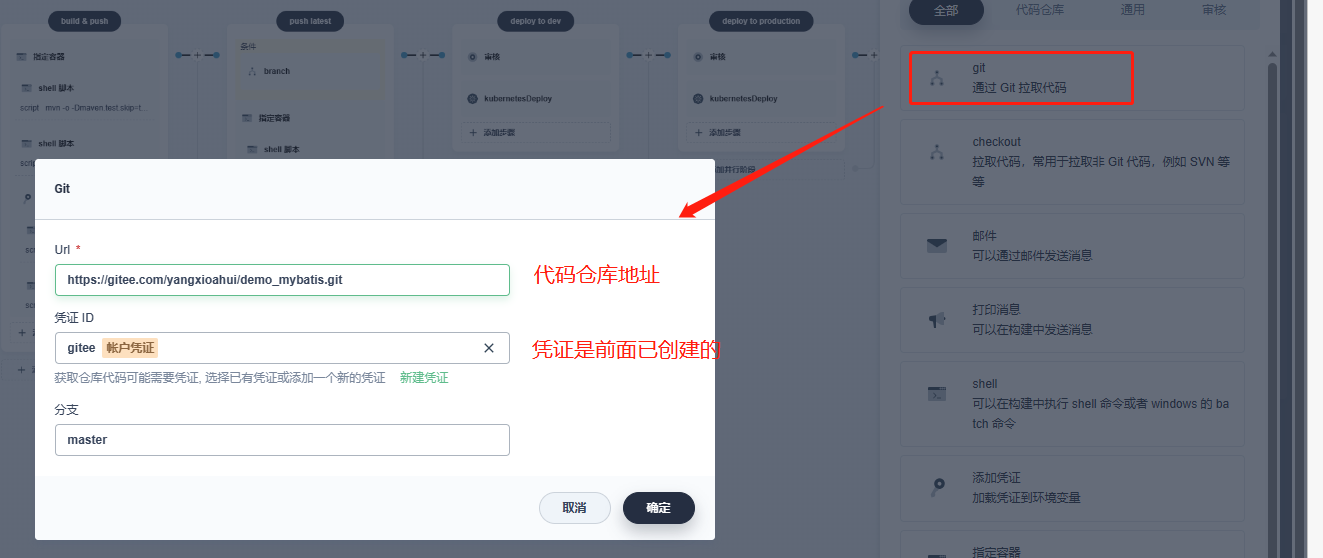
4.编辑流水线拉取代码这一步:因为这一步需要用到git拉取代码,因此需要先创建git账户密码
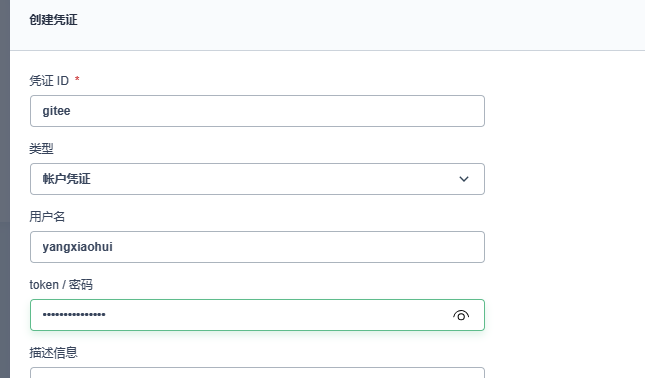
回到流水线编辑处:
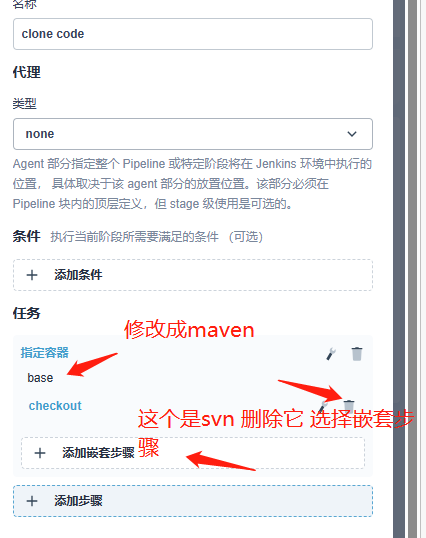
在嵌套步骤中选择git
继续添加创建步骤:执行shell命令 ls -al 列出拉取回来的代码结构
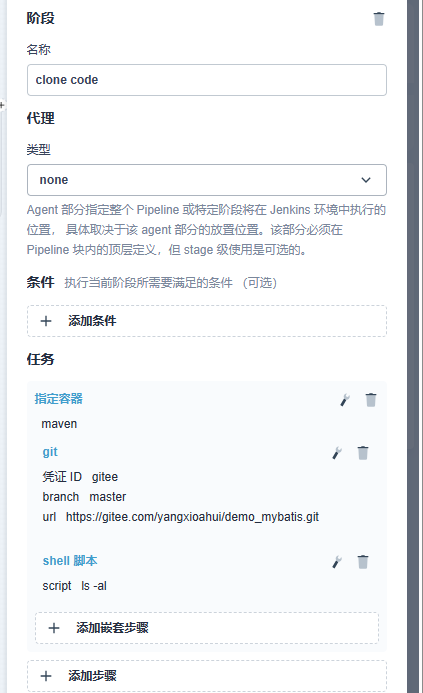
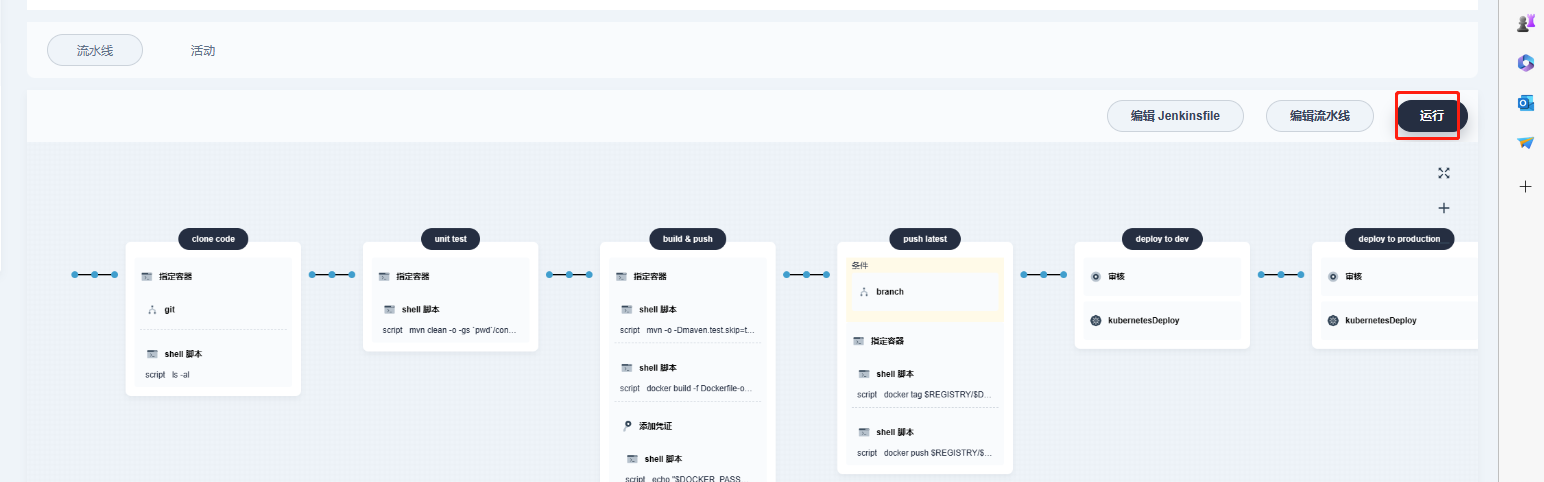
最终效果如上图:
保存所有步骤后,先运行看看效果: