SpringBoot整合knife4j(swagger)
关于knife4j
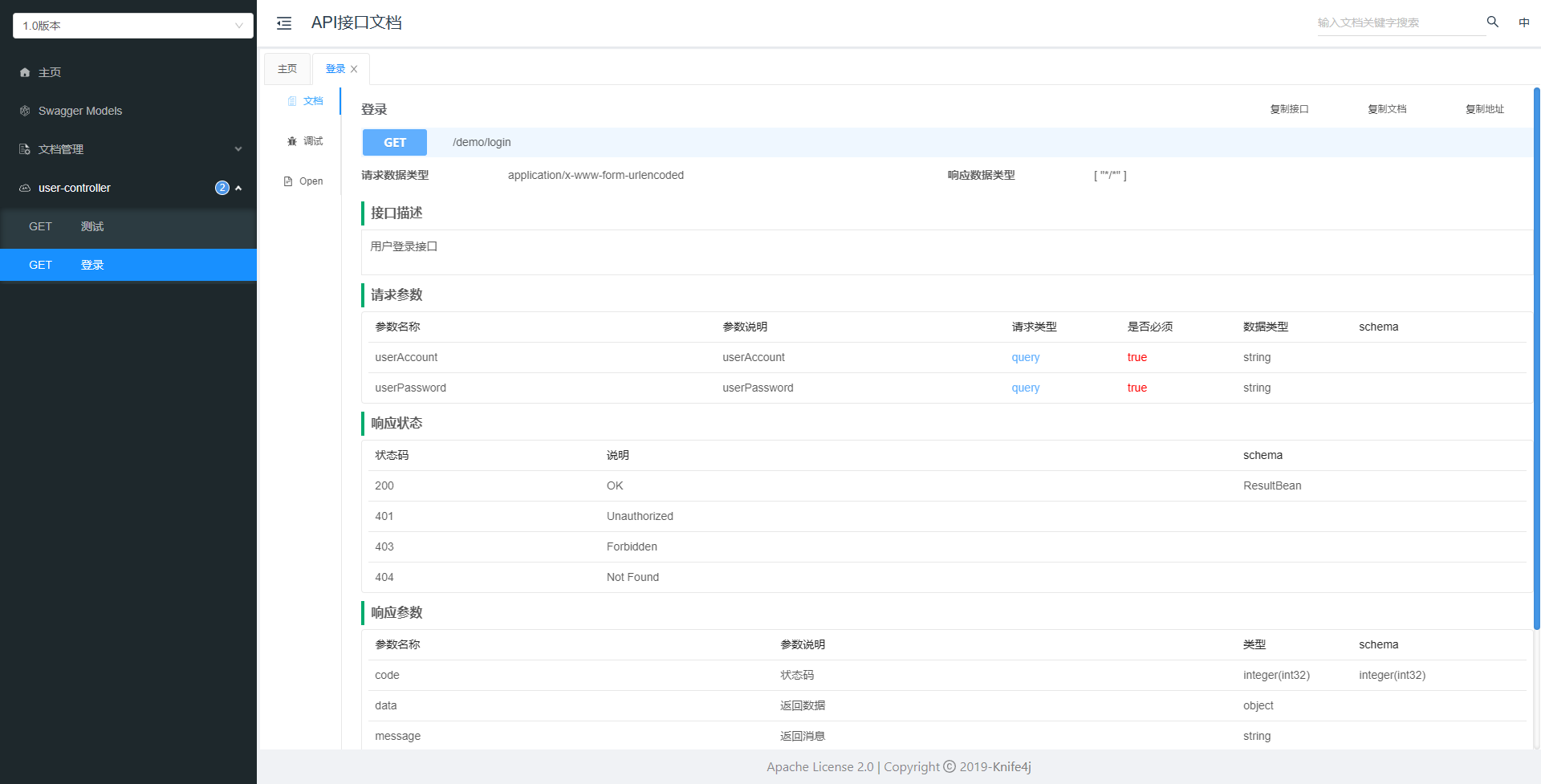
Knife4j是一个基于Swagger的Java接口文档生成工具,它提供了一套可视化的界面来展示和测试API接口。Knife4j通过解析接口代码中的Swagger注解,自动生成接口文档,并提供了交互式的API文档界面,方便开发者查看和测试接口。引用官方的一句描述Knife4j是一个集Swagger2 和 OpenAPI3 为一体的增强解决方案
安装配置
1、依赖引入
<dependency>
        <groupId>com.github.xiaoymin</groupId>
        <artifactId>knife4j-spring-boot-starter</artifactId>
        <version>2.0.9</version>
</dependency>
// 如果已经配置了swagger需要将swagger相关的依赖删除
2、配置knife4j
这样就配置完成了,启动您的Spring Boot应用程序,并访问Knife4j的API文档界面。默认情况下,文档界面的URL为
http://localhost:端口号/doc.html。

3、问题处理
启动失败
启动出现这个问题:Failed to start bean 'documentationPluginsBootstrapper'; nested exception is java.lang.NullPointerException
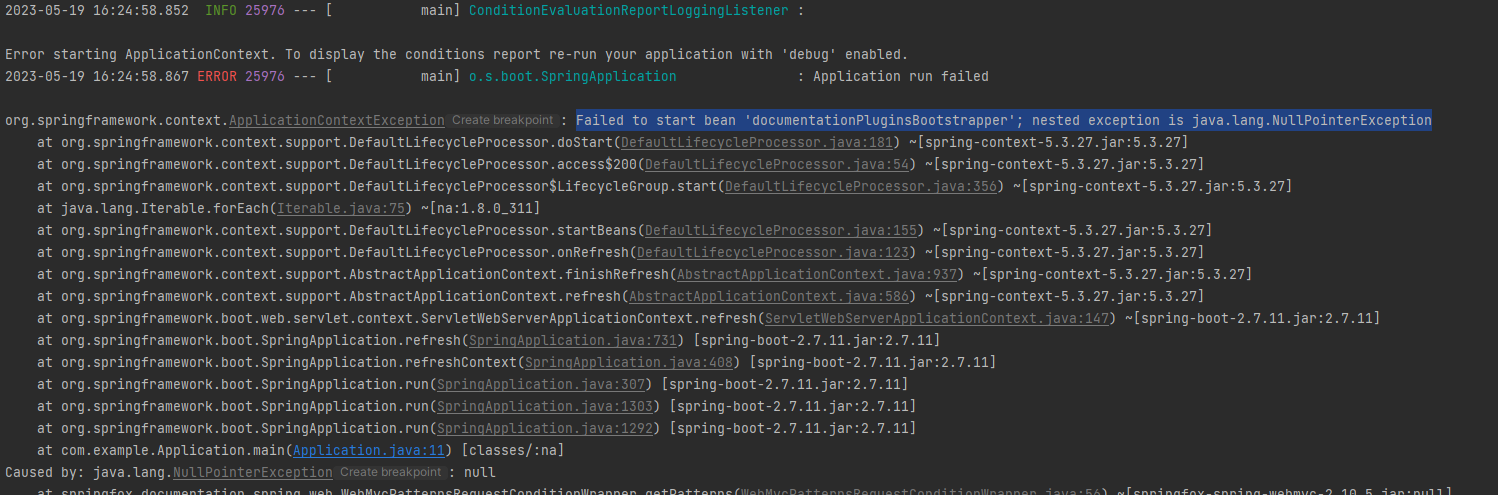
解决办法:在
application.yml添加以下配置
spring:
  mvc:
    pathmatch:
      matching-strategy: ant_path_matcher
页面访问被拦截
这个一般是配置了拦截器或者SpringSecurity之类的东西把它拦截的,我这个项目中是因为我配置的拦截器拦截了,只要在过滤器中放过对应的资源就好,具体代码可以参考我另一篇博客:传送门
4、接口上使用示例
@RestController
@RequestMapping("/user")
@Api(description = "用户管理")
public class UserController {

    @Autowired
    private UserService userService;

    /**
     * 系统登录
     * @param userAccount 账号
     * @param userPassword 密码
     * @return
     */
    @RequestMapping(value = "/login", method = RequestMethod.GET)
    @ApiOperation(value = "登录", notes = "用户登录接口")
    public ResultBean login(@RequestParam("userAccount") String userAccount, @RequestParam("userPassword") String userPassword) {
        log.info("系统登录,账号:{},密码:{}", userAccount, userPassword);
        return userService.login(userAccount, userPassword);
    }
..........................