Vue学习笔记57--vue默认插槽 + 具名插槽
vue默认插槽
示例一:不使用插槽
Category.vue
<template>
  <div class="category">
    <h3>{{title}}</h3>
    <ul>
      <li v-for="(item,index) in listData"
          :key="index">{{item}}</li>
    </ul>
  </div>
</template>

<script>
export default {
  name: 'Category',
  props: ['listData', 'title'],

}
</script>

<style>
.category {
  background-color: skyblue;
  width: 200px;
  height: 300px;
}
h3 {
  text-align: center;
  background-color: burlywood;
}
</style>
App.vue
<template>
  <div class="app">
    <Category title="美食"
              :listData="foods" />
    <Category title="游戏"
              :listData="games" />
    <Category title="电影"
              :listData="films" />
  </div>
</template>

<script>
// 引入组件
import Category from './components/Category.vue';
export default {
  name: 'App',
  components: { Category },
  data () {
    return {
      foods: ['玉米', '火鸡', '凉皮', '肉夹馍'],
      games: ['吃鸡', '红警', '魔兽', '超级玛丽'],
      films: ['大话西游', '封神榜', '三国', '大圣归来'],
      msg: '插槽学习喽'
    }
  },

}
</script>

<style scoped>
.app {
  display: flex;
  justify-content: space-around;
  margin: 5px;
}
</style>
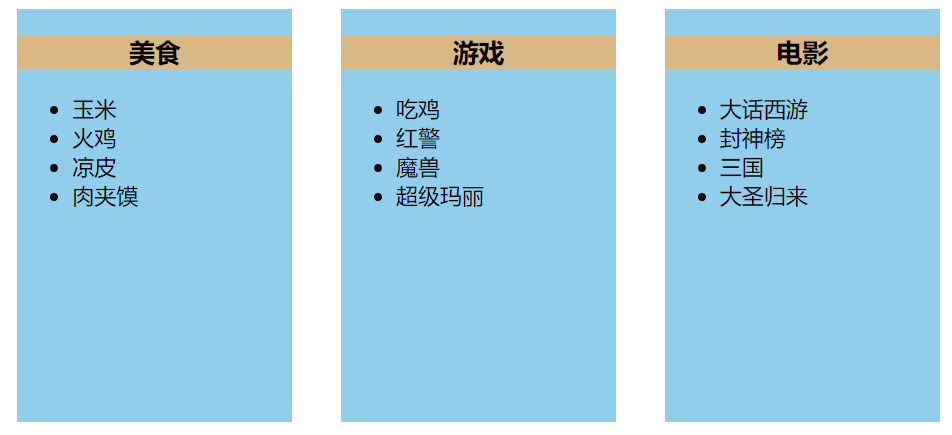
vue默认插槽 slot
示例二:
Category2.vue
<template>
  <div class="category">
    <h3>{{title}}</h3>
    <!-- 定义插槽,等待组件的使用者使用 -->
    <slot></slot>

  </div>
</template>

<script>
export default {
  name: 'Category2',
  props: ['title'],

}
</script>

<style scope>
.category {
  background-color: skyblue;
  width: 200px;
  height: 300px;
}

h3 {
  text-align: center;
  background-color: burlywood;
}
</style>
App.vue
<template>
  <div class="app">
    <Category title="美食">
      <img src="./assets/foods.jpeg"
           alt="">
    </Category>
    <Category title="游戏"
              :listData="games">
      <ul>
        <li v-for="(item,index) in games"
            :key="index">{{item}}</li>
      </ul>
    </Category>
    <Category title="电影">
      <!-- <img src="./assets/films.jpg"
           alt=""> -->
      <video controls
             src="https://www.bilibili.com/video/BV1LX4y1H7wX/?spm_id_from=333.880.my_history.page.click"></video>
    </Category>
  </div>
</template>

<script>
// 引入组件
// import Category from './components/Category.vue';
import Category from './components/Category2.vue';
export default {
  name: 'App',
  components: { Category },
  data () {
    return {
      foods: ['玉米', '火鸡', '凉皮', '肉夹馍'],
      games: ['吃鸡', '红警', '魔兽', '超级玛丽'],
      films: ['大话西游', '封神榜', '三国', '大圣归来'],
      msg: '插槽学习喽'
    }
  },

}
</script>

<style scoped>
.app {
  display: flex;
  justify-content: space-around;
  margin: 5px;
}
video {
  width: 100%;
}
img {
  width: 95%;
  height: 75%;
  margin-left: 5px;
}
</style>

具名插槽:具有名称的插槽
博客内容主要用于日常学习记录,内容比较随意,如有问题,还需谅解!!!