Vue学习笔记30--v-pre
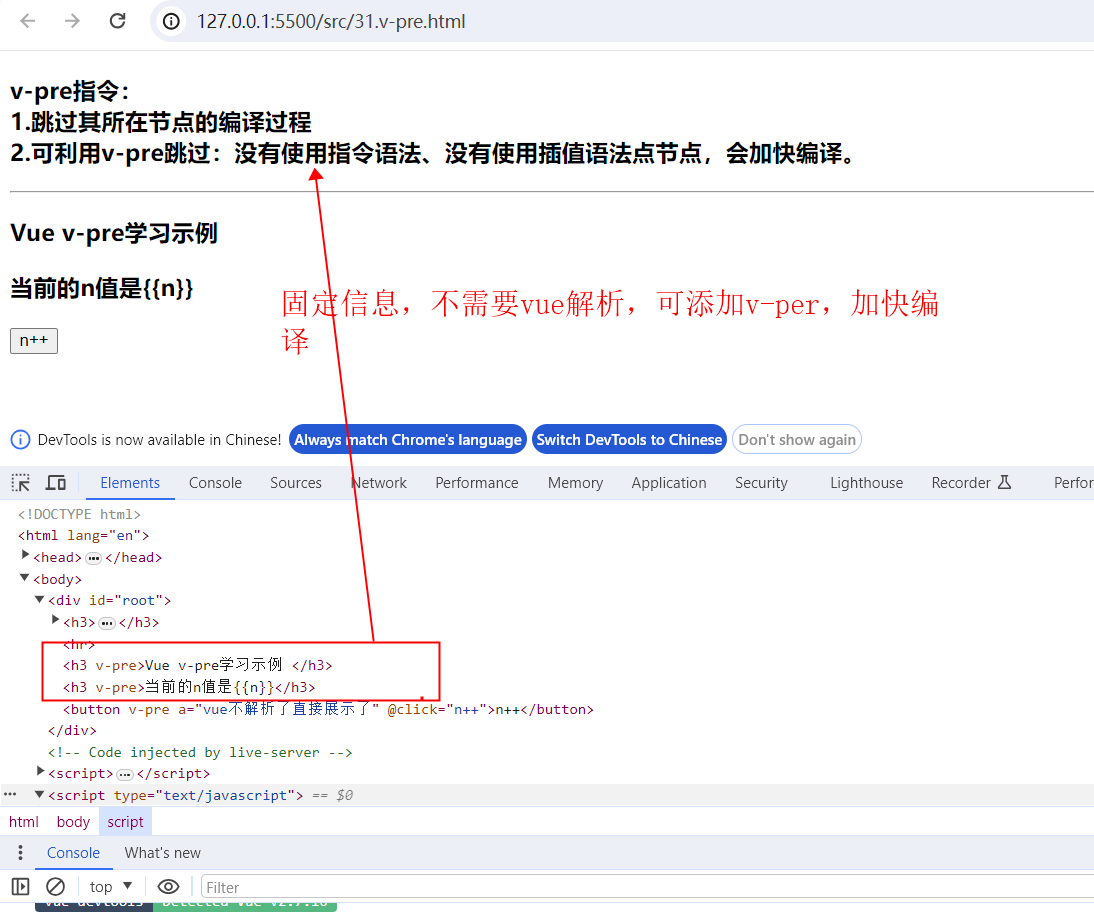
v-pre指令:
1.跳过其所在节点的编译过程
2.可利用v-pre跳过:没有使用指令语法、没有使用插值语法点节点,会加快编译。
<!DOCTYPE html>
<html lang="en">

<head>
  <meta charset="UTF-8">
  <meta name="viewport" content="width=device-width, initial-scale=1.0">
  <title>v-text|v-html</title>
  <!-- js阻塞 -->
  <script type="text/javascript" src="../Js/vue.js"></script>
  <style>
    [v-cloak] {
      display: none;
    }
  </style>
</head>

<body>
  <div id="root">
    <h3>
      v-pre指令:<br>
      1.跳过其所在节点的编译过程<br>
      2.可利用v-pre跳过:没有使用指令语法、没有使用插值语法点节点,会加快编译。<br>
    </h3>
    <hr>
    <h3 v-pre>Vue v-pre学习示例 </h3>
    <h3 v-pre>当前的n值是{{n}}</h3>
    <button v-pre a="vue不解析了直接展示了" @click="n++">n++</button>
  </div>
</body>

</html>
<script type="text/javascript">
  //console.log(vm)
  Vue.config.productionTip = false
  const vm = new Vue({
    el: '#root',
    data: {
      name: 'v-text 学习笔记',
      n: 1,

    },

  })
</script>
博客内容主要用于日常学习记录,内容比较随意,如有问题,还需谅解!!!