PDF.js插件使用
使用范围:在支持js的服务器上运行,适合电脑端(手机端没尝试过),使用方便
使用方法:
- 下载:https://mozilla.github.io/pdf.js/getting_started/
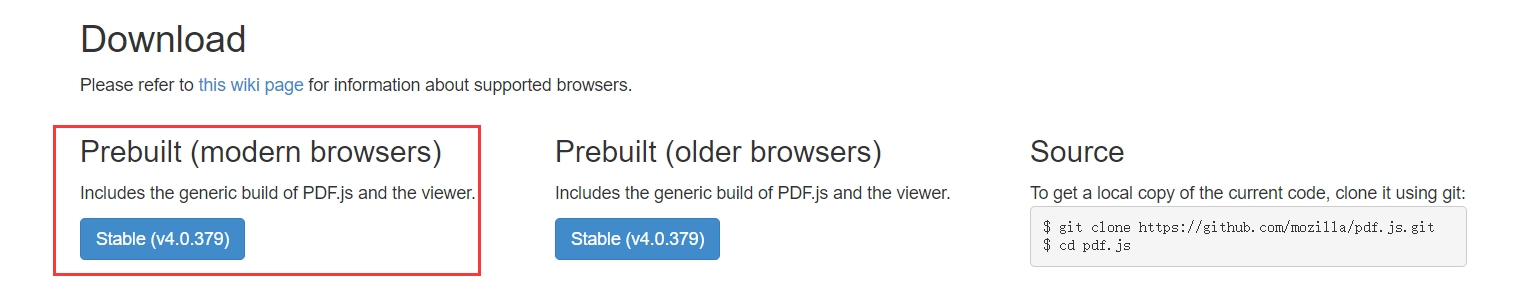
-
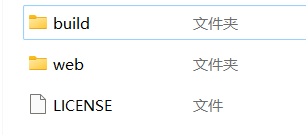
解压后如下,将这些文件放到public里面或在public里建立一个自定义名称,如pdfjs的文件夹再放,我这边是直接放入
-
预览使用:http://localhost:8080/web/viewer.html?file=test.pdf
我用的是window.open,url是文件地址,例如:url= 'https://xxx.com/xxx.pdf'
window.open('web/viewer.html?file=' +encodeURIComponent(url))也可以使用iframe:
<iframe src="/web/viewer.html?file=test.pdf"></iframe>
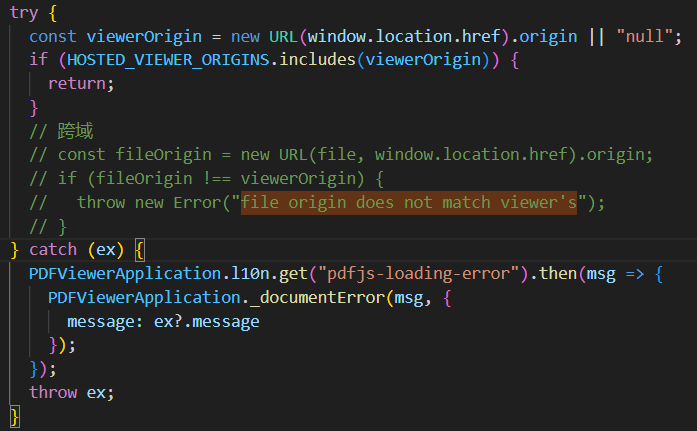
- 跨域:打开web->viewer.mjs(或viewer.js)文件,搜索"file origin does not match viewer's”找到下面代码所在的位置,然后注释掉就可以实现跨域访问了
- 禁用下载、打印等功能:不能直接注释会报错,一般建议采用css方式隐藏。例如注释下载功能:打开web->viewer.html文件,搜索关键字“download”,在相关代码段加上style="visibility: hidden;"即可

-
部署上IIS时需要设置MIME类型(没用到IIS可以忽略)
.mjs application/javascript
.ftl application/x-freemarker
官方效果预览:https://mozilla.github.io/pdf.js/web/viewer.html
PDF.js中文文档:https://gitcode.gitcode.host/docs-cn/pdf.js-docs-cn/index.html
参考网址:https://blog.51cto.com/u_14866376/5263653、https://blog.csdn.net/wan212000/article/details/128217983