基于openresty部署WAF
WAF: Web Application Firewall
1、下载zip包
在浏览器上打开 https://github.com/unixhot/waf
下载zip包
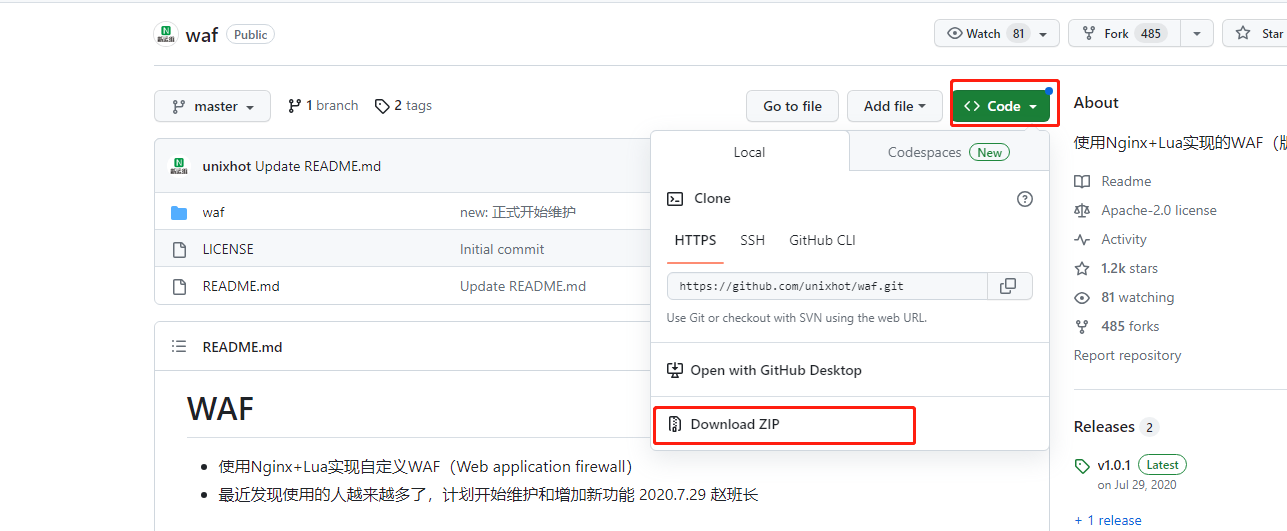
或者在服务器上输入git clone https://github.com/unixhot/waf.git
2、解压unzip waf-master.zip
解压后得到一个waf文件夹
3、将waf文件夹拷贝到openresty的nginx路径下
默认的openresty路径为 /usr/local/openresty下
cp -r waf-master/waf/ /usr/local/openresty/nginx/conf/
4、修改waf中的config.lua文件也就是lua防火墙规则
cd到waf路径下
cd /usr/local/openresty/nginx/conf/waf
编辑配置文件
vim config.lua
修改第6行的日志存储路径
config_log_dir = "/home/tmp/waf_logs"
修改32行的选择跳转网址
config_waf_redirect_url = "https://www.baidu.com"
修改41行的内容
<h1 align="center"> 您的行为已违反本网站相关规定,注意操作规范。</h1>
4、编辑nginx.conf文件 添加以下配置
vim /usr/local/openresty/nginx/conf/nginx.conf
在http{}中增加以下内容:
lua_shared_dict limit 50m; #防cc使用字典,大小50M
lua_package_path "/usr/local/openresty/nginx/conf/waf/?.lua";
init_by_lua_file "/usr/local/openresty/nginx/conf/waf/init.lua";
access_by_lua_file "/usr/local/openresty/nginx/conf/waf/access.lua";
5、创建日志文件目录
mkdir -p /home/tmp/waf_logs
6、设置软连接
ln -s /usr/local/openresty/lualib/resty/ /usr/local/openresty/nginx/conf/waf/resty
7、重启openresty服务
systemctl restart openresty
8、模拟sql注入
访问openresty网站
在浏览器访问http://192.168.1.56:82/mysql.sql

或者在服务器上输入curl -l http://192.168.1.56:82/mysql.sql
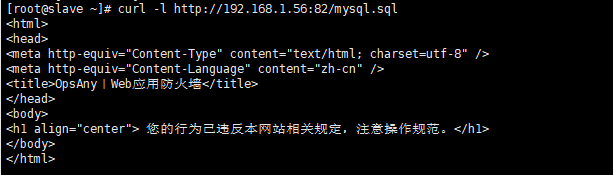
然后cd /home/tmp/waf_logs
会看到以日期生成的一个waf.log文件
例如:

可以看到里面的一些信息为:
{"req_url":"\/msql.sql","req_data":"-","rule_tag":"\\.(bak|inc|old|mdb|sql|backup|java|class|tgz|gz|tar|zip)$","attack_method":"Deny_URL","client_ip":"192.168.1.56","local_time":"2023-08-08 14:20:01","user_agent":"curl\/7.29.0","server_name":"192.168.1.56"}

9、压力测试(可选)
安装ab工具
yum install httpd-tools -y
压力并发测试
ab -c 50 -n 1000 http://192.168.1.56:82/mysql.sql
输出信息:
This is ApacheBench, Version 2.3 <$Revision: 1430300 $>
Copyright 1996 Adam Twiss, Zeus Technology Ltd, http://www.zeustech.net/
Licensed to The Apache Software Foundation, http://www.apache.org/
Benchmarking 192.168.1.56 (be patient)
Completed 100 requests
Completed 200 requests
Completed 300 requests
Completed 400 requests
Completed 500 requests
Completed 600 requests
Completed 700 requests
Completed 800 requests
Completed 900 requests
Completed 1000 requests
Finished 1000 requests
Server Software: openresty/1.21.4.2
Server Hostname: 192.168.1.56
Server Port: 82
Document Path: /mysql.sql
Document Length: 306 bytes
Concurrency Level: 50
Time taken for tests: 0.150 seconds
Complete requests: 1000
Failed requests: 990
(Connect: 0, Receive: 0, Length: 990, Exceptions: 0)
Write errors: 0
Non-2xx responses: 1000
Total transferred: 316470 bytes
HTML transferred: 160470 bytes
Requests per second: 6682.17 [#/sec] (mean)
Time per request: 7.483 [ms] (mean)
Time per request: 0.150 [ms] (mean, across all concurrent requests)
Transfer rate: 2065.14 [Kbytes/sec] received
Connection Times (ms)
min mean[+/-sd] median max
Connect: 0 0 0.1 0 1
Processing: 0 7 0.8 7 8
Waiting: 0 7 0.8 7 8
Total: 2 7 0.7 7 9
Percentage of the requests served within a certain time (ms)
50% 7
66% 7
75% 8
80% 8
90% 8
95% 8
98% 8
99% 8
100% 9 (longest request)
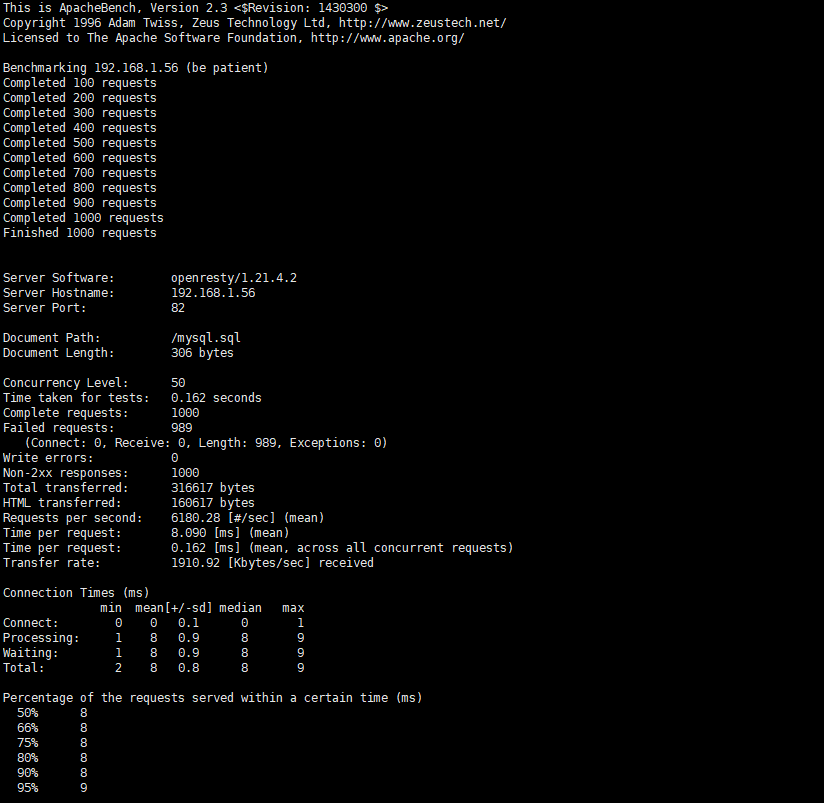
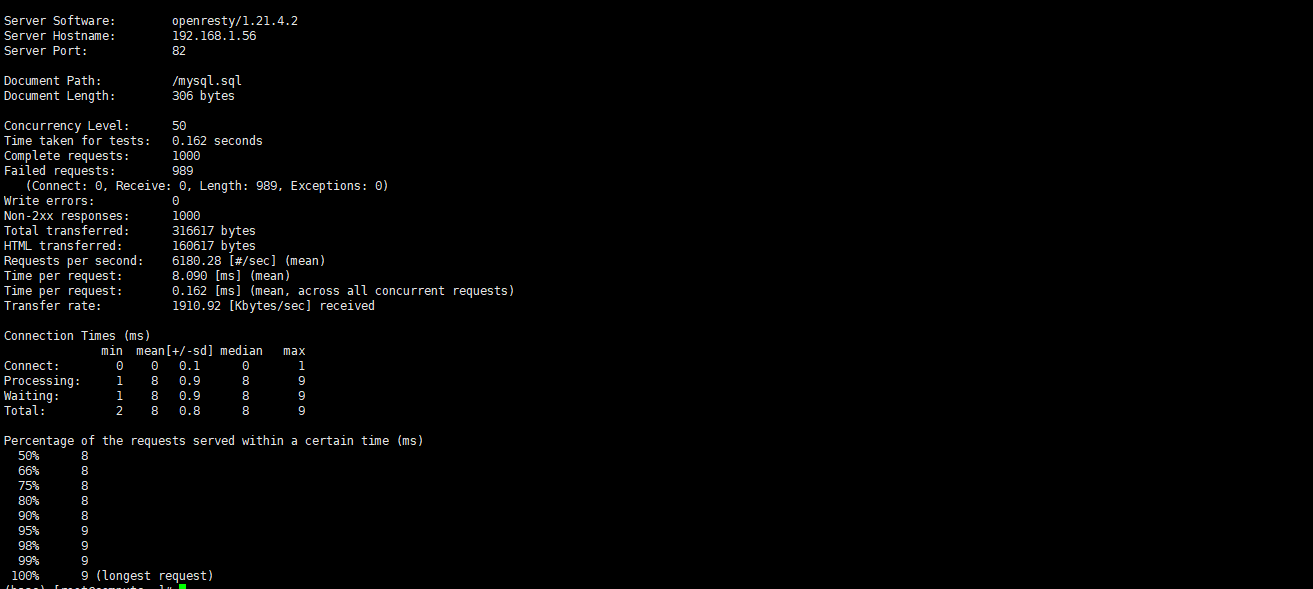
从上面可以看出失败了989次请求,这是由config.lua配置文件配置决定的
也就是/usr/local/openresty/nginx/conf/waf/config.lua配置文件
第26行配置
config_cc_rate = "10/60"
(允许一个ip60秒内只能访问10次)
10、添加IP黑名单或白名单(可选)
在/usr/local/openresty/nginx/conf/waf/rule-config路径下有

这些文件
可以设置 blackip.rule 黑名单IP whiteip.rule 白名单IP whiteurl.rule 白名单url规则
这里配置下blackip.rule 黑名单IP
vim /usr/local/openresty/nginx/conf/waf/rule-config/blackip.rule
192.168.1.119
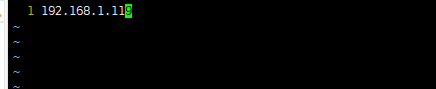
保存退出
把IP为192.168.1.119添加为黑名单
重启服务
systemctl restart openresty
在浏览器访问http://192.168.1.56:82
会发现403

11、隐藏openresty版本号(可选)

编辑nginx.conf文件
vim /usr/local/openresty/nginx/conf/nginx.conf
在http{}中添加
server_tokens off;
例如:
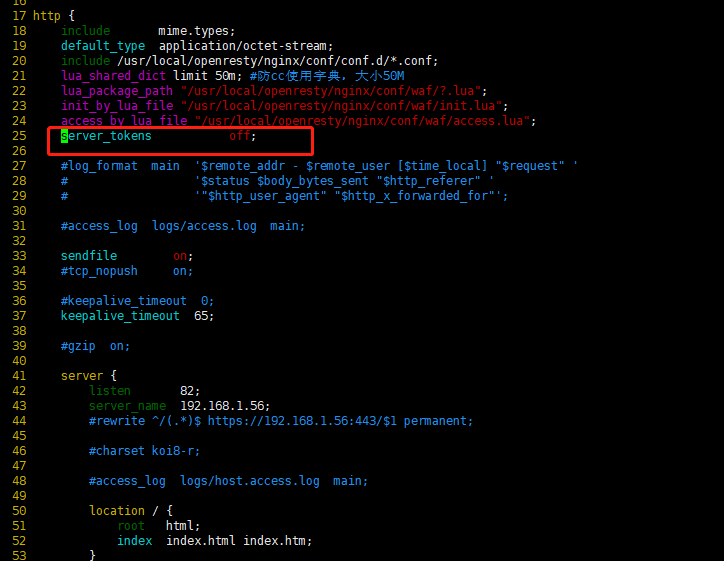
保存退出
重启openresty服务
systemctl restart openresty
再次访问,发现没有显示openresty版本号了
