机器学习实战-基于Python3和C++(4)-opencv(1)
目录
- 读取图片
- Mat
读取图片
#include <opencv2/core.hpp>
#include <opencv2/imgcodecs.hpp>
#include <opencv2/highgui.hpp>
#include <iostream>
using namespace cv;
int main()
{
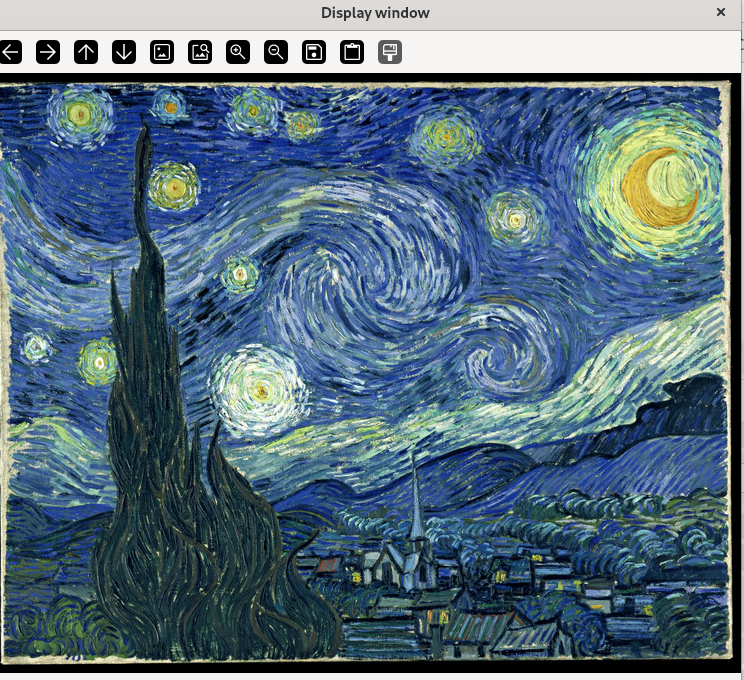
 std::string image_path = samples::findFile("starry_night.jpg");
 Mat img = imread(image_path, IMREAD_COLOR);
 if(img.empty())
 {
 std::cout << "Could not read the image: " << image_path << std::endl;
 return 1;
 }
 imshow("Display window", img);
 int k = waitKey(0); // Wait for a keystroke in the window
 if(k == 's')
 {
 imwrite("starry_night.png", img);
 }
 return 0;
}
g++ main.cpp -o learnopencv `pkg-config --cflags opencv4` `pkg-config --libs opencv4`
Mat
Mat基本上是一个有两个数据部分的类:矩阵头(包含矩阵的大小、存储方法、存储矩阵的地址等信息)和指向包含像素值的矩阵的指针(根据选择的存储方法采用任何维度)。矩阵头部大小是恒定的,然而矩阵本身的大小可能因图像而异,并且通常大几个数量级。
OpenCV是一个图像处理库。它包含大量图像处理功能。为了解决计算挑战,大多数时候你最终会使用库的多个函数。正因为如此,将图像传递给函数是一种常见的做法。
图像处理算法,这些算法往往计算量很大。我们最不想做的就是通过对可能较大的图像进行不必要的复制来进一步降低程序的速度。
为了解决这个问题,OpenCV使用了一个参考计数系统。其思想是,每个Mat对象都有自己的头,然而,通过使两个Mat对象的矩阵指针指向同一地址,可以在两个对象之间共享矩阵。此外,复制运算符将只复制指向大矩阵的标头和指针,而不是数据本身。
#include <opencv2/core.hpp>
#include <opencv2/imgcodecs.hpp>
#include <opencv2/highgui.hpp>
#include <iostream>
using namespace cv;
using namespace std;
int main()
{
     std::string image_path = samples::findFile("starry_night.jpg");
     Mat img1 = imread(image_path, IMREAD_GRAYSCALE );
     if(img1.empty())
     {
         std::cout << "Could not read the image: " << image_path << std::endl;
         return 1;
     }
     imshow("Display window", img1);
      waitKey(0);
    Mat  img2(img1); // Use the copy constructor
    Mat  img3 = img1 ; // Assignment operator
    for (int i=0;i<20;i++){
       cout<<to_string(img2.data[100*img2.cols+i])<<" ";
       img2.data[100*img1.cols+i]=0;
    }
    cout<<endl;
    for (int i=0;i<20;i++){
       cout<<to_string(img1.data[100*img1.cols+i])<<" ";
    }
    cout<<endl;
    for (int i=0;i<20;i++){
       cout<<to_string(img3.data[100*img3.cols+i])<<" ";
    }
    cout<<endl;
     imshow("Display window", img2);
       waitKey(0);
     imshow("Display window", img3);
     waitKey(0);
     return 0;
}
[maisipu@fedora opencv]$ ./learnopencv
[ WARN:0@0.002] global samples.cpp:61 findFile cv::samples::findFile('starry_night.jpg') => '/lib64/../share/opencv4/samples/data/starry_night.jpg'
[ INFO:0@0.009] global registry.impl.hpp:114 UIBackendRegistry UI: Enabled backends(3, sorted by priority): GTK(1000); GTK3(990); GTK2(980) + BUILTIN(QT5)
QSocketNotifier: Can only be used with threads started with QThread
qt.qpa.qgnomeplatform.theme: The desktop style for QtQuick Controls 2 applications is not available on the system (qqc2-desktop-style). The application may look broken.
[ INFO:0@0.632] global registry_parallel.impl.hpp:96 ParallelBackendRegistry core(parallel): Enabled backends(2, sorted by priority): TBB(1000); OPENMP(990)
[ INFO:0@0.632] global parallel_for.tbb.hpp:54 ParallelForBackend Initializing TBB parallel backend: TBB_INTERFACE_VERSION=11103
[ INFO:0@0.632] global parallel.cpp:77 createParallelForAPI core(parallel): using backend: TBB (priority=1000)
0 1 1 0 0 1 2 36 177 137 106 118 133 125 117 117 134 108 59 106
0 0 0 0 0 0 0 0 0 0 0 0 0 0 0 0 0 0 0 0
0 0 0 0 0 0 0 0 0 0 0 0 0 0 0 0 0 0 0 0